The Food trucks & mobile catering module now ships with a portal that answers a question we hear a lot: "do I, as the organiser, really have to keep an eye on every truck's orders myself?" No. You invite the truck's operator by email, and from then on they manage their own orders, their own menu and their own register — on their own phone, with their own login, and without access to your admin area.
Note: the screenshots below show the Dutch interface — the flow is identical in every language.
Invite with one click
In the food truck admin, every truck has an "Invite operator" button. You enter the operator's email address and they receive an invitation with a single-use link — valid for 14 days and automatically expired after use. Through that link the operator picks a PIN of 4 to 6 digits; afterwards they log in with their email address and that PIN. The same trusted pattern we use for ticket inspectors and the city-card merchant app.
As the organiser you see the status per truck at a glance: invitation sent or operator active. As long as the invitation hasn't been accepted you can resend it, for instance to a different address.
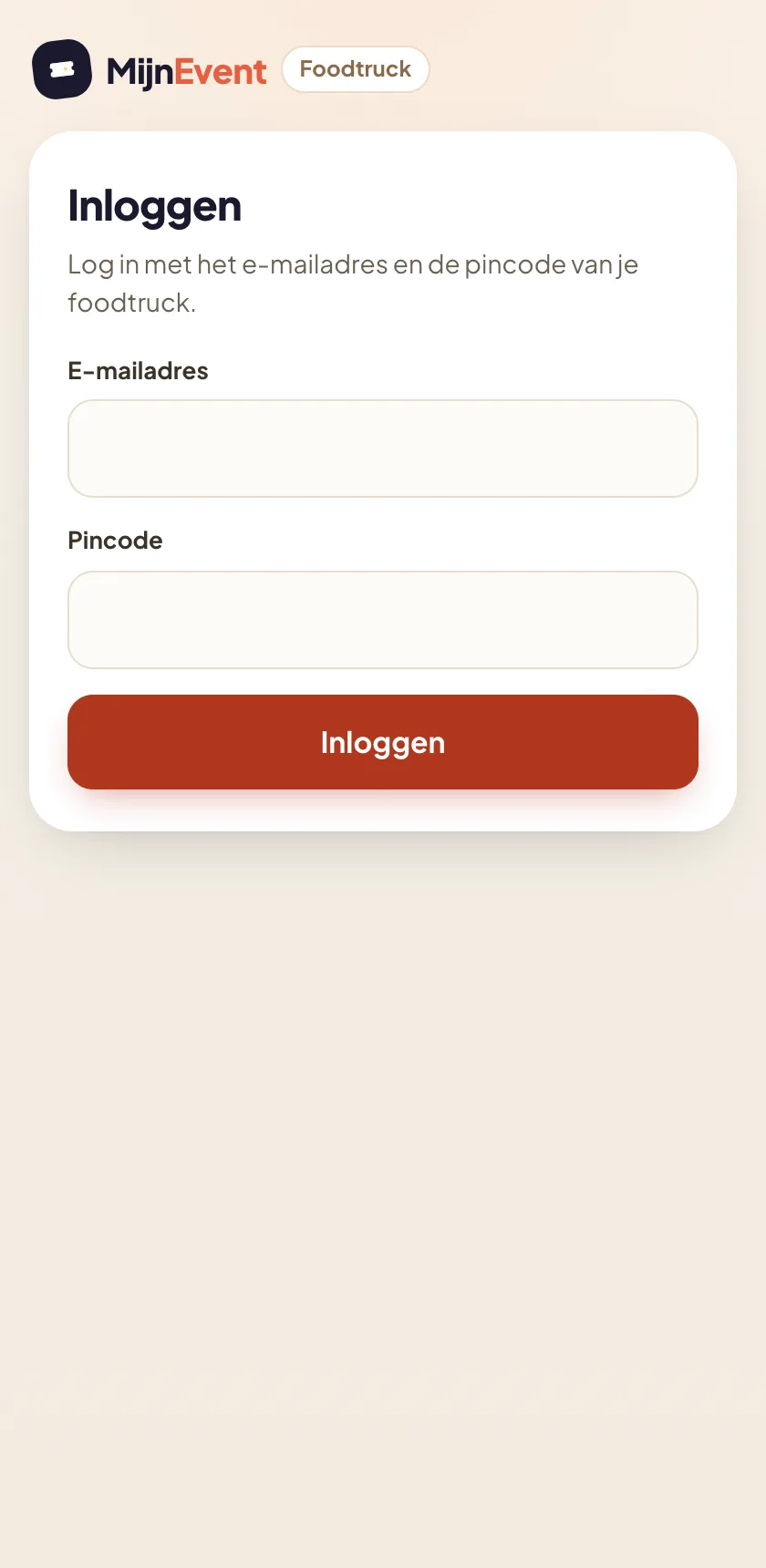 Logging in with email address and PIN — no password, no account hassle.
Orders: their own queue, nothing else
After logging in, the operator lands on their order queue: every paid order for their truck, sorted by queue number, with all order lines included. Orders from other trucks at the same event are invisible — the portal is strictly scoped per truck.
The controls match the organiser's kitchen display: one button per step. From ordered to preparing, to ready, to collected. Every step updates the visitor's live status page instantly, and the queue refreshes itself — new orders appear automatically the moment payment is confirmed.
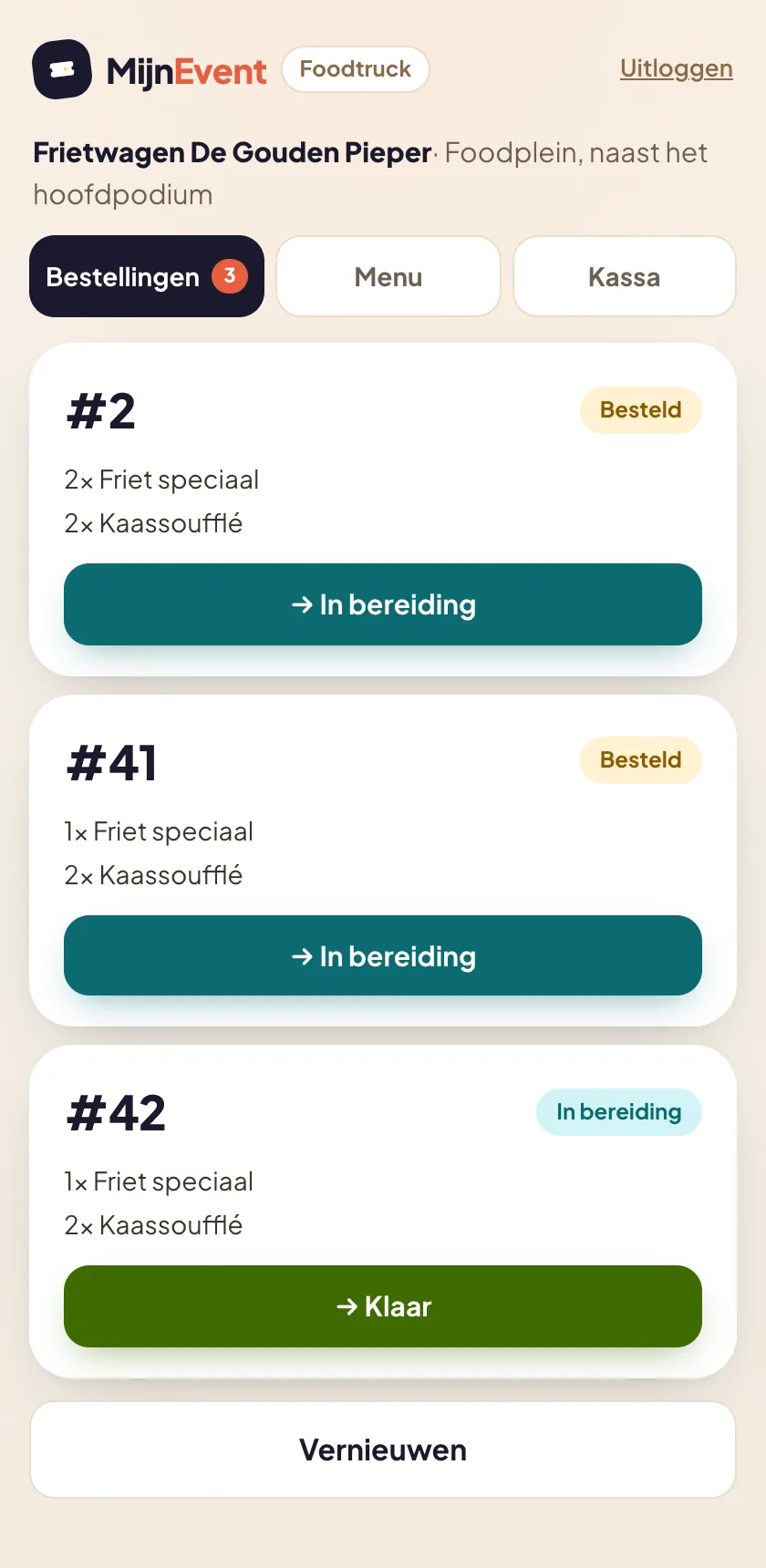 The truck's own queue with big queue numbers: one tap per step, from ordered to collected.
Menu: sold out? One toggle
The fries run out, the burgers sell through — it happens at every event. In the Menu tab the operator flips one toggle to mark a dish sold out. The item disappears immediately from the public ordering page and the register, and comes back just as easily once new stock arrives. No phone call to the organiser, no crossed-out signs at the counter.
The menu's content — dishes, prices, photos, allergens — stays under the organiser's control; the operator handles day-to-day availability.
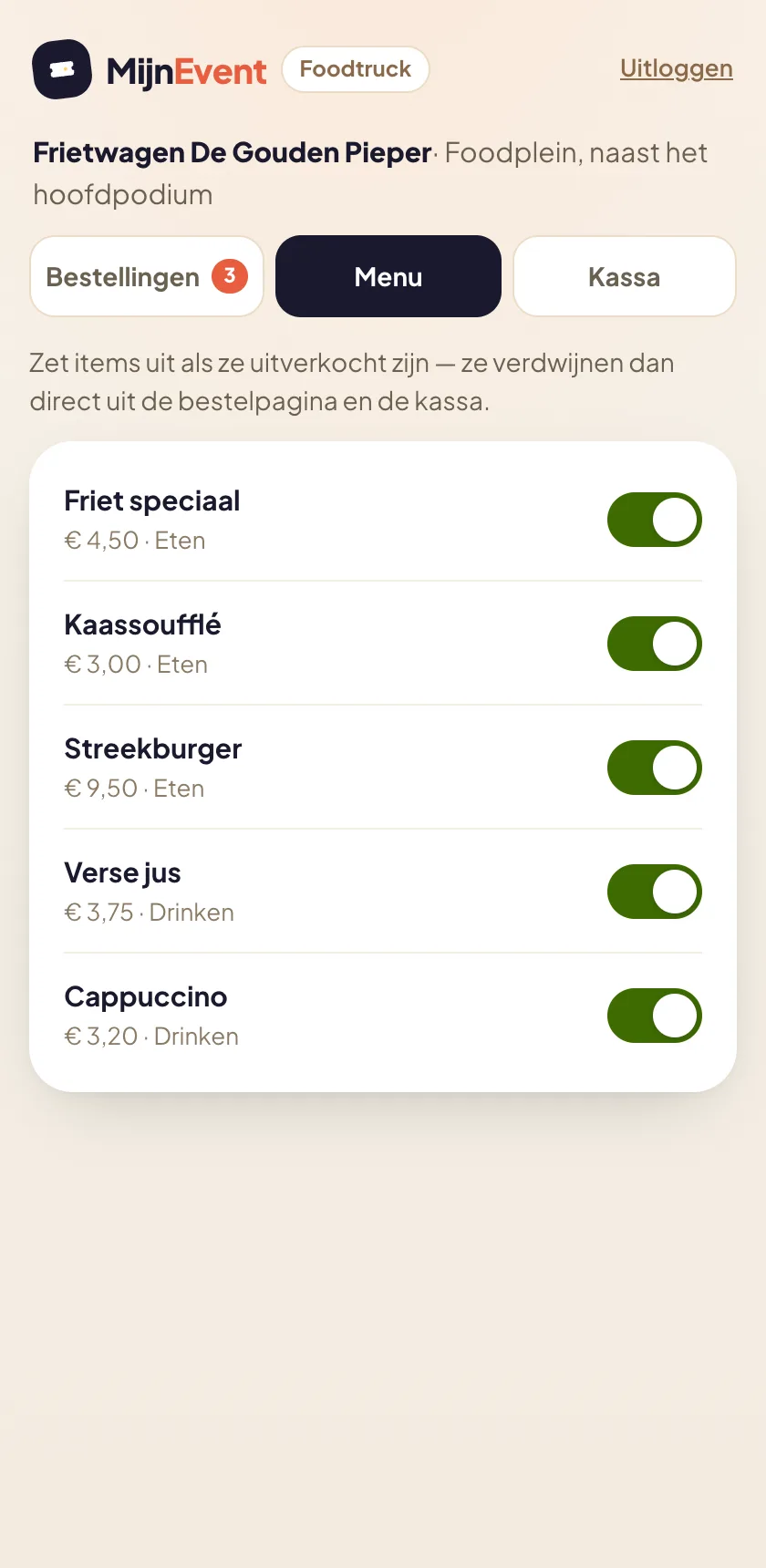 A toggle per dish: sold out is one tap, and one tap back.
Register: counter orders on the same number sequence
Not everyone orders on their phone. For the queue at the counter, the portal includes a register: the operator composes the order with plus and minus buttons, picks cash / own card machine or the Mollie payment terminal, and gets a big queue number on screen to call out. Counter orders and phone orders share the same number sequence and the same queue — the kitchen simply sees one list.
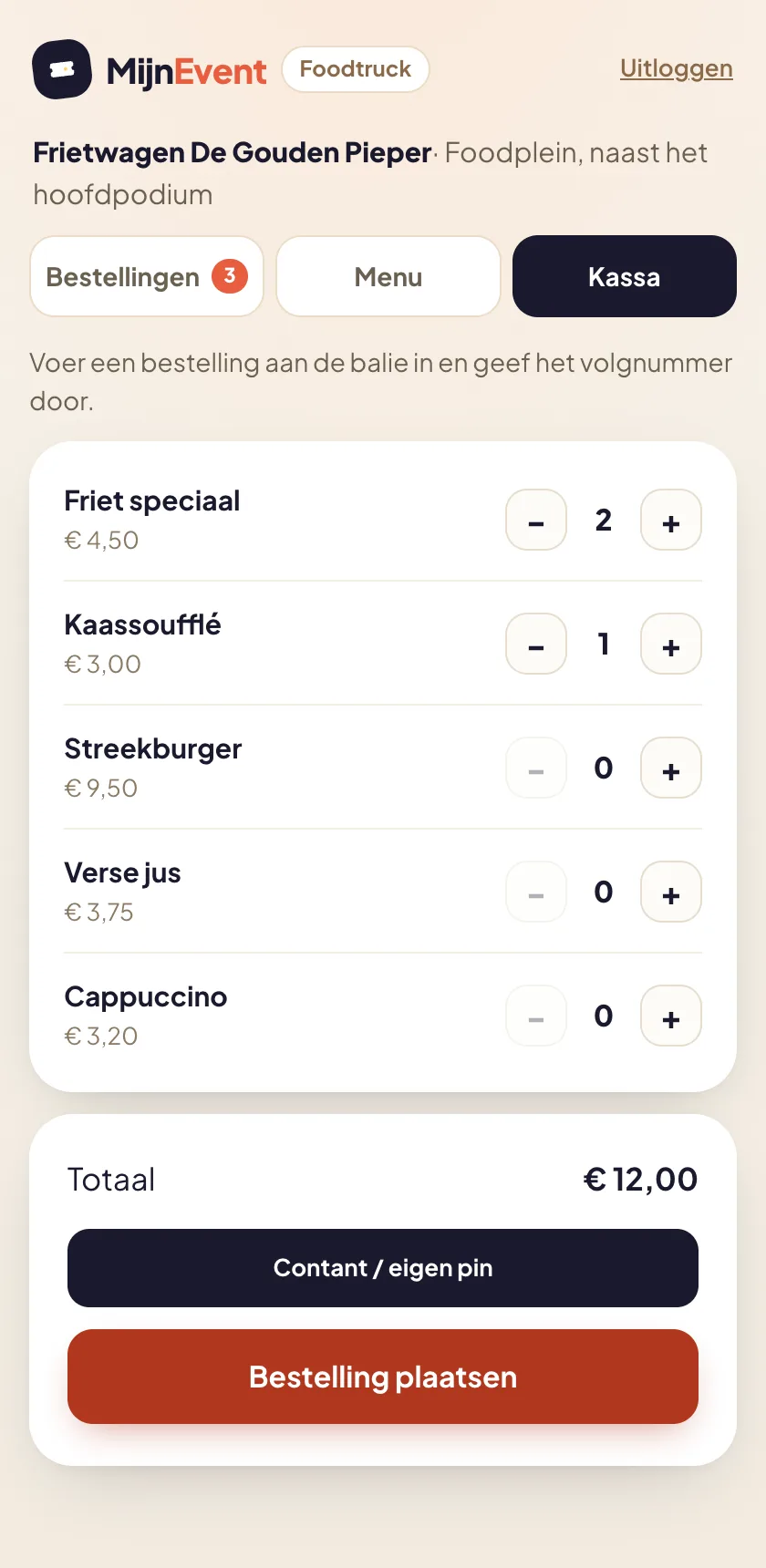 The register on the phone: tap items, take payment, call out the queue number.
Secure by design
The portal is deliberately narrow. The operator can do exactly three things: work off orders, toggle availability and take counter orders — always for their own truck only. Settings, event revenue figures, other trucks or anything else from the admin area are out of reach. The invitation link is single-use and expires after 14 days, the PIN login is protected against guessing (five failed attempts lock the account for 15 minutes), and logging out is always one tap away.
Add the portal to the phone's home screen and it feels like an app — exactly enough app for a night of frying.
How to switch it on
- Activate the Food trucks & mobile catering module (through your account manager or contact us).
- Create your trucks in Admin → Food trucks and fill the menu.
- Click "Invite operator" on a truck and enter the operator's email address.
- The operator sets a PIN and logs in at
yourorganisation.mijnevent.nl/foodtruck.
From that moment the truck runs itself — and you, as the organiser, simply watch along on the kitchen display whenever you like.