A city pass only earns the name if you can keep using it. Until now, a city card on MijnEvent was single-shot: buy it, spend it, done. From today every city card is top-uppable — including the physical pass with a pre-printed QR code that you picked up at a counter or found in your letterbox. Adding new credit takes half a minute, right on the programme's public page.
Scan the QR — or type the code
The programme page of your city card has a new block: "Already have a city card?". You have two options. The fastest: press Scan QR code and point your camera at the QR on your pass or in your voucher email. The page recognises the code and takes you straight to your balance.
No camera at hand? Type the card code instead. It uses three input boxes of four characters — the dashes are already shown between them, so you never type those. Pasting works too: a copied code distributes itself across the boxes. Lowercase letters or a mixed-up O and 0? Corrected automatically.
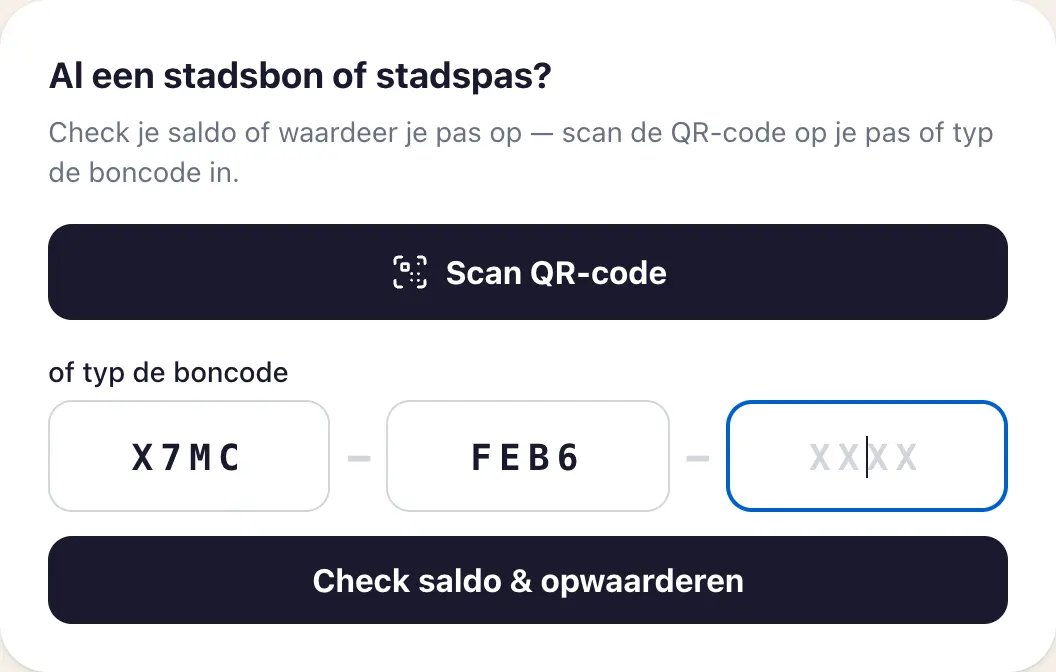 Scan the QR code on your pass, or type the card code into the three boxes — the dashes are already there.
Pick an amount and pay with iDEAL | Wero
After the check you see your current balance, the validity and — if the pass can be topped up — the top-up form right away. Pick an amount (€10, €25, €50 or €100), optionally leave your email address for the confirmation and pay with iDEAL | Wero. As soon as the payment is confirmed, the amount is on your pass. Up to a maximum balance of €150 per card.
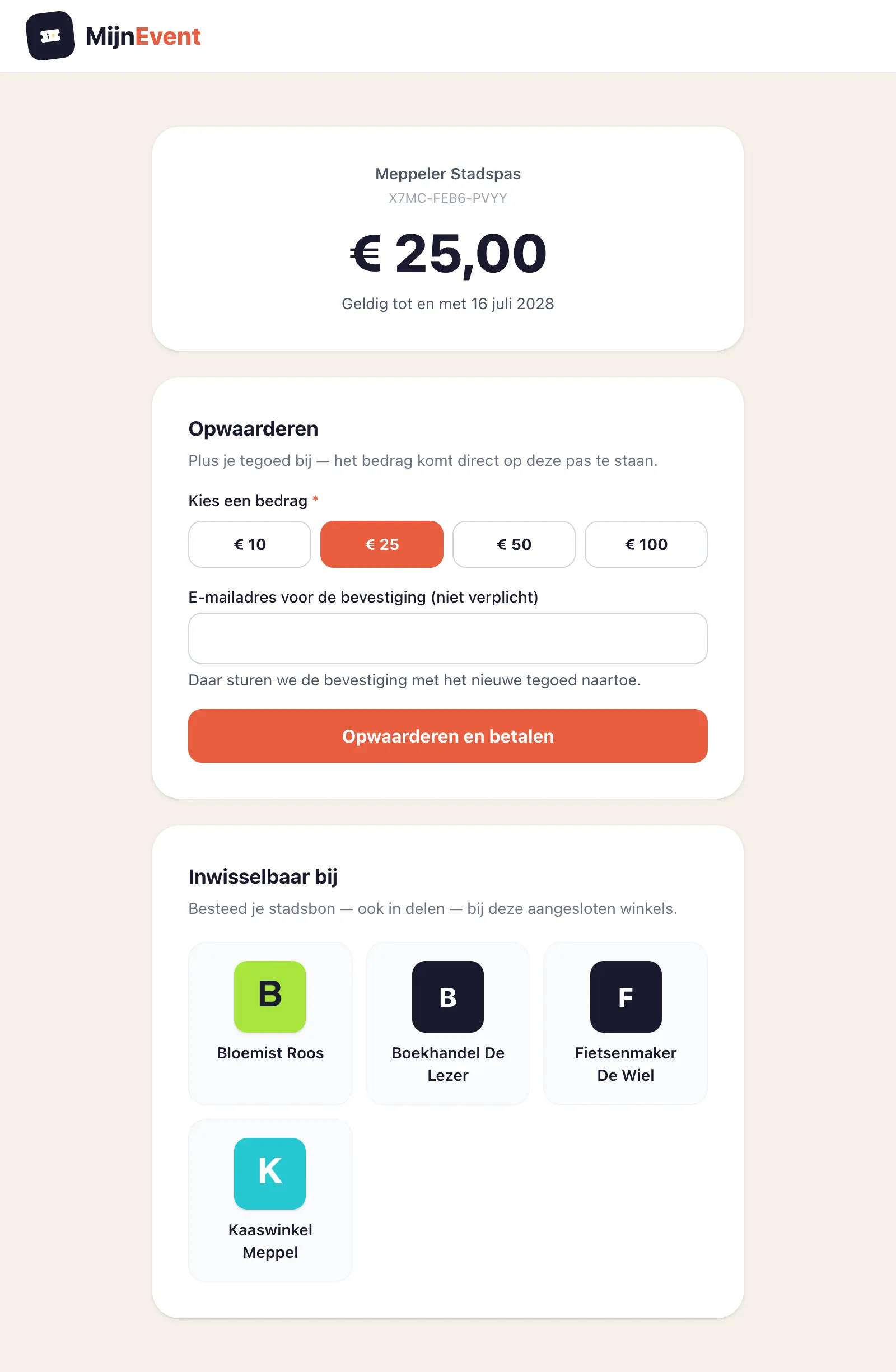 Check the balance and top up right away — the amount lands on the same pass.
An empty or expired pass? Simply usable again
The best part is in the edge cases. Has your pass been spent down to zero? No need to buy a new one: topping up reactivates it instantly. And did the pass expire while it sat in a drawer? Same story: adding credit makes it valid again, and the validity is extended as if the pass had just been issued — it can never get shorter. One physical pass lasts for years.
One exception: a frozen pass — locked by its holder after loss or theft — cannot be topped up until the issuer releases it again. The balance simply stays put in the meantime.
You get a heads-up before your pass expires
Better than fixing an expired pass is never having one. If your pass is registered to your email address — linking happens on the balance page — you automatically get a message a month before the expiry date: how much is left, when the pass expires, and a button that opens the balance page for your pass straight away. One top-up and the pass runs for the full term again, including the credit already on it.
That link is valid for 60 days; after that you land on the programme page, where your card code is enough. Exactly one reminder goes out per expiry date, and none at all to a pass without credit or without a linked address — it is a warning, not a newsletter. Issuing organisations can switch the reminder off per programme.
After a successful top-up you immediately see the new balance, and if you left an email address a confirmation lands in your inbox with the amount added, the new balance and the validity.
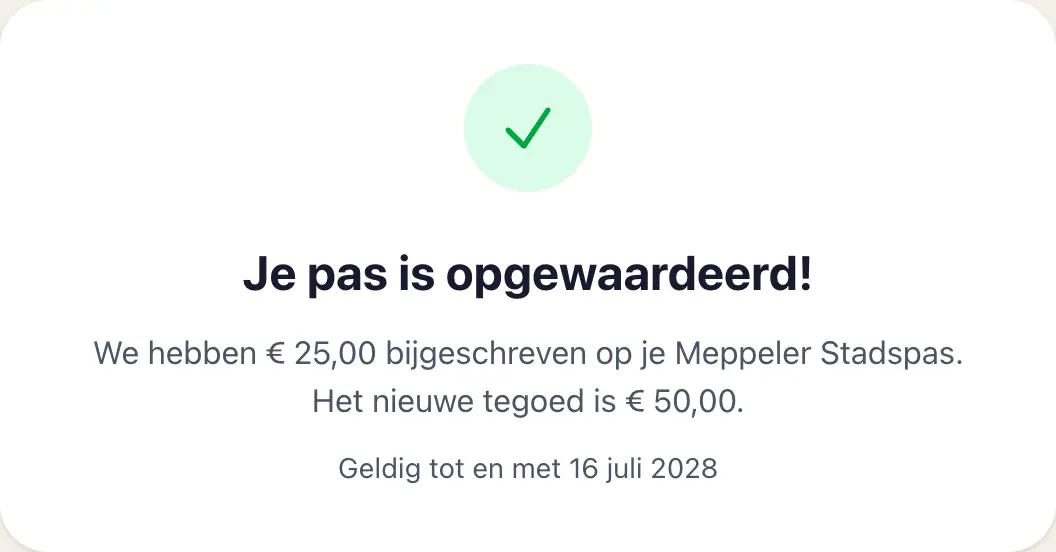 Right after payment: the new balance and the (extended) validity.
For issuing organisations: reuse instead of reprint
For municipalities, BIDs and retailers' associations this changes something fundamental. A physical pass used to be as finite as the credit on it; now it is a reloadable carrier. That saves print runs and issuance admin, and it lowers the threshold for repeat spending: someone who already carries the pass tops it up faster than they would buy a new voucher.
It goes one step further by now: physical cards can also be taken in and safely reissued to a next holder — everything the previous holder still had is invalidated automatically, wallet pass included. How to have such cards printed and manage them is covered in Printing and reusing physical city cards.
In the dashboard, top-ups simply count towards the issued credit and the charts, and spending at participating shops works exactly as before — scan, redeem, automatic email to the card holder.
Try it yourself?
Topping up is part of the Gift cards & city cards module. If you already issue a city card through MijnEvent, the feature is live on your programme page automatically. No city card of your own yet? Have a look at the module page or get in touch — we will help you set one up.