Your entire event in one native app — even without signal
Not a web page in a wrapper, but a real, native app for iPhone and Android. Scan tickets at the gate, manage your events on the go, and check people in where no other ticketing app survives: without internet. Built with the latest techniques, down to the smallest detail.


Scanning tickets without coverage: the MijnEvent app at the gate
At a gate in a field the network drops. Here nothing special happens — the full visitor list is already on the device, so scanning simply continues.
Video in Dutch.
Truly native — not just a website in a jacket
The app is built from the ground up in each platform's native language. That means a fluid camera, instant haptic feedback, and an interface that feels exactly the way a phone should.
iOS
SwiftUI · iOS 26 · Swift 6
Written in Swift 6 with strict concurrency and Apple's latest Liquid Glass design. Camera via AVFoundation for the lowest possible scan latency, Face ID locking, and background sync that keeps running with the app closed.
Android
Kotlin · Jetpack Compose · Material 3
Built in Kotlin with Jetpack Compose and Material 3. QR recognition via CameraX and ML Kit, biometric locking with fingerprint or face, and the exact same offline architecture as on iOS.
The ticket parser runs identically in three languages — PHP on the server, Swift on iOS, Kotlin on Android — and is always tested together. One source of truth, proven three times over.
Scanning that keeps working — even when the network drops
A packed festival, a remote field in Drenthe, a hall full of visitors all posting a story at once: that is exactly where cell towers buckle and the wifi stutters. Other ticketing apps freeze and the queue grows. MijnEvent does not.
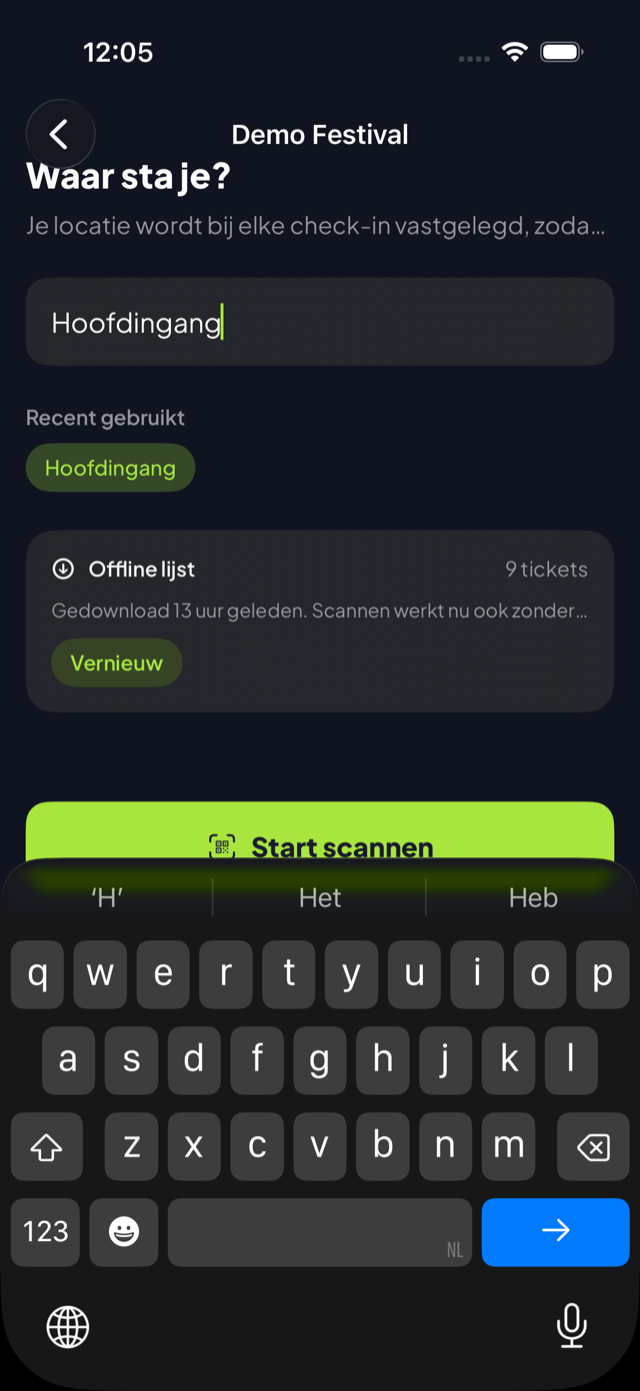
The inspector downloads the complete visitor list to the device beforehand with a single tap. From that moment every scan is lightning fast — and the network is optional.
Server-first, with instant fallback
Every scan tries the server first. If it does not respond within 2.5 seconds, or there is no connection, the app validates against the local list instantly and lets the visitor through. The inspector never has to think about connection status.
Smart background synchronisation
As soon as there is signal again, the app pushes offline check-ins to the server in batches and pulls in changes from other devices at the same time. On iOS that sync even continues with the app closed.
Conflicts are surfaced, never hidden
A ticket scanned offline on two devices at once? The visitor is already inside — that is operational reality. The app keeps the first check-in and shows the conflict neatly in a list with who, where and when.
A connection indicator that keeps you calm
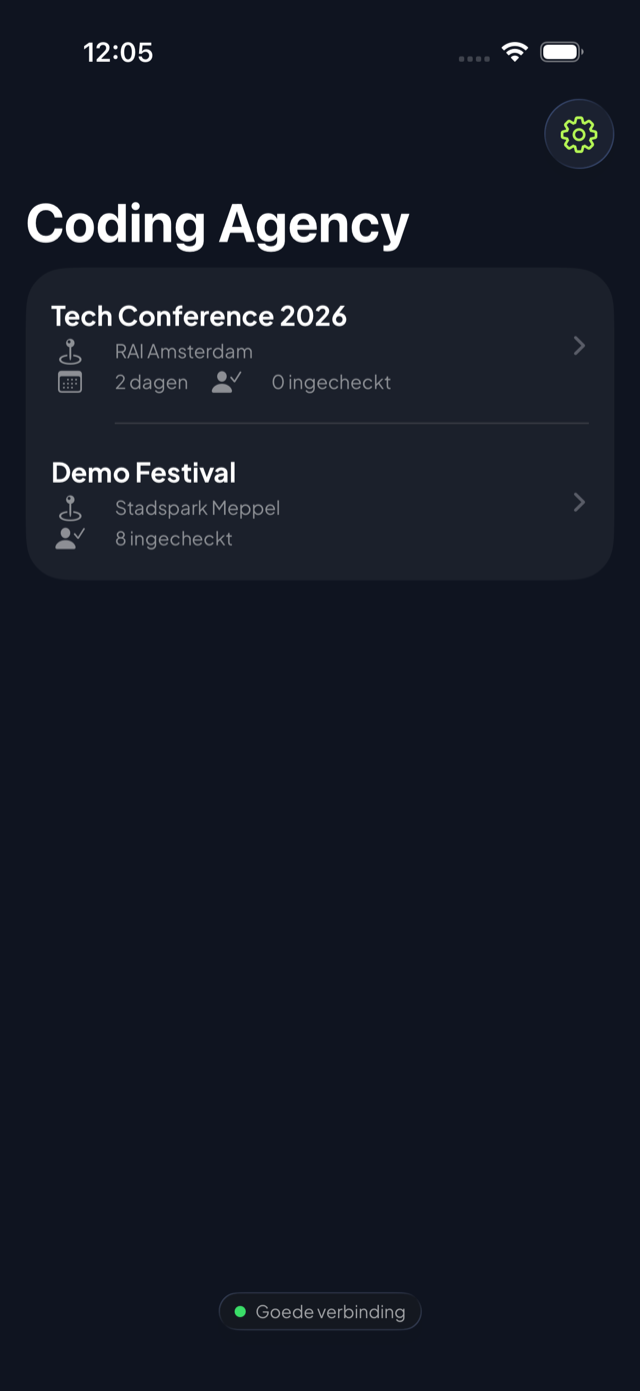
A subtle dot continuously shows how good the signal is: good, fair, poor or offline. Purely informational — scanning works regardless.
Ideal for remote sites and overloaded cell towers
At large or remote events a stuttering network is not the exception but the norm. With offline mode you check people in at every gate, even in the middle of a field or a concrete hall — no queues, no stress, not a single missed guest.
One tap, a clear card, the next guest
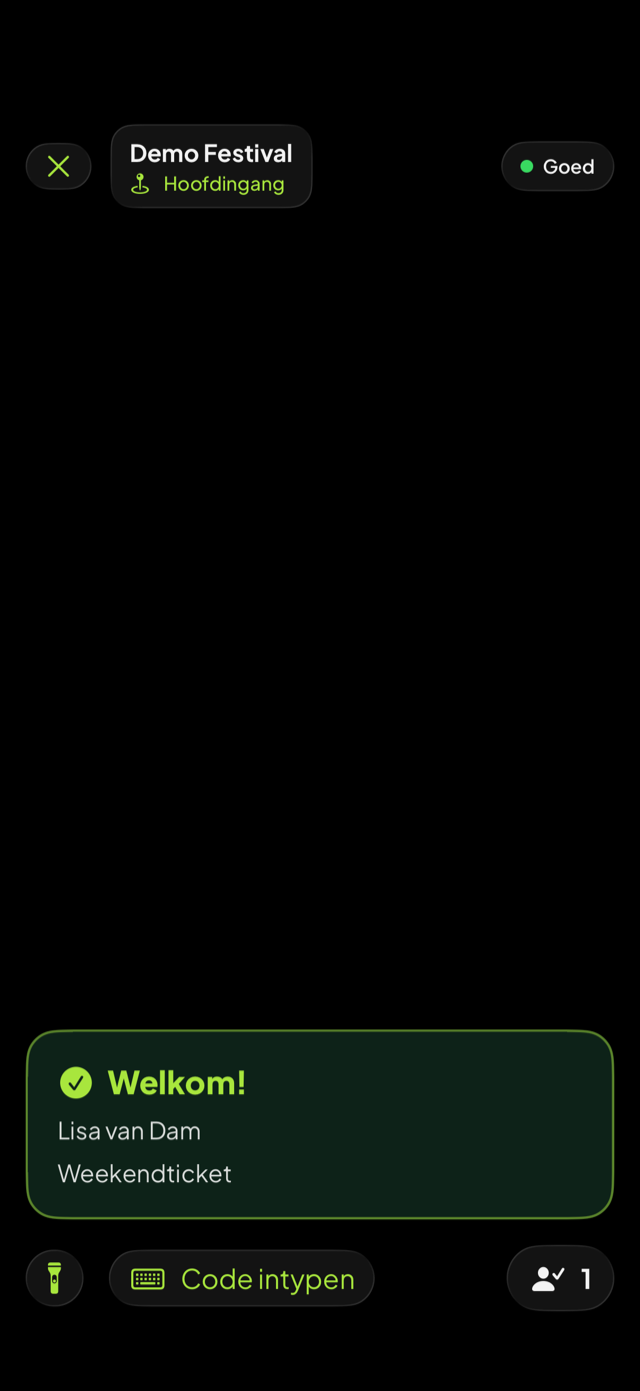
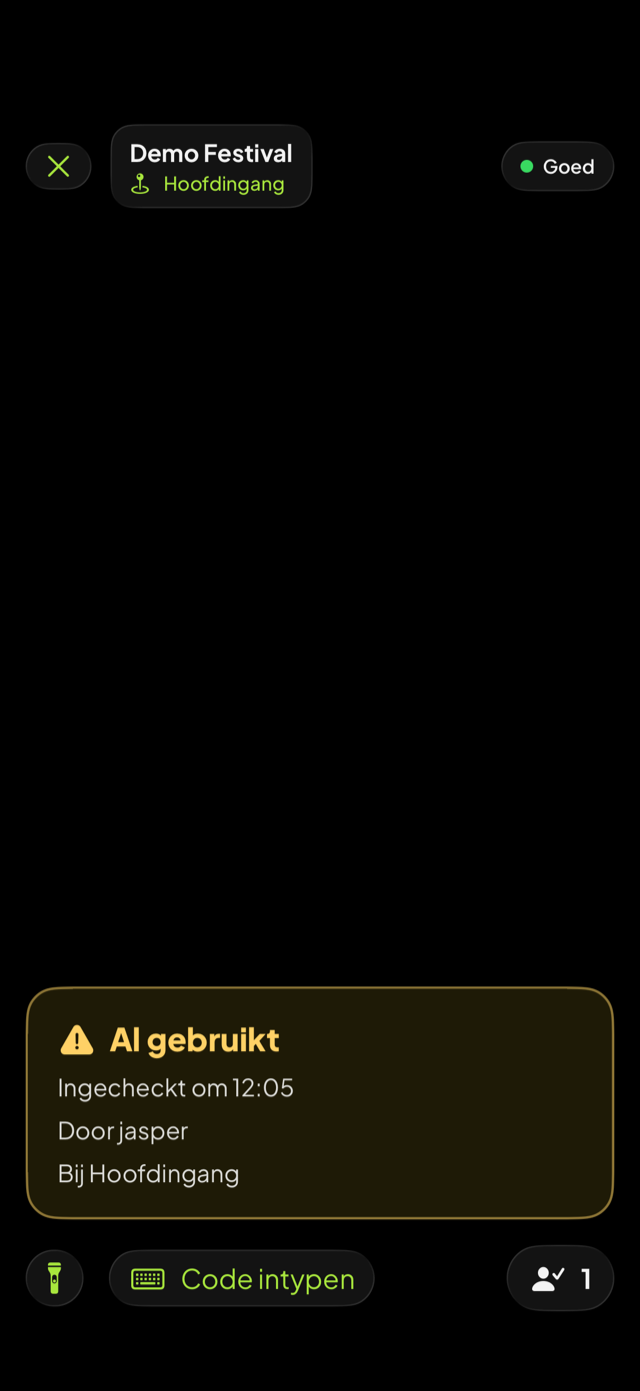
The camera recognises the QR in a blink. Each scan shows a large, unambiguous card — green for welcome, amber for already used, red for denied — with sound and vibration. Flow comes naturally.
Welcome
Valid ticket — visitor and ticket type shown instantly, a short friendly beep, and through.
Already used
Instantly shows what time, where and by which inspector the ticket was scanned before. No argument at the gate.
Denied
Invalid, wrong day or another organisation — a hard, unmissable error tone and a red card.
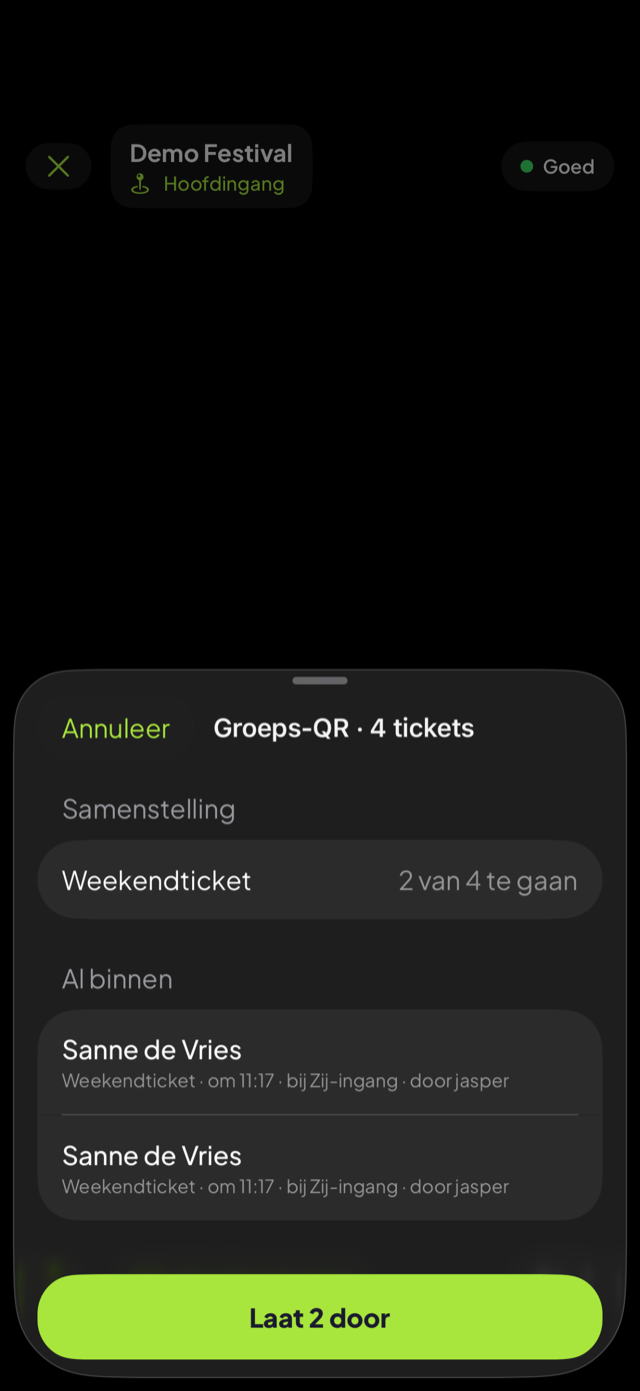
Group QR for orders
One QR for a whole order? The app shows a breakdown per ticket type, who is already inside, and a "Let N through" button that checks in the remaining tickets at once.
Everything an inspector needs
- A required location per entrance ("Main entrance"), with recent spots as quick picks.
- Flashlight, manual code entry and a live session counter.
- Scan sounds audible even with the phone on silent — a missed error tone must never happen.
- Haptic feedback, and feedback that never relies on colour alone.
Live visibility at the gate — and an app that thinks along
The app knows what is happening on site and acts on it. Live occupancy, access zones and logging in with a single scan: everything to keep the entrance smooth and smart.
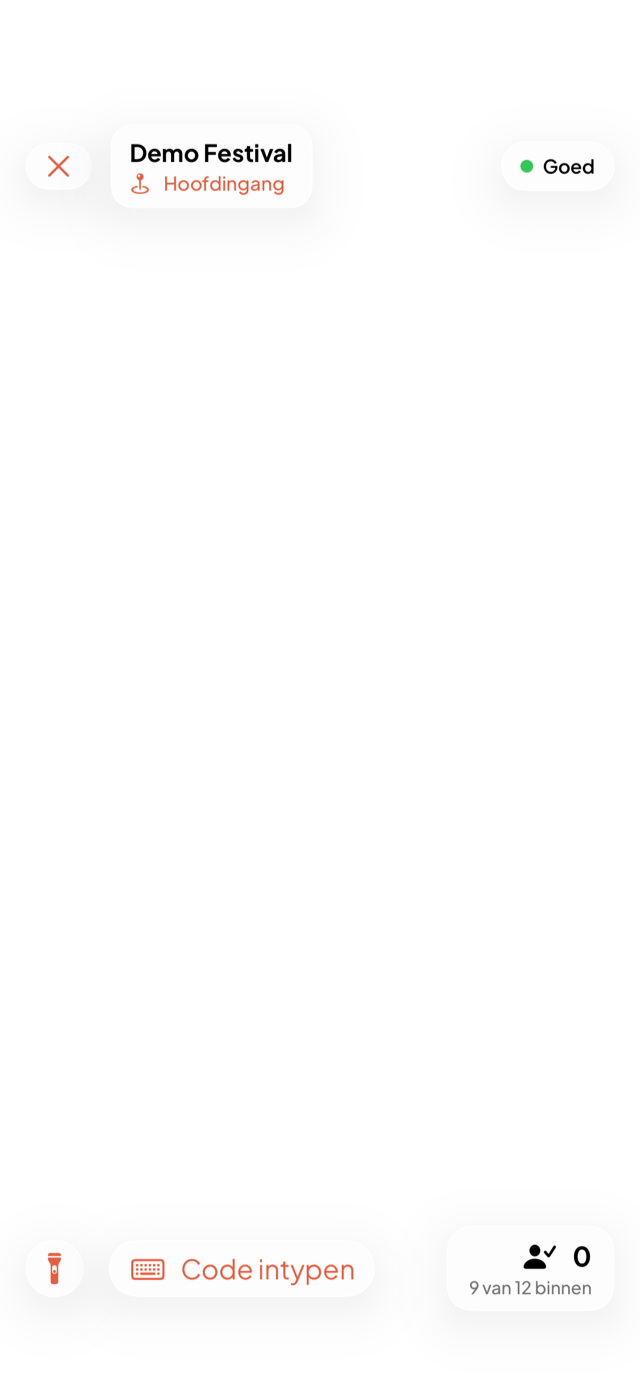
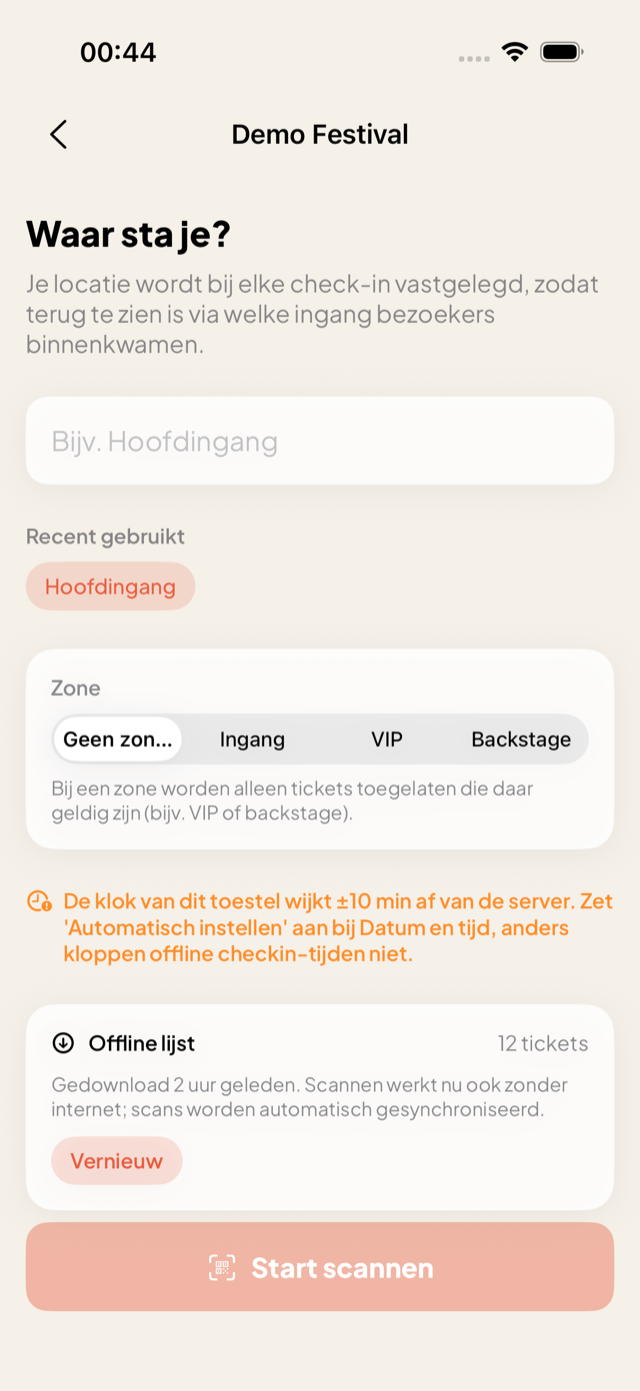
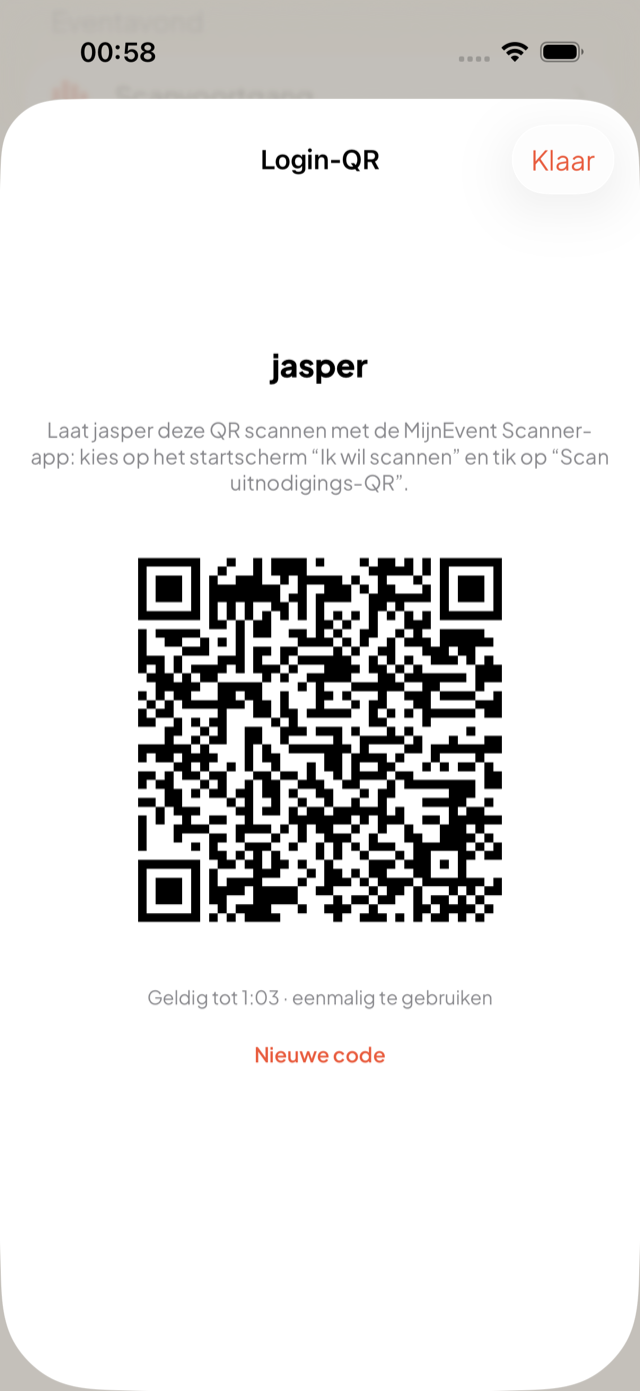
Live occupancy: see who is inside
Below the session counter it shows "X of Y inside" — current after every scan and updated in real time from the other entrances. If the network drops, the app simply keeps counting locally.
Access zones per ticket type
Backstage, VIP deck or campsite: link zones to ticket types and pick which zone you guard per scan session. A ticket for the wrong zone is denied — with the valid zones shown — online and offline.
Log in with a single QR scan
The organiser shows an invitation QR, the inspector scans it and is logged in instantly — no email, no code. The QR is single-use and valid for five minutes.
Live scan counter on the lock screen
During a session you see the counter and the entrance without opening the app: on iOS in a Live Activity and the Dynamic Island, on Android in a persistent notification.
Conflicts surfaced instantly
Is a ticket scanned elsewhere while you are working? A calm, tappable banner appears above the viewfinder — non-blocking, yet immediately clear.
A warning for a skewed clock
If the phone clock drifts more than five minutes from the server, the app flags it beforehand — so offline check-in times stay reliable.
The list is fresh in time
When an event starts within 24 hours, the app refreshes the downloaded list automatically in the background. In the morning you never wait on a download.
Always the right version
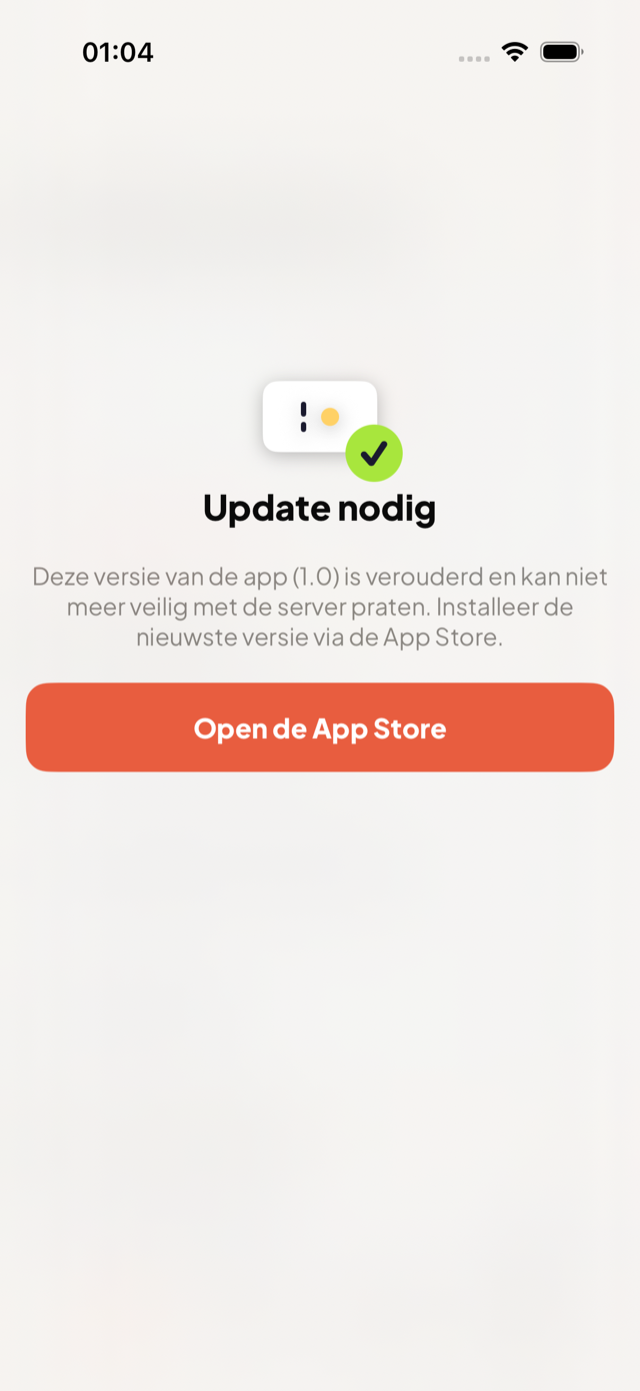
When there is an important update, the app points you to it calmly with a direct store link — and never blocks an inspector standing offline at the gate.
Your whole organisation in your pocket
The app is far more than a scanner. Log in as an organiser and you have nearly your entire MijnEvent environment with you — on the road, on the train or backstage.
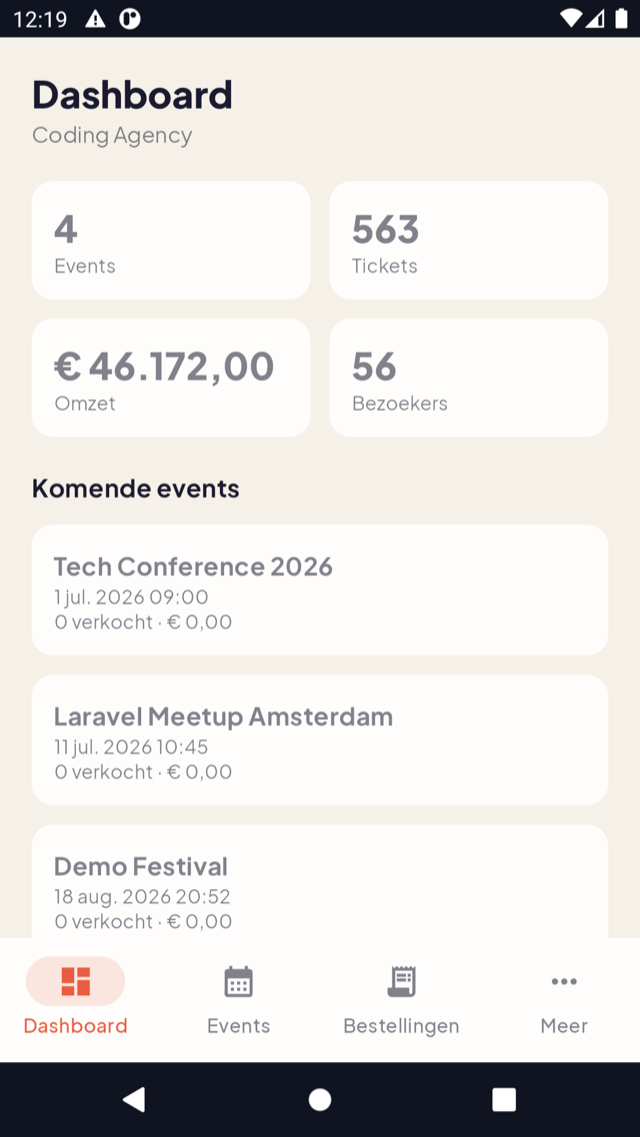
Dashboard
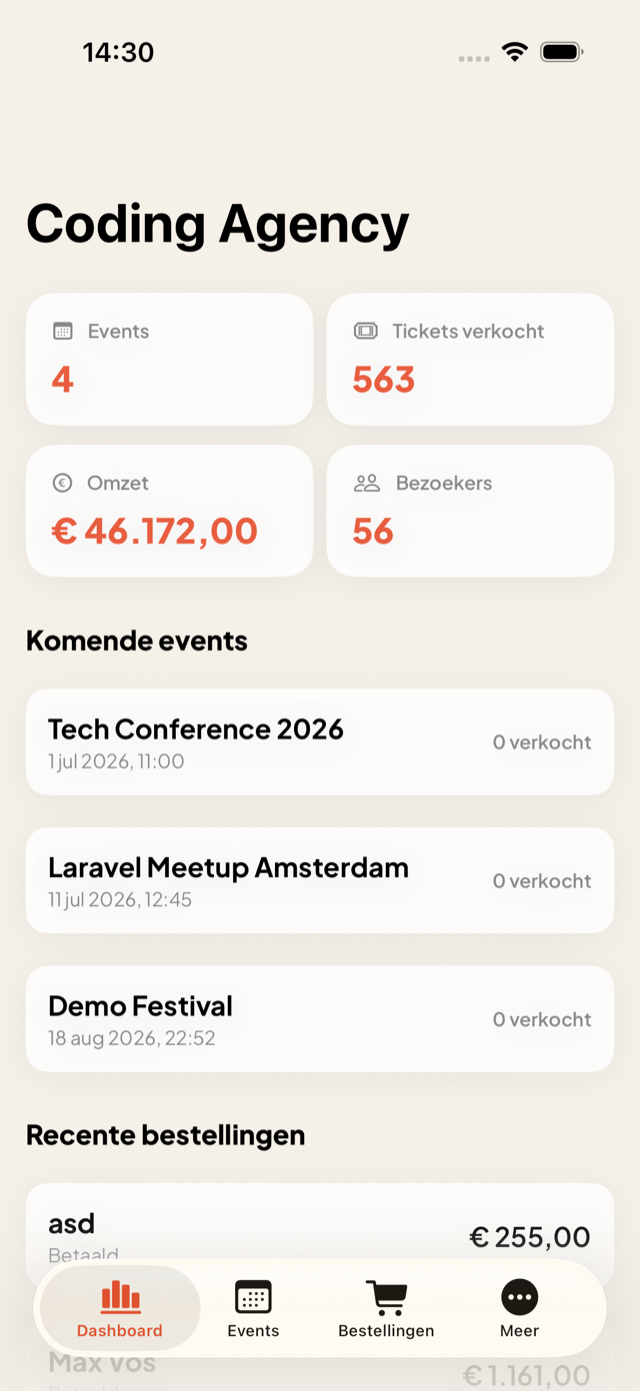
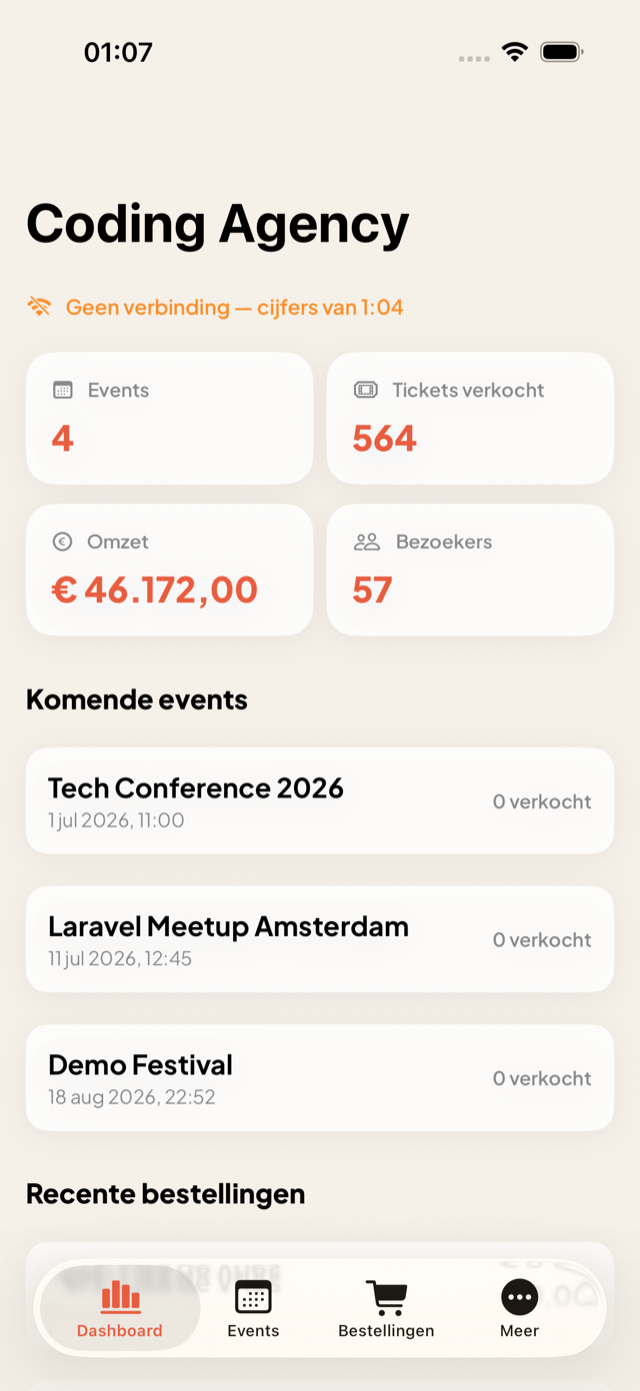
The same key figures as online: events, tickets sold, revenue and visitors, plus your upcoming events and recent orders.
Manage events fully
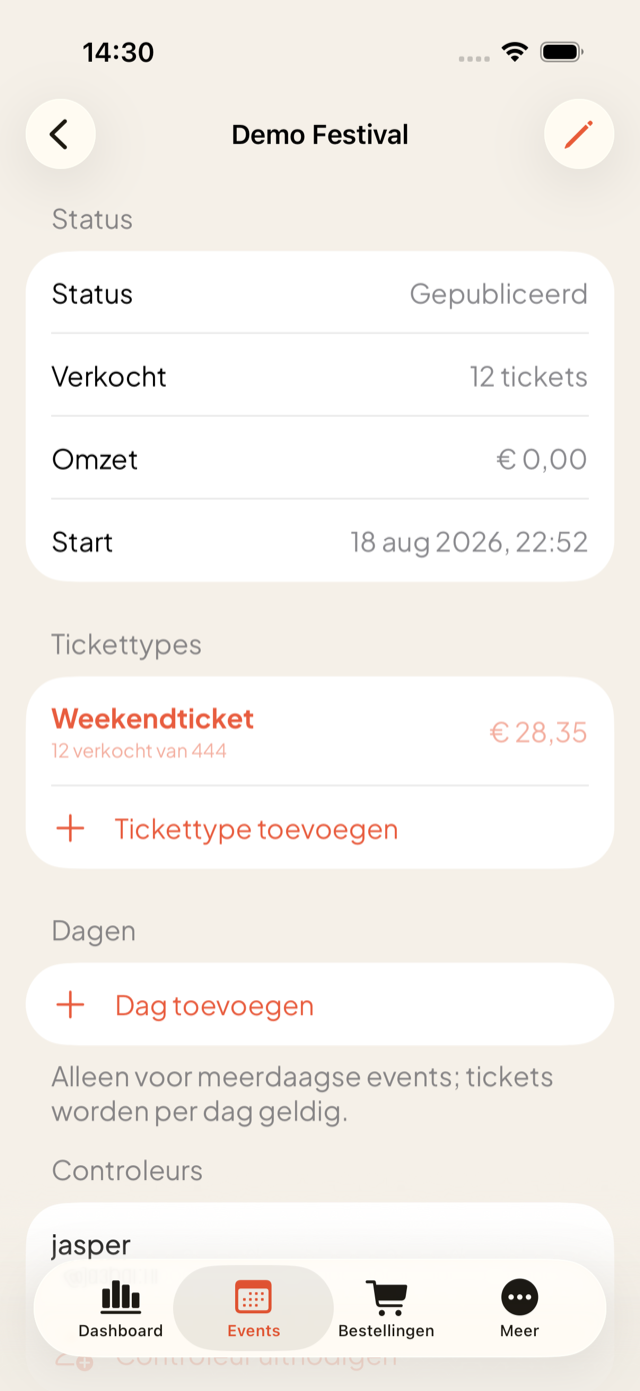
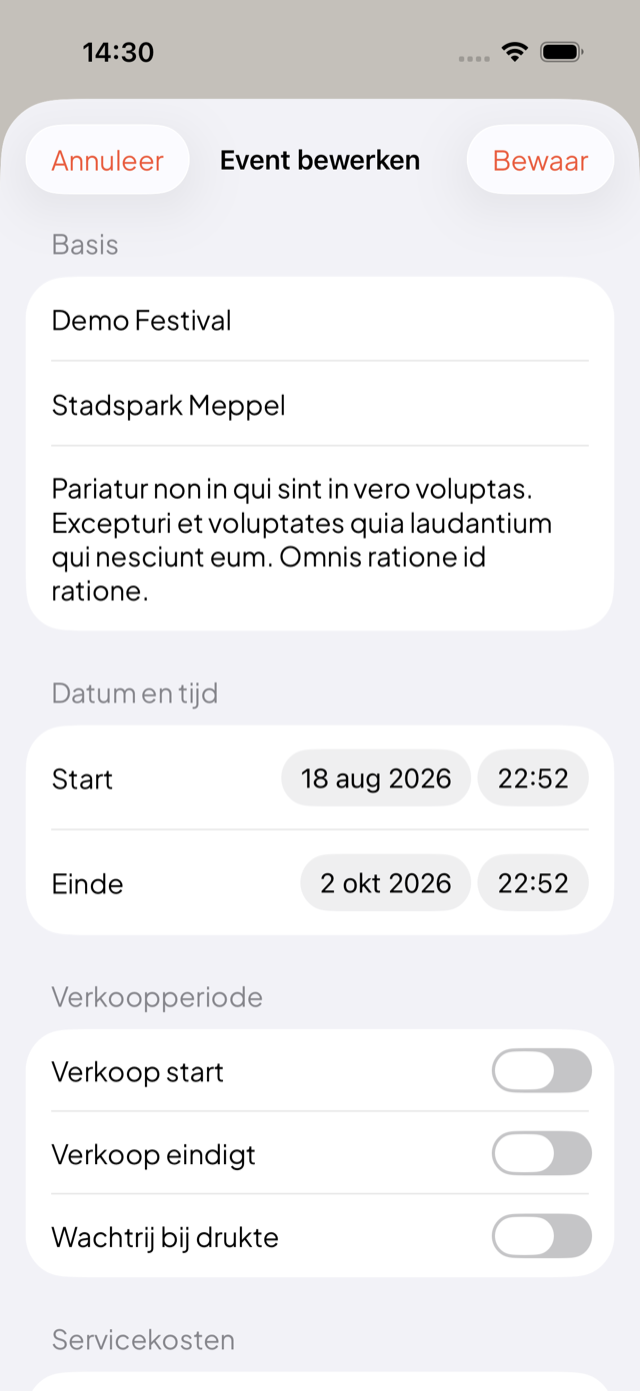
Create and edit down to the details: date and time, sales period, waiting list, service fees, confirmation email, ticket types and donations.
Ticket types & days
Set prices, capacity and resale, and for multi-day events the valid days per ticket type.
Invite inspectors
Invite or remove inspectors per event — seamlessly linked to the scanning side of the app.
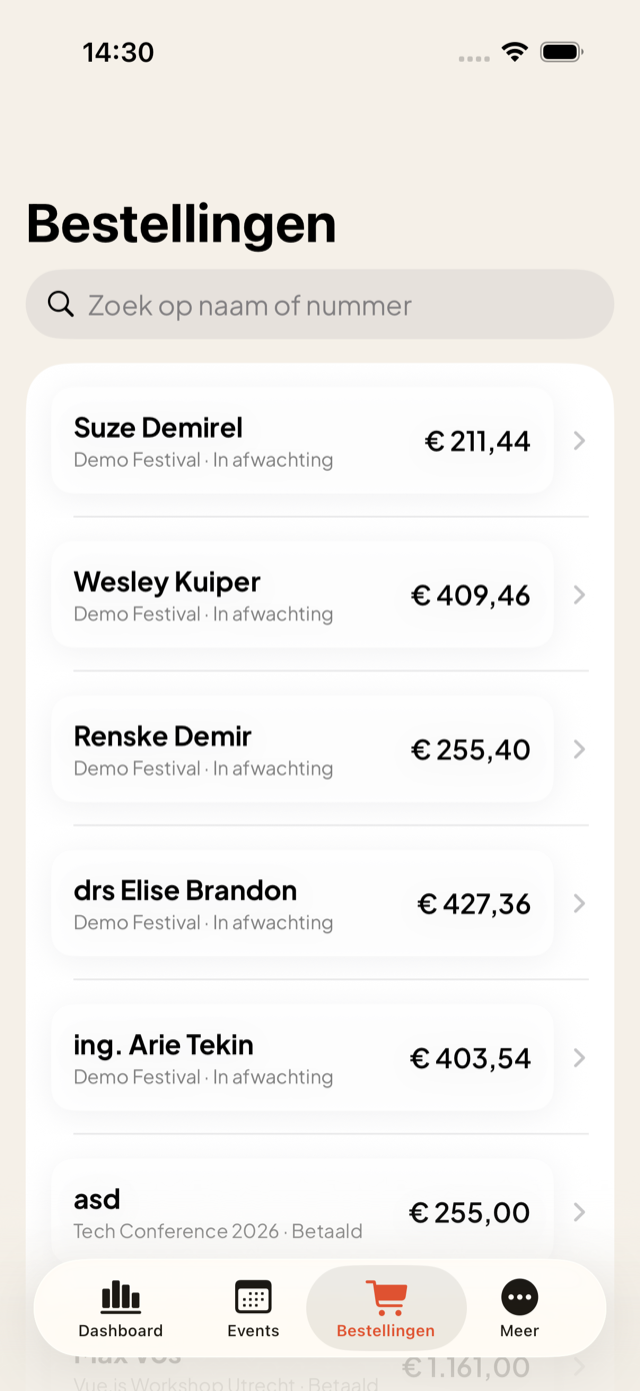
Review orders
View orders with tickets, payments and the full refund history. Refunding deliberately stays on the web.
Visitors & statistics
Visitors with GDPR-masked emails (revealing is logged), key figures and a complete activity feed.
Publish with a payment path
Publish an event straight from the app. On prepaid plans the Mollie payment path opens neatly in a built-in payment sheet.
The same app is also your till
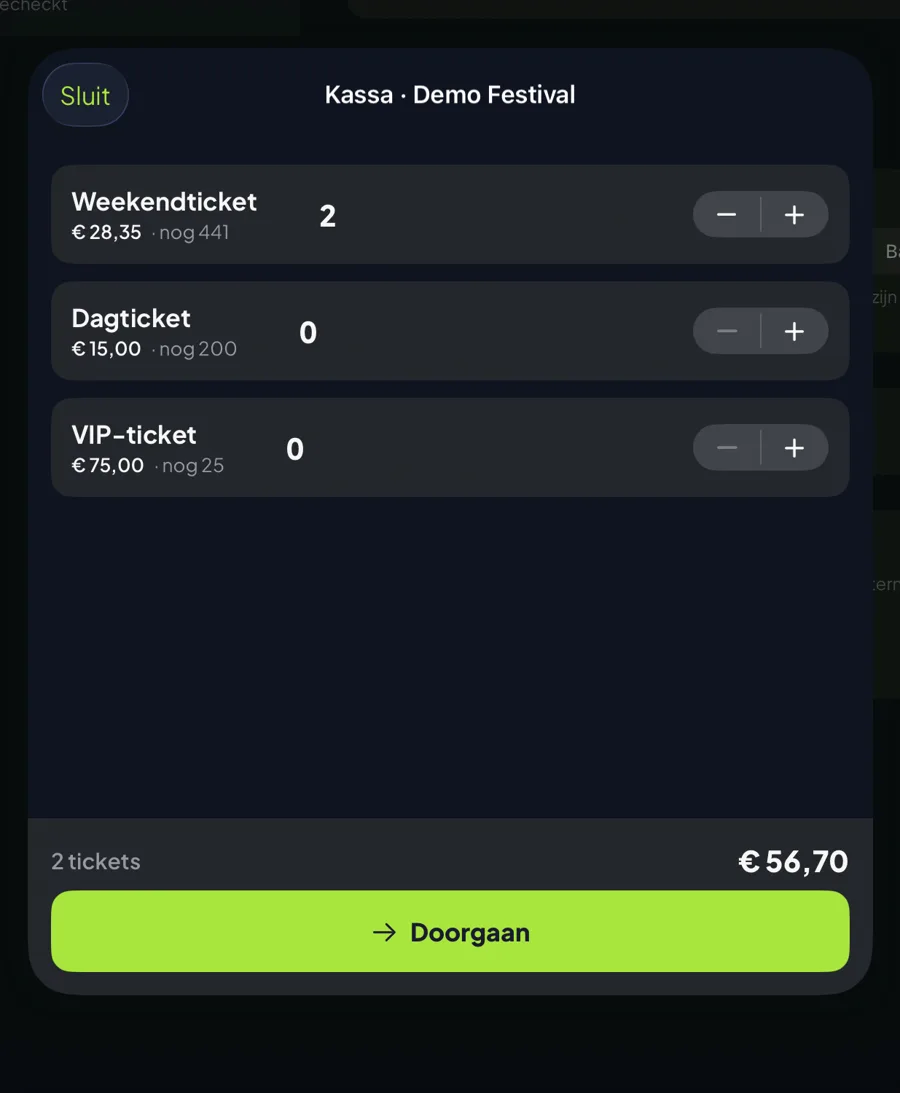
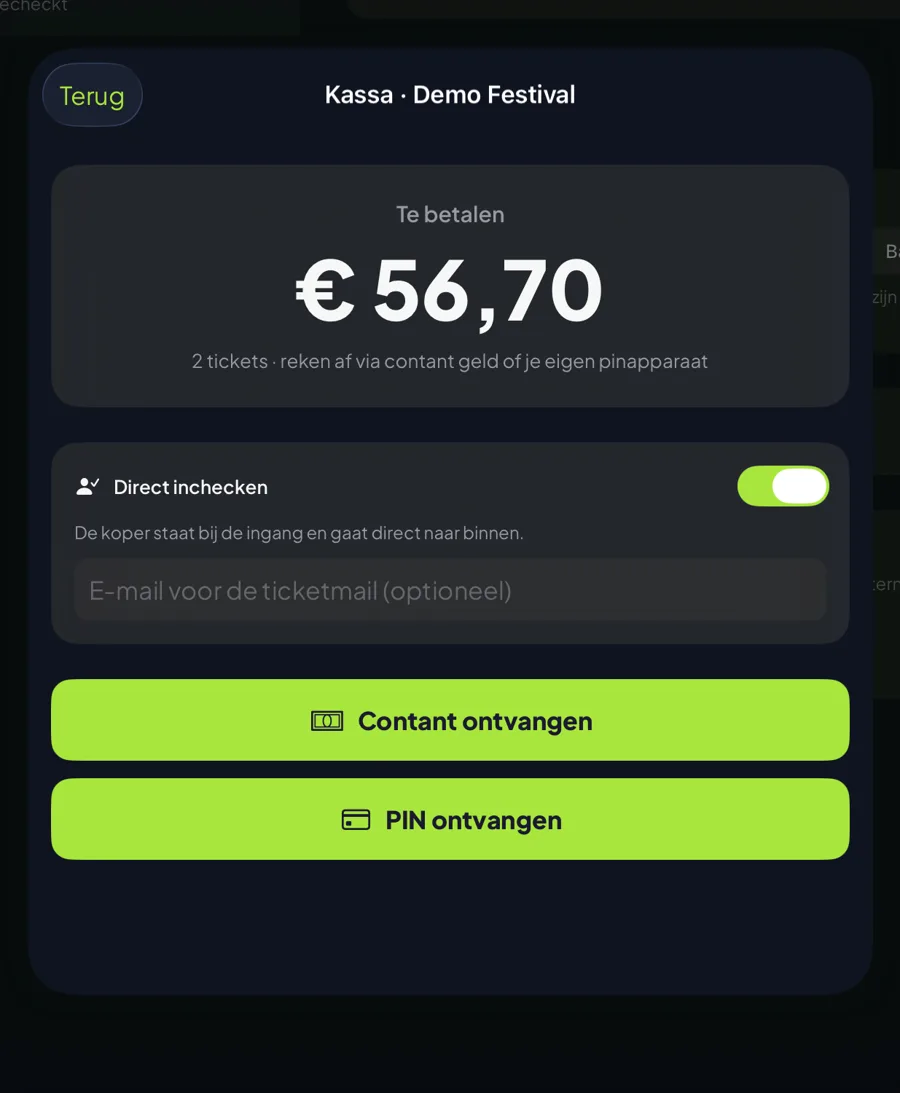
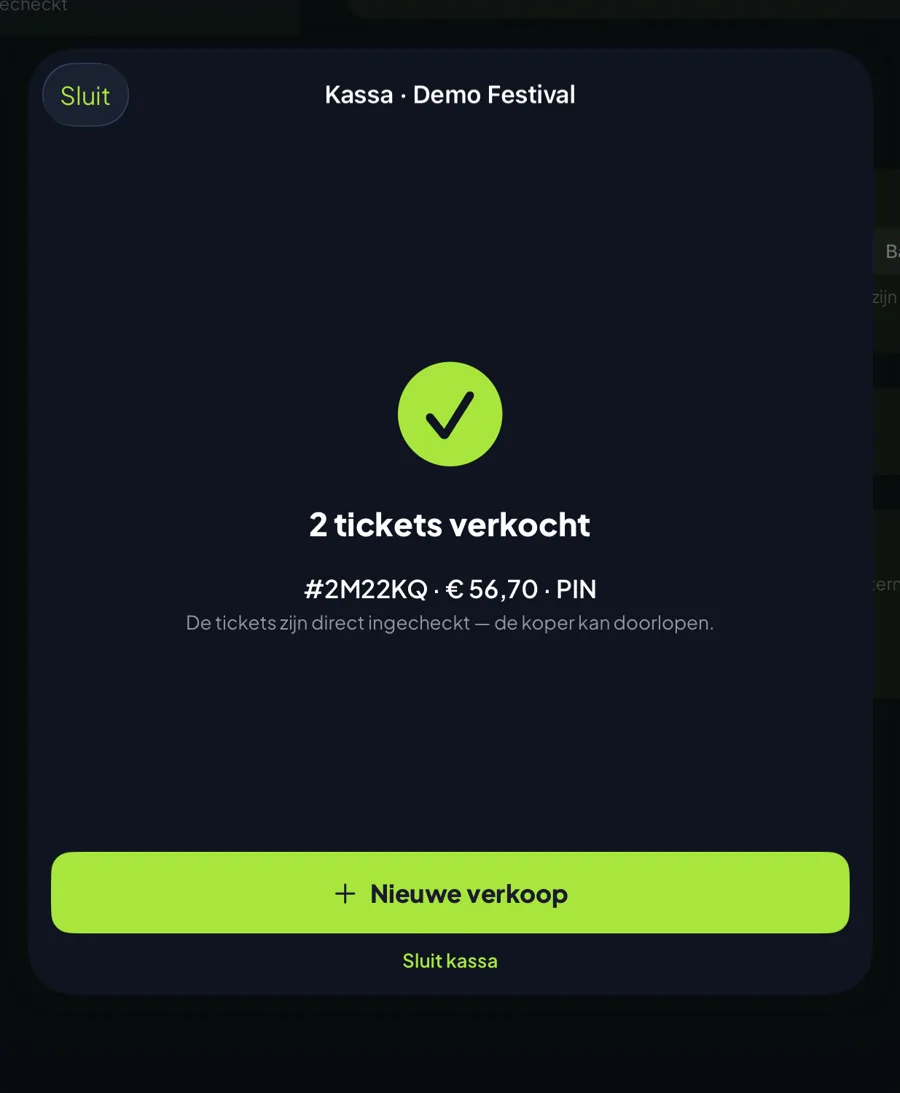
Anyone turning up without a ticket, you serve on the spot. Your steward switches from scanning to selling, taps in the ticket types and lets the visitor pay by card — the ticket is valid immediately and your stock stays accurate.
Card on a terminal
Connect a Mollie terminal with a pairing code from your admin screen. The amount jumps onto the screen and the app waits until the payment has genuinely cleared.
Or simply with a phone
With the Mollie Tap app your steward’s own handset becomes the card reader. No extra hardware needed for a second entrance.
Cash works too
Working with a cash box or your bank’s own card reader? Then the app just records how the payment was made. The ticket is every bit as valid.
Never sold twice
A box office sale draws down the same stock as your web shop. Two entrances therefore cannot both sell the last ten tickets.
No ticket when a card fails
Places are reserved and tickets only minted after a successful payment. If it goes wrong, everything frees up by itself.
Sell and admit in one tap
Switch on “check in immediately” and the visitor walks straight on. No QR code that still has to be scanned.
More grip on your night — live and remotely
You do not have to stand at the gate to know how your event is going. Follow check-in live, add guests without payment and keep an eye on your sales — all from your phone.
Guest list without payment
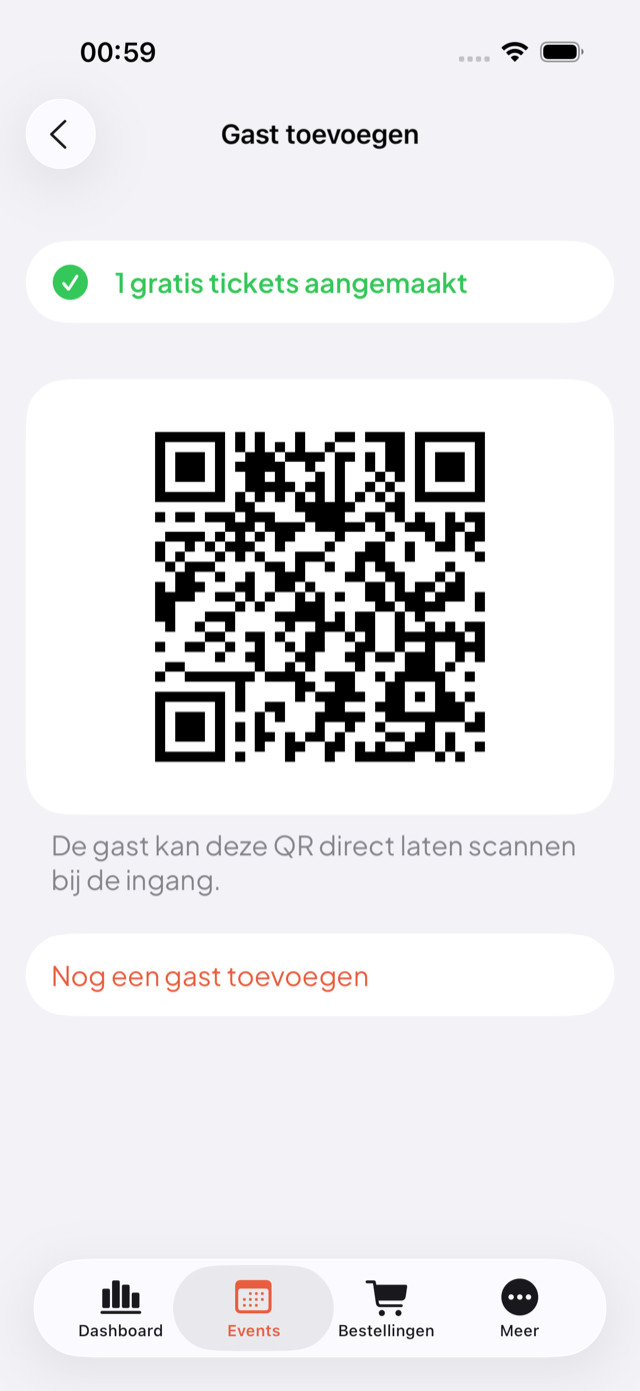
Press, sponsors or guests at the door? Create free tickets without a payment step. With an email address the regular ticket email goes out; without one you show the QR right on the screen. Optionally check the guest in immediately.
Live check-in progress
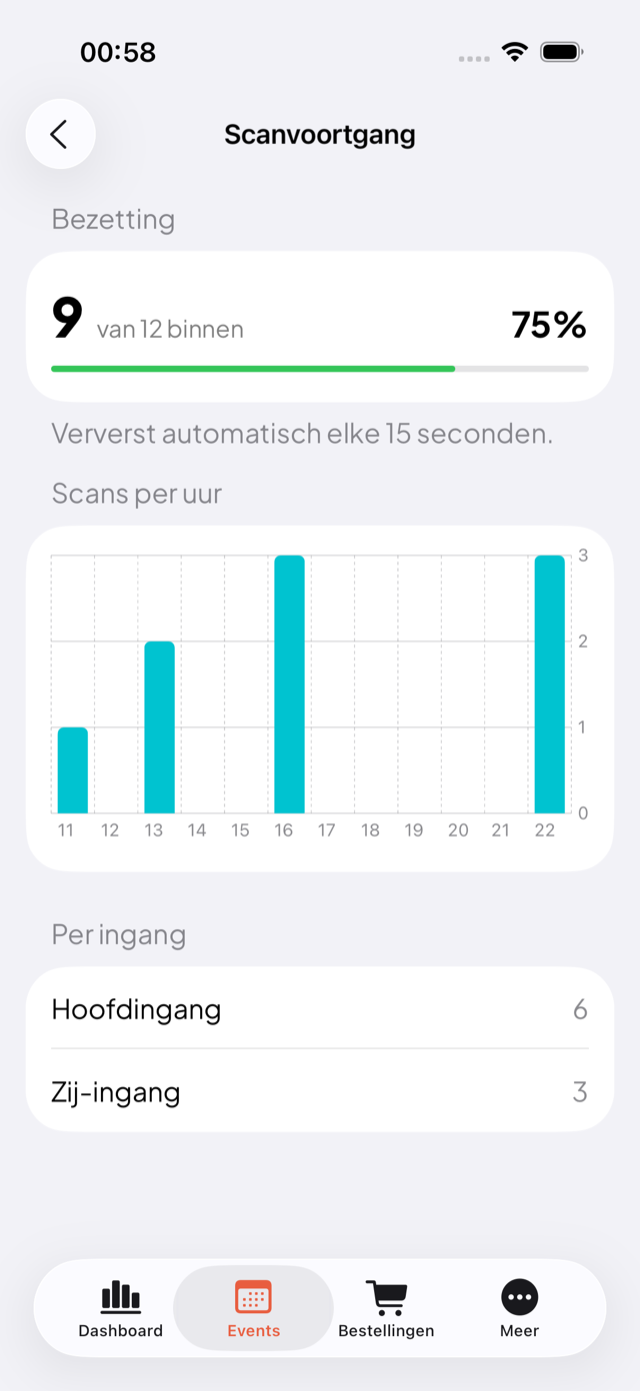
Follow in real time how many people are inside: percentage, scans per hour and the split per entrance. Refreshes every 15 seconds and runs live with every scan.
Charts in your statistics
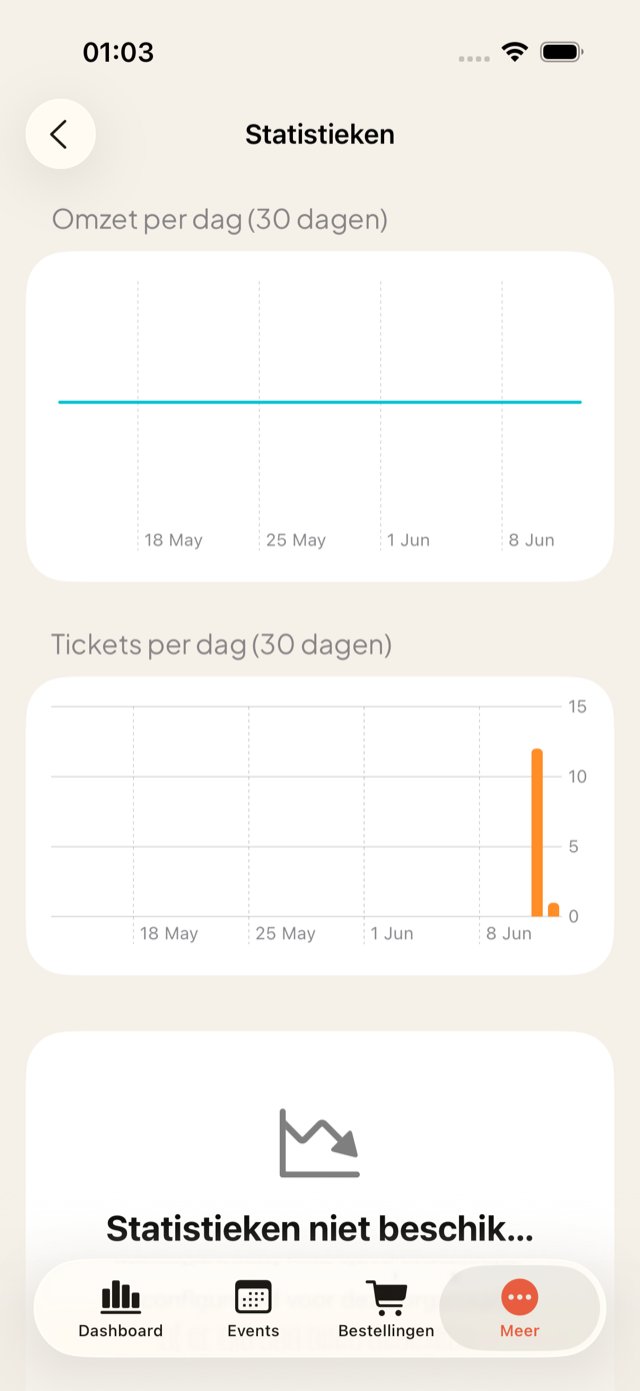
Revenue and tickets sold per day in clear charts — Swift Charts on iOS, a lightweight in-house chart on Android. See at a glance how sales are going.
Sales milestones
A notifications feed captures the highlights: the first sale, 25/50/75% sold and sold out. Exactly one notification per milestone, no noise.
Resend the confirmation email
Has a visitor lost their ticket? Resend the confirmation email with a single tap, straight from the order detail.
A dashboard that keeps working
Poor signal on site? The dashboard shows the last loaded figures with a clear "figures from HH:mm" stamp instead of an error.
The details that make the difference
Small things, big difference. A few refinements that push the app just that bit further than the rest.
Apple Watch companion
The scan session mirrors to your Apple Watch: large counter, green or red result and a tap on your wrist. You feel whether a ticket is valid without looking at your phone.
Widget on your home screen
A widget shows your next event with tickets sold and the number inside — on both iOS and Android, without opening the app.
Real time over websockets
Occupancy and check-in progress run live thanks to a lightweight websocket connection. The periodic sync always remains the source of truth.
Smooth updates
Important updates are offered neatly — on Android even with Play in-app updates, so you never have to search the store.
Secure to the core — without hassle for the user
Passwordless login, two-factor authentication where it counts, and data that simply is not on the device when it does not need to be.
Log in with email + code
No passwords to leak. You enter your email, receive a one-time code, and you are in. The app automatically finds which organisation(s) you belong to.
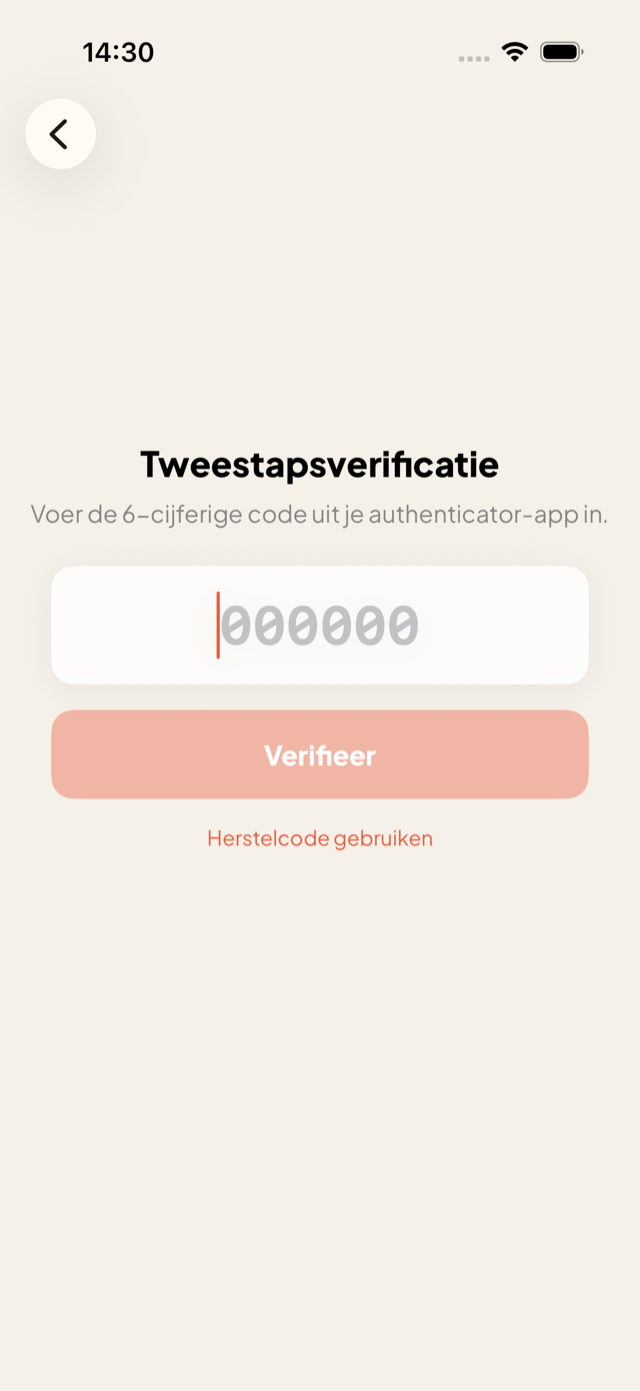
Two-factor authentication (TOTP)
Organisers with 2FA get an extra step via their authenticator app or a recovery code — with a cap on failed attempts.
Face ID & biometric locking
Lock the organiser side with Face ID or fingerprint. The app locks the moment it goes to the background and shows a privacy screen in the app switcher.
Encrypted and minimised on the device
The offline list contains no customer email addresses, sensitive tokens are stored encrypted, and the offline database itself is encrypted on the device (Data Protection on iOS, system encryption on Android). What is not needed is not there.
Beautiful to look at, usable by everyone
The app carries the same recognisable MijnEvent house style as the web, with a refined motion language — and accessibility that is built in, not bolted on.
Dark and light theme
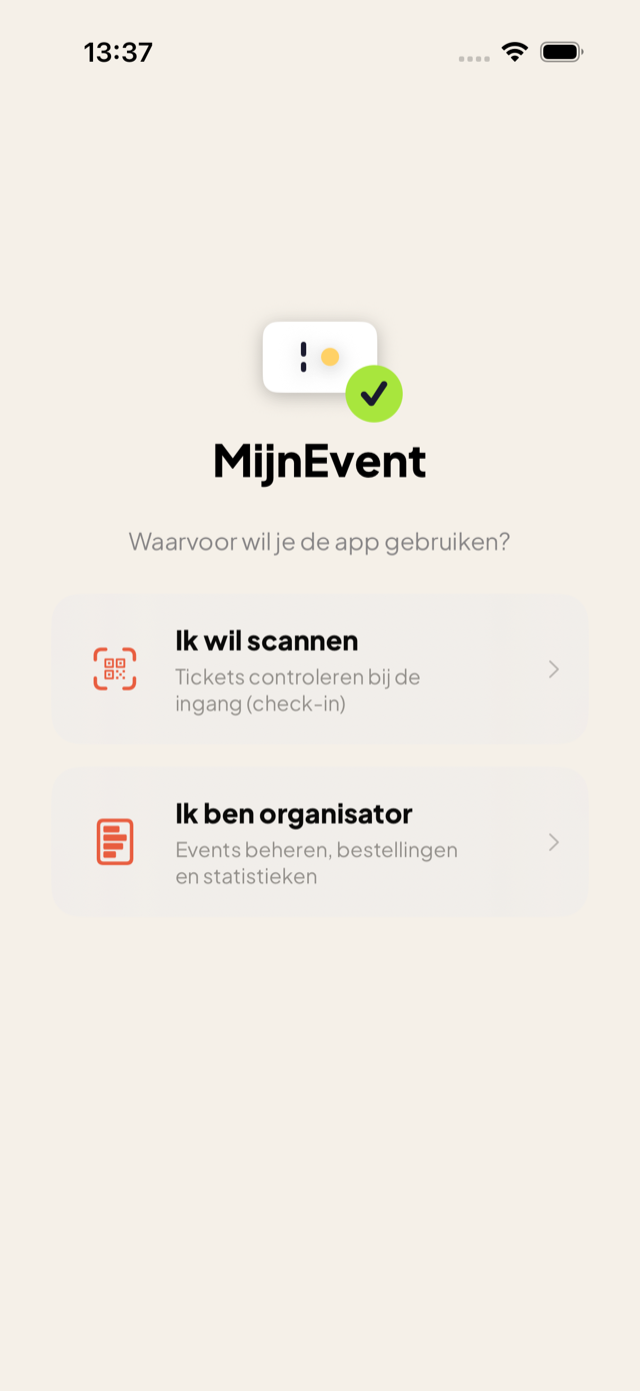
The dark check-in style with lime as the action colour is on by default; the organiser side follows the familiar cream-and-coral house style. Toggle between system, light and dark.
Liquid Glass & subtle motion
Glass effects on the scanner overlay, figures that roll in like a counter, cards that land in sequence — restrained and respectful of anyone who prefers motion off.
Accessible by the rules
Dynamic Type, VoiceOver labels, large touch targets and feedback that never relies on colour alone. Reduce Motion switches animations off cleanly.
Dutch where it belongs
Dates always in Dutch notation — including the date pickers — regardless of the device language. Text is never truncated.
iOS and Android: the same power
Functionally the two apps mirror each other. A few platform-specific refinements:
| Topic | iOS | Android |
|---|---|---|
| Offline storage | GRDB (SQLite) | Room (SQLite) |
| App lock | Face ID / passcode | Fingerprint / face / PIN |
| Camera | AVFoundation | CameraX + ML Kit |
| Background sync | Yes — with app closed | Yes — WorkManager (every 15 min) |
| Publish payment path | In-app payment sheet | Via the browser |
| Live scan session | Live Activity + Dynamic Island | Persistent notification |
| Wearable | Apple Watch companion | Not available |
| Charts | Swift Charts | In-house chart component |
| Store updates | Version check + App Store | Version check + Play in-app updates |
| Offline list encryption | Data Protection | System encryption (FBE) |
Unique in the Dutch ticketing landscape
Most ticketing platforms offer either a simple scanner, or a web page in an app wrapper that freezes the moment the network stutters. MijnEvent delivers a fully native app for iOS and Android, with genuine offline operation and nearly your complete event management in your pocket.
Built with the very latest techniques — Swift 6, SwiftUI with Liquid Glass, Jetpack Compose — and tested end to end against real logins, real scans and real orders. That is not a luxury, it is the difference between a smooth entrance and a growing queue.