Connect your card terminal
In your admin screen you request a pairing code and type it into the terminal. Using the Mollie Tap app on a phone instead? That one appears by itself as soon as you sign in there — no code needed.
There are always people who never bought anything online. Instead of turning them away or keeping a notebook full of tally marks, you sell them a ticket on the spot from the same app you scan with. They tap their card, the ticket is valid straight away, and your stock levels still add up.
Tap what they want
Your steward taps the ticket types and quantities. Only what is genuinely still in stock shows up in the list.
Take the payment
Card on a terminal, contactless on the steward’s own phone, or cash. You pick whatever suits your door.
Straight inside
The ticket is created and, if you want, checked in during the same tap. No QR code that still has to be scanned first.
The box office lives inside the app your stewards already use. Set it up once, then every sale is just a matter of tapping.
In your admin screen you request a pairing code and type it into the terminal. Using the Mollie Tap app on a phone instead? That one appears by itself as soon as you sign in there — no code needed.
The steward picks the event and switches from scanning to selling. Ticket types, prices and remaining numbers come live from the same system as your web shop — no separate price list drifting out of sync.
For a card payment the amount jumps onto the terminal and the app waits until the payment clears. Only then are the tickets created. Cash is a single tap. Switch on “check in immediately” and the visitor can walk straight on.
Big buttons, few steps — built to be operated standing up in the dark, wearing gloves.
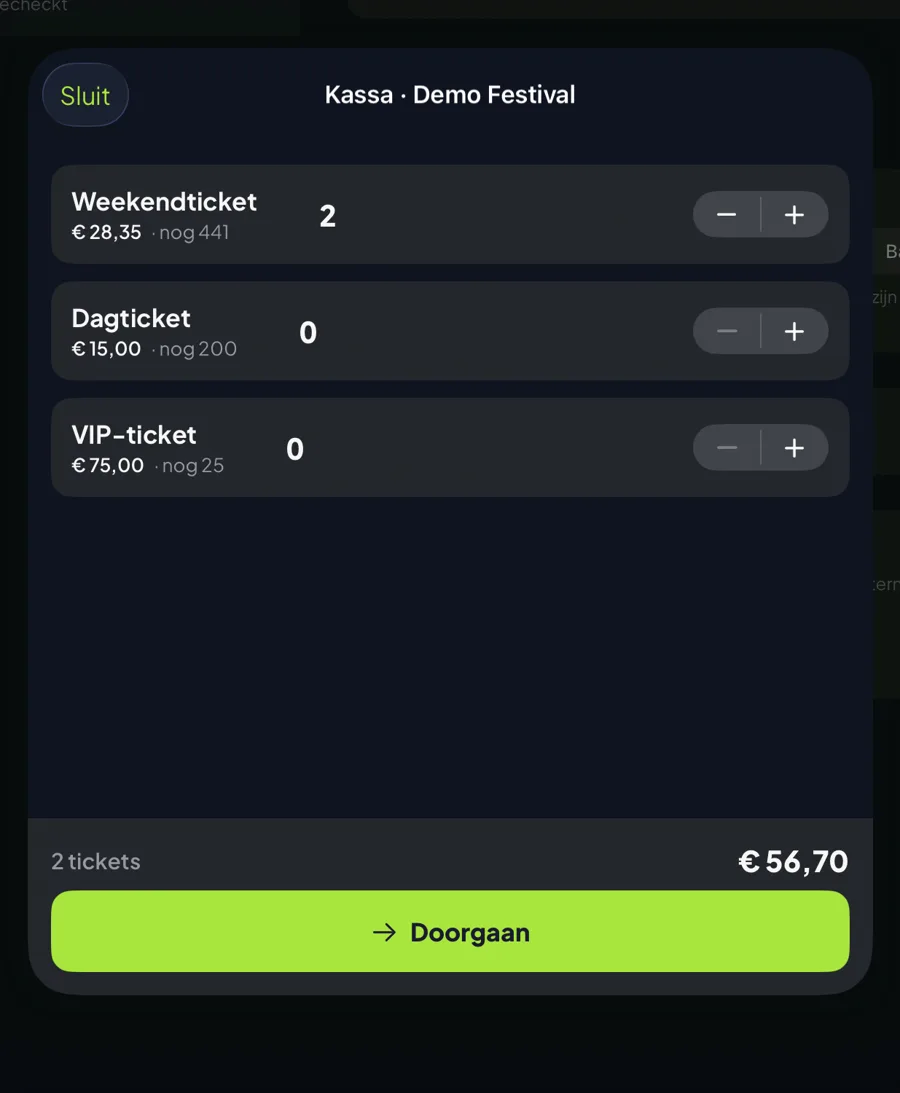
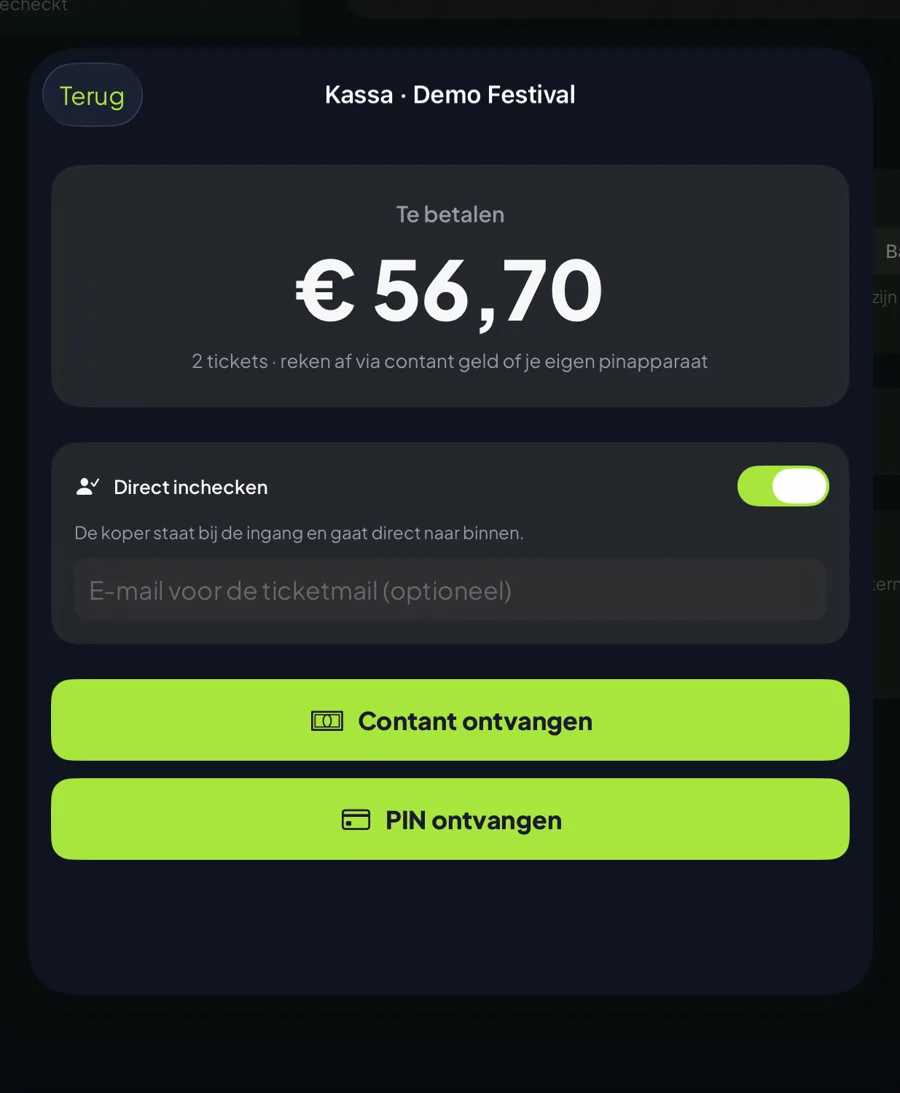
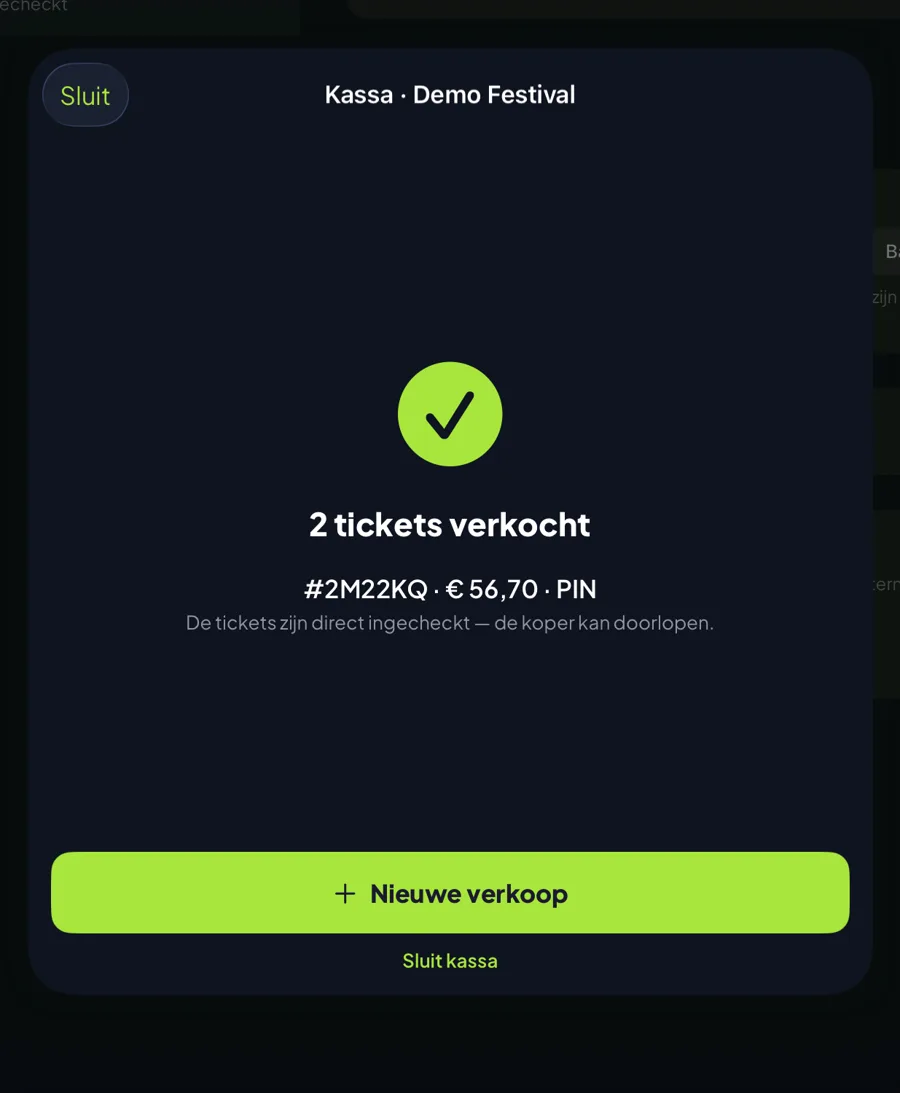
From a fixed terminal at the entrance to a table with a cash box: pick what works, per event.
A physical Mollie terminal at the entrance. The amount appears on screen, the visitor pays, and the app only creates the tickets once the payment has genuinely gone through. The money lands in the same account as your online sales.
Rather not carry extra hardware? With the Mollie Tap app your steward’s phone becomes the card reader. The visitor holds their card or phone against it and that is that. Ideal for a second entrance or a roaming till on site.
Already have a card reader from your bank, or working with a cash box? Then the app only records how the payment was made. The ticket is just as valid; only the money moves outside the platform.
Door sales are exactly where lists start drifting away from reality. That is why the box office runs through the same books as your online sales.
A box office sale draws down the same capacity as an online order. Two stewards on two entrances therefore cannot both sell the last ten tickets — that is ruled out technically, not by paying close attention.
For a card payment the app reserves the places and waits. If the payment fails or stalls, the places simply free up again and no ticket was ever created for money that never arrived.
A box office sale is an ordinary order in your admin screen, with the payment method attached. Your revenue, your visitor numbers and your check-ins all add up together — no separate column to merge in later.
Working with time slots? The box office automatically picks the next block that still has room. Your steward never needs to know how the day is carved up.
Not every event sells everything in advance — and it does not have to.
Twenty people who still want in at eight o’clock. Without a box office that is twenty refusals, or twenty exceptions nobody can trace afterwards.
Tickets at the hall, money in a tin, counted afterwards. All of that can stay — only now a real ticket comes out of it, and at the end of the night you can see exactly how many were sold.
You keep selling online until the doors open, then put a box office out for the rest. Both streams draw on the same capacity, so you never accidentally exceed your permitted numbers.
A desk helping walk-in visitors all day long, without anyone having to create an account or hand over an email address first.
We would rather be honest now than have you find out on the night.
In-person payments are a separate feature at Mollie that they have to approve for your account. Request it a few weeks ahead — not the day before your event. Cash and your own card reader work immediately.
You can reverse a box office sale, but deliberately not from the app: that goes through your admin screen. This way nobody at the entrance can accidentally refund an order.
Scanning keeps working when the network drops out, but a card payment does not — it has to reach the bank. On a site with poor reception, cash is your fallback.
Do you organise events with MijnEvent? Enter your e-mail address and we'll send a login link for your most recent organisation.
No account yet? Sign up for free
You're viewing the English version. Looking for the Dutch page?
Ga naar Nederlands