Enter an access code
Open the event in your dashboard and enter a code under Access code, for example TEAM2027. From that moment the event is restricted. Leave the field empty and it is an ordinary public event again.
Not every sale is for everyone. The staff party, the seats for sponsors, the group bookings of a travel company: you want to handle them online, but not among your regular events. With an access code on the event it cannot be found, and only people who got the code from you can order.
Put a code on the event
One field on the event form. At least four characters; the rest is up to you.
Share the link and the code
By email, in an invitation or through your contact at the group. You decide who gets it.
The guest orders for themselves
Enter the code, pick tickets, pay. Like any other order, with the same tickets by email.
You do not need a separate environment or a second account. It is an ordinary event with one extra field.
Open the event in your dashboard and enter a code under Access code, for example TEAM2027. From that moment the event is restricted. Leave the field empty and it is an ordinary public event again.
MijnEvent does not send the code for you. You share the address of the event page and the code yourself, in whatever way suits the group. That way you know exactly who has it.
The event page shows only the name of the event and a field for the code. If the code is right, the tickets appear and the order runs as usual. Upper or lower case does not matter.
Two screens. That is all there is to it.
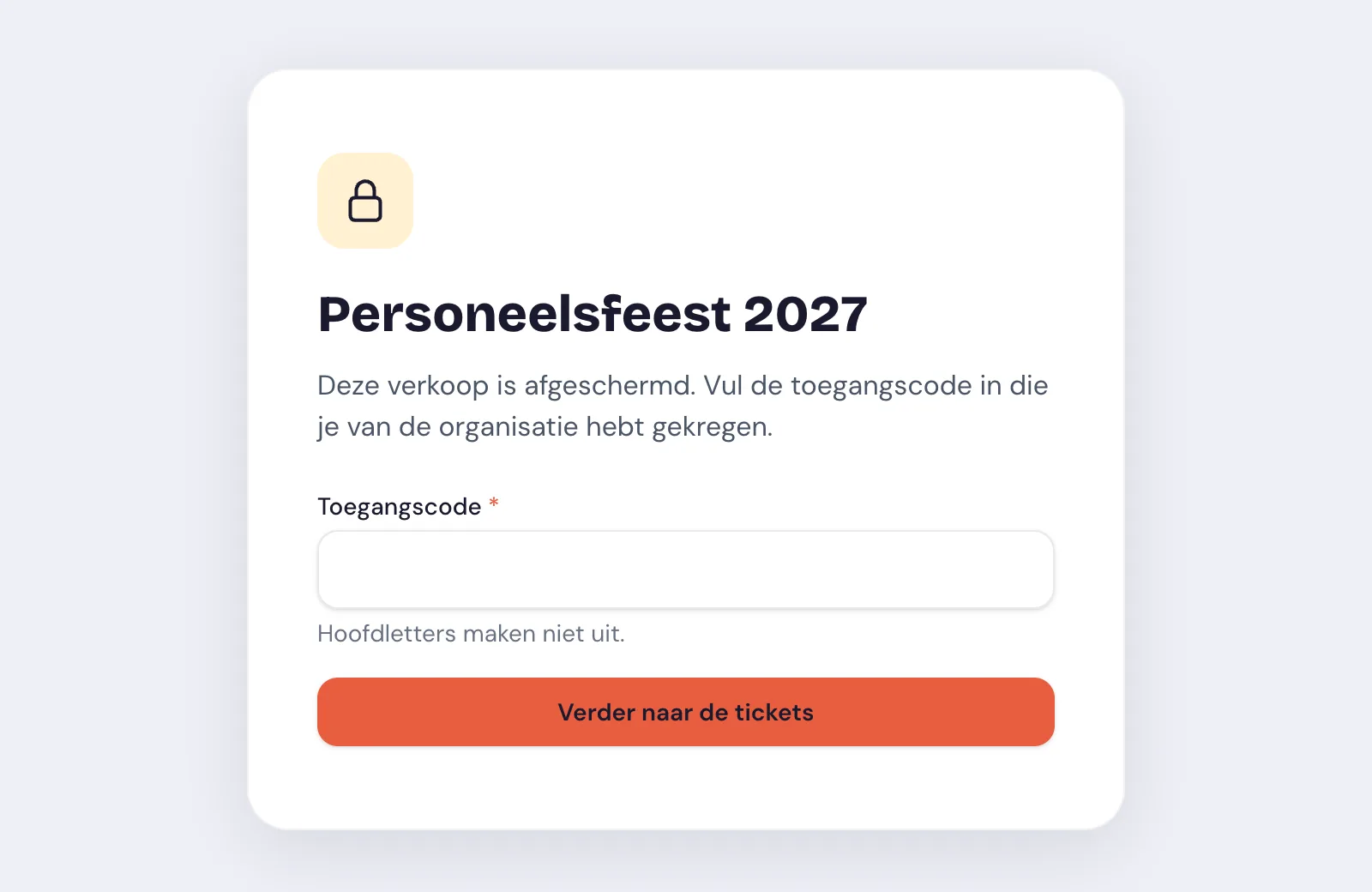
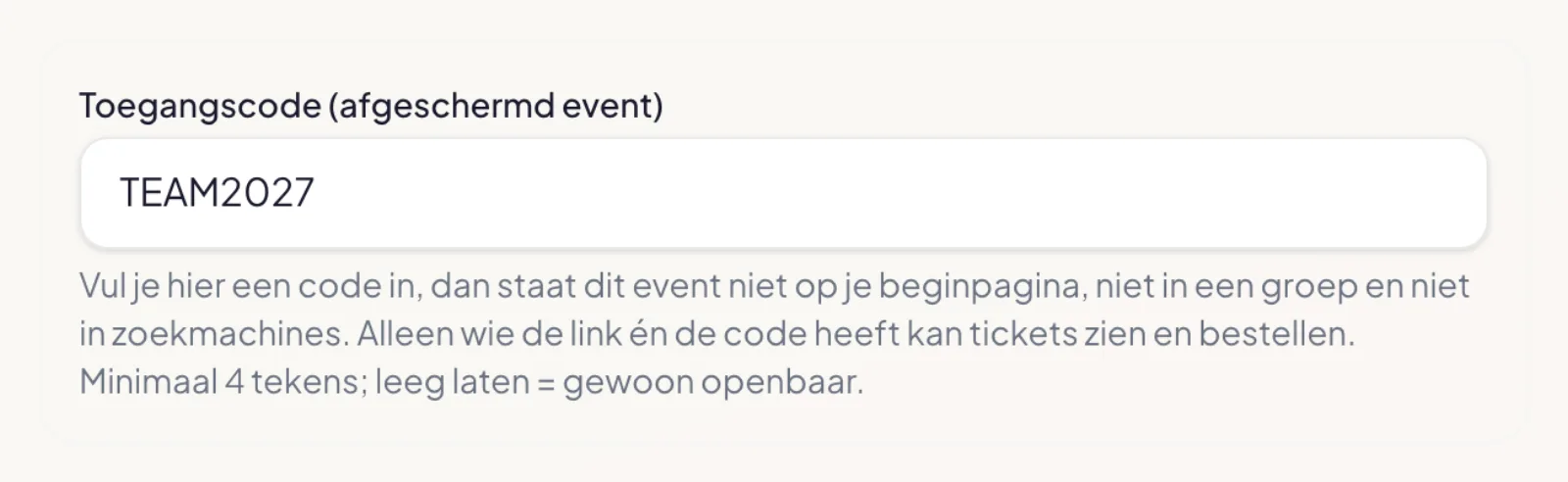
You set only one thing. The rest follows from it.
It is no longer on your home page, not in an event group and not in the list of events a gift card is valid for. Someone visiting your shop will not come across it.
The page is not in your sitemap and asks search engines not to include it. Without the code the page does not reveal a description or prices either.
The check is not only on the screen but also on the server: the ticket types, the seat map and the checkout only work after the right code. A shared link without the code gets you nothing.
Anyone logged in as a team member of your organisation sees the event without a code. In your dashboard, your statistics and the scan app it is an event like any other.
Always the same pattern: a known group, its own offer, and no one else who needs to be there.
Employees register themselves and their partner, for free or for a contribution of their own. You have a list and a QR code at the door, and the party is not among your public events.
A coach company or a club orders for the whole group at once, at the rate you agreed on. Private visitors do not see that rate.
Every sponsor gets the link and the code and orders their own tickets. No more emailing lists of names back and forth.
Give members or donors a week's head start. Then remove the code and the event is open to everyone, with the same tickets and the same page.
So you do not find out during the sale.
Everyone you invite uses the same code. There are no personal codes. If you want to take away someone's access, you change the code and share the new one with the rest.
The access code decides who may see the event. If you also want to give a lower rate, you do that with the ticket price itself or with a discount code at checkout.
After ten attempts within a minute it stops for a while. And the proof of access someone gets after the right code expires by itself after twelve hours, or sooner once you change the code.
Do you organise events with MijnEvent? Enter your e-mail address and we'll send a login link for your most recent organisation.
No account yet? Sign up for free
You're viewing the English version. Looking for the Dutch page?
Ga naar Nederlands