# Multilingual ticket sales: your visitors now pick their own language

  [Home](https://mijnevent.nl/en) / [Blog](https://mijnevent.nl/en/blog) / Multilingual ticket sales: your visitors now pick their own language   dashboard visitors multilingual 

# Multilingual ticket sales: your visitors now pick their own language

 Tell your dashboard which languages your visitors speak and the entire sales side follows: ticket pages, e-mails, storefronts and FAQs. Visitors get the right language automatically and can switch with one click.

 [Jasper Koers](https://mijnevent.nl/en/author/jasper-koers) · 30 July 2026 · 4 min read 

  ![](https://regify-mijnevent.s3.eu-central-1.amazonaws.com/blog/covers/meertalige-ticketverkoop-bezoekers-kiezen-hun-taal.webp)  Photo: [zhendong wang](https://unsplash.com/@tonybear2?utm_source=MijnEvent&utm_medium=referral) / [Unsplash](https://unsplash.com/?utm_source=MijnEvent&utm_medium=referral)     In short

- Choose in Settings which languages your visitors speak; every platform text — ticket pages, e-mails, error messages — is instantly available in each of them.
- Visitors automatically get their browser language and can switch via the language switcher; their choice is remembered, even across devices when logged in.
- Frequently asked questions translate automatically per question with one click; you can refine every translation yourself afterwards.

  A festival near the border, a parade with German visitors, a conference with international speakers, a village fair with Polish seasonal workers: the moment even one visitor doesn't speak Dutch, a single-language ticket page starts to hurt. As of today MijnEvent solves that for you. **You tick which languages your visitors speak; the rest happens by itself.**

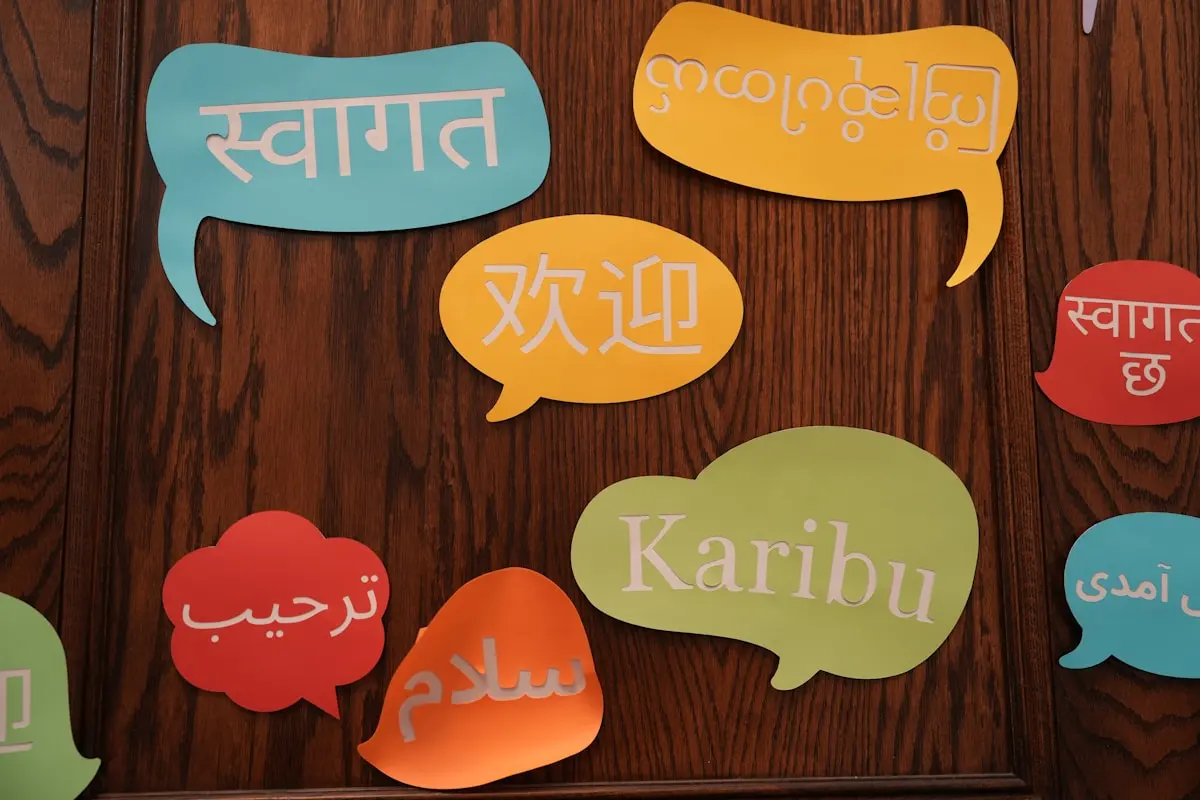
You can choose from eleven languages: Dutch, Flemish, English, German, French, Spanish, Italian, Polish, Ukrainian, Simplified Chinese and Frisian.

# One setting, the whole sales side follows

In **Settings → Languages for your visitors** you tick the languages you offer and pick your primary one. That's it. Every language you enable is complete from the very first second: ticket pages, checkout, module storefronts, system e-mails, validation and error messages — every platform text is already there. "Automatically available" really means automatic: there is no translation backlog waiting for you.
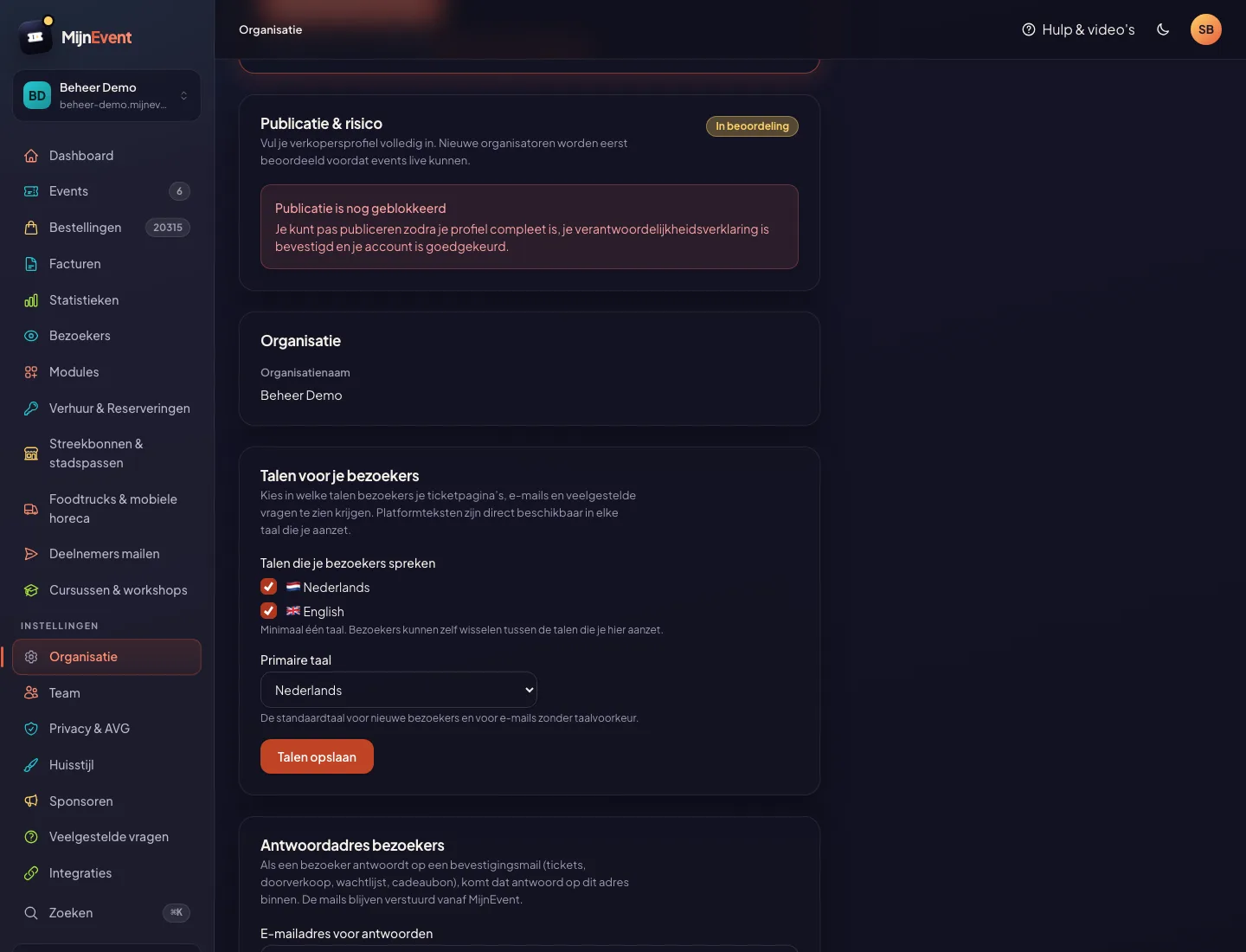
![The language settings in the dashboard: the offered languages ticked, with the primary language below](https://regify-mijnevent.s3.eu-central-1.amazonaws.com/blog/inline/meertaligheid-talen-instellingen.webp)*The entire setup: tick languages, pick a primary one, save.*

If you offer just one language — like most organisers — nothing changes at all. No switcher, no English sneaking in: your page stays exactly as it was.

# Visitors don't have to configure anything

A German-speaking visitor opening your event page simply gets it in German — MijnEvent looks at the browser language, limited of course to the languages you offer. Switching is always possible via the language switcher at the top of the page. That choice is remembered for a year, and for logged-in visitors the preference even travels along to their next device.
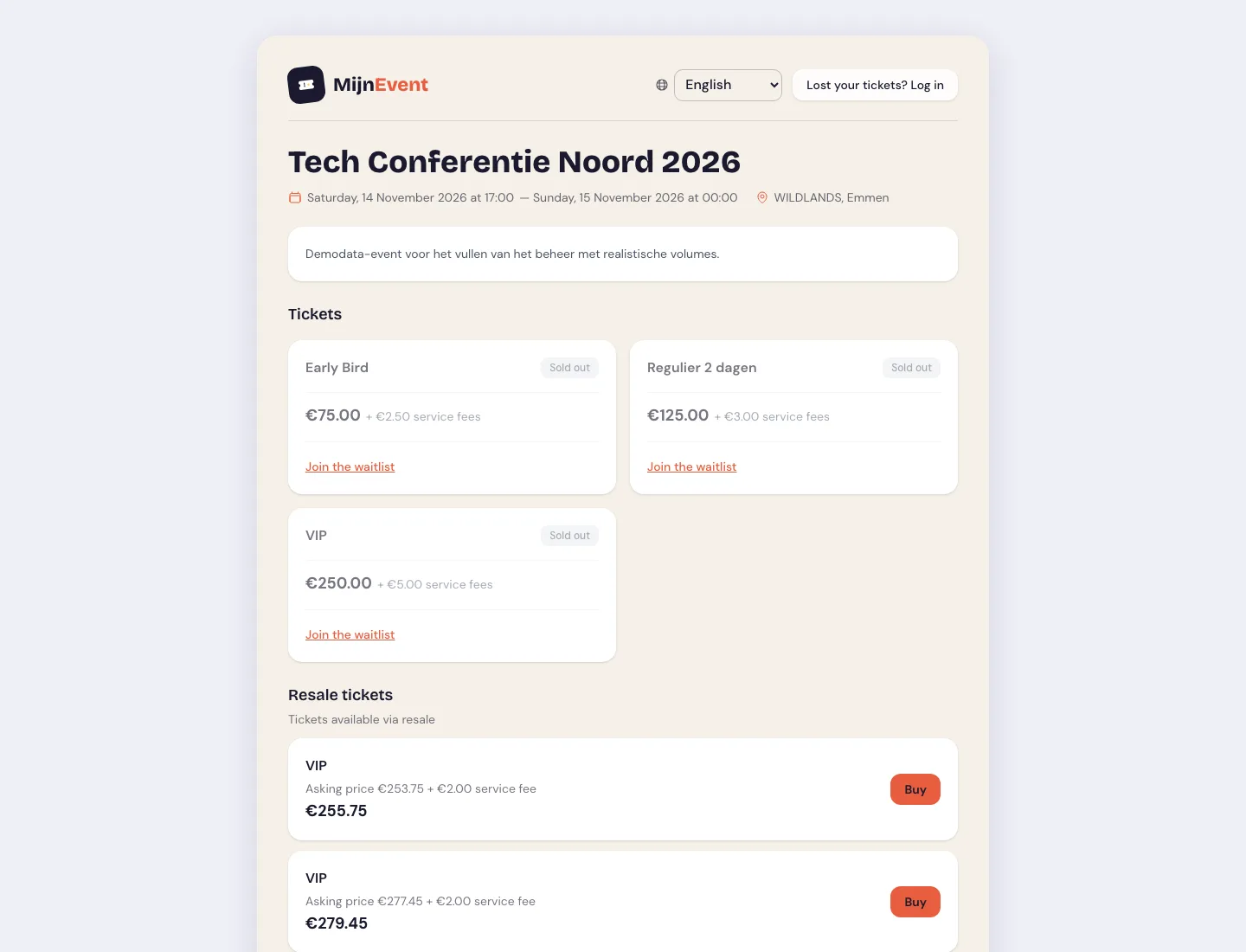
![The public event page fully in another language, with the flag language switcher at the top right](https://regify-mijnevent.s3.eu-central-1.amazonaws.com/blog/inline/meertaligheid-event-engels.webp)*The same event page as a non-Dutch visitor sees it — including dates and price formatting in that language. Switching is done with the flags at the top right.*

It goes beyond the words alone: dates ("Samstag, 14. November") and amounts ("75,00 €") follow the chosen language too. And because the switcher only appears when there is genuinely something to choose, the page stays calm for everyone who is offered a single language.

# FAQs: translate with one click

Your own content is yours to write, but not yours to translate: event descriptions, ticket types, menus, courses and your own e-mail texts are carried along automatically into every language you switch on. Every item has a **Translations** button where you can refine a sentence yourself — and what you enter there wins for good. Frequently asked questions work the same way: in **Dashboard → FAQ** you'll find a tab per language, and every question that doesn't yet exist in all your languages gets a translate button. One click and both the question and the answer are translated automatically. The translation gets its own "AI-translated" badge and stays fully editable; a variant you polished by hand is never silently overwritten.
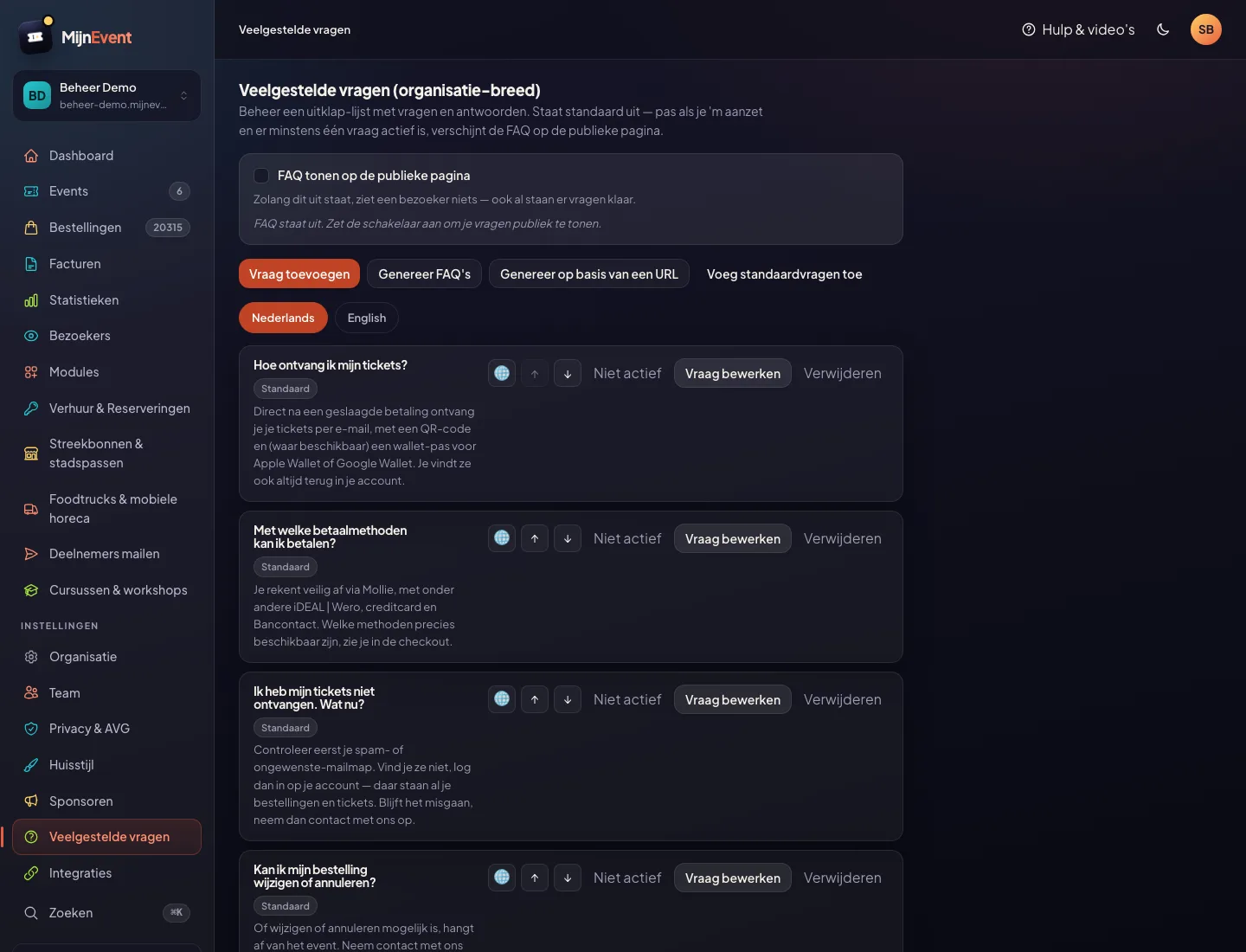
![The FAQ management screen with language tabs and a translate button per question](https://regify-mijnevent.s3.eu-central-1.amazonaws.com/blog/inline/meertaligheid-faq-vertalen.webp)*Language tabs above the list; the globe button translates a question into the languages that are still missing.*

On your public pages, visitors then automatically see the questions in their own language, with a graceful fallback to your primary language while a translation doesn't exist yet.

# Who is this for?

Anyone with visitors crossing a border: festivals and parades near the border, events in tourist regions, sports events with international participants, conferences. German and French for the border region and tourists, Polish and Ukrainian for the large groups of migrant workers, Spanish for international visitors — and Frisian, because a Frisian organiser should simply be able to address their visitors in Frisian.

One thing we say plainly: the translations are machine-made. That is why every non-Dutch page and e-mail carries a short note saying the text was translated automatically and that the Dutch version prevails if anything differs.

Automatically translating event descriptions and ticket type names is the obvious next step — we're working on it. Until then: everything that comes from the platform is already multilingual, and everything that comes from you stays yours.

Enable your first extra language under **Settings → Languages for your visitors** — and if anything looks off, [we'd love to hear it](/en/contact).

   Frequently asked questions

## Frequently asked questions

## Do I have to translate everything myself now?

  No. All platform texts — buttons, forms, e-mails, error messages — are already fully translated. And you do not have to enter your own texts per language either: event descriptions, ticket types, module content and your own e-mail texts are translated automatically. Whatever you refine yourself stays put.

## What will my Dutch visitors notice?

  Nothing, unless you enable more languages. If you only offer Dutch, nothing changes — no language switcher, no different texts. Enable German as well and Dutch visitors simply keep seeing Dutch while German-speaking visitors automatically get German.

## How does MijnEvent decide which language a visitor sees?

  First the language the visitor picked via the switcher, otherwise the stored preference of a logged-in visitor, otherwise the browser language — always limited to the languages you offer. If none of those apply, your primary language wins.

  [    Back to blog ](https://mijnevent.nl/en/blog) 

  MijnEvent

## Read more

 [ ![](https://regify-mijnevent.s3.eu-central-1.amazonaws.com/blog/covers/duplicate-an-event-or-course.webp) events 

 Jasper Koers · 18 September 2026 · 5 min read

## Save time: duplicate your event or course in one click

The same workshop every month, the same show every year? Duplicate creates a draft with all your ticket types, prices, time slots and texts in one step. The dates move along; sales and visitors stay behind.

 ](https://mijnevent.nl/en/blog/duplicate-an-event-or-course) [ ![](https://regify-mijnevent.s3.eu-central-1.amazonaws.com/blog/covers/memberships-town-restriction.webp) memberships 

 Jasper Koers · 15 September 2026 · 6 min read

## Membership only for residents of your village

A village association is for the village. Now you can set that up instead of checking it by hand — and you only ask for your members' addresses if you actually use them.

 ](https://mijnevent.nl/en/blog/memberships-only-for-residents-of-your-village) [ ![](https://regify-mijnevent.s3.eu-central-1.amazonaws.com/blog/covers/event-poster-on-your-event-page.webp) poster 

 Jasper Koers · 14 September 2026 · 4 min read

## Putting your poster on your event page

The poster you already had designed belongs online too. Upload it once and it appears on your event page, on the overview card, in the widget and in the preview on social media.

 ](https://mijnevent.nl/en/blog/event-poster-on-your-event-page) 

   MijnEvent

## Ready to get started?

Create a free account and sell your first tickets today.

 [Start free](https://mijnevent.nl/registreer) [Pricing](https://mijnevent.nl/en/pricing)