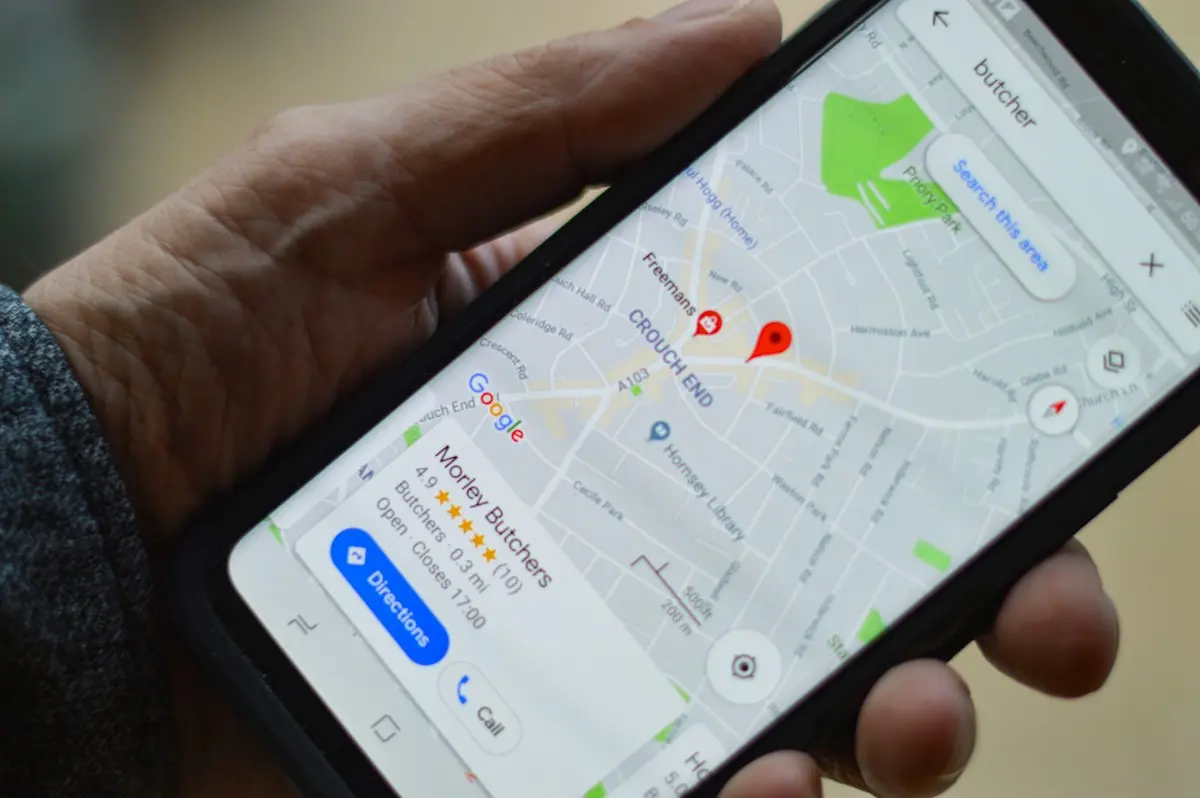
# Enter the address once, get directions everywhere

  [Home](https://mijnevent.nl/en) / [Blog](https://mijnevent.nl/en/blog) / Enter the address once, get directions everywhere   venue address directions wallet 

# Enter the address once, get directions everywhere

 Next to the name of your venue you now pick a real address from the address finder. That single address produces a directions link on the event page, the ticket, the confirmation email, the wallet pass and the calendar invite.

 [Jasper Koers](https://mijnevent.nl/en/author/jasper-koers) · 14 September 2026 · 4 min read 

  ![](https://regify-mijnevent.s3.eu-central-1.amazonaws.com/blog/covers/venue-address-and-directions.webp)  Photo: [henry perks](https://unsplash.com/@hjkp?utm_source=MijnEvent&utm_medium=referral) / [Unsplash](https://unsplash.com/?utm_source=MijnEvent&utm_medium=referral)     In short

- Next to the name of your venue you pick a real address from a search field: Dutch addresses come from the national land registry (BAG), addresses elsewhere in Europe from OpenStreetMap.
- A chosen address carries coordinates, so visitors get a directions link everywhere: on the event page, on their ticket, in the confirmation email, in the calendar invite and on the wallet pass.
- An Apple Wallet pass with coordinates surfaces by itself when the visitor is near the venue; Google shows a small map with the pass.
- If your address is not listed you can type it manually; the directions link then searches on the address instead of on coordinates.

# "Where is it again?"

That question always comes. In the week before your event, on the day itself, by app, by email, through somebody passing it on to somebody else. Usually all you can do is type the address out once more.

Until now the place of your event lived in a single free-text field. "De Nieuwe Kolk theatre", or "De Vlinder community centre, Hoofdstraat 12". Fine to read, but a phone can do very little with it: no directions button, no point on the map, no reminder when you are nearby.

That is why there is now a second field under the name of your venue: **Address of the venue**. You pick the real address there, and that one address carries through everywhere.

# Searching instead of typing

You pick the country first and then simply type what you know: "Hanzelaan 95 Zwolle", "Unter den Linden 5 Berlin". Suggestions appear from two letters onwards.

For the Netherlands those suggestions come from the **PDOK location server** — the official land registry addresses, the same source the government uses. For the rest of Europe we use **Photon**, which runs on OpenStreetMap. We query both from our own server: your visitors never get another company's mapping service on their screen, and while you fill in your event nothing quietly travels to Google.

Pick a suggestion and you see a card with the address and the note "Coordinates found — visitors get a directions link". For a Dutch address the province fills itself in as well, if you had not chosen one yet.
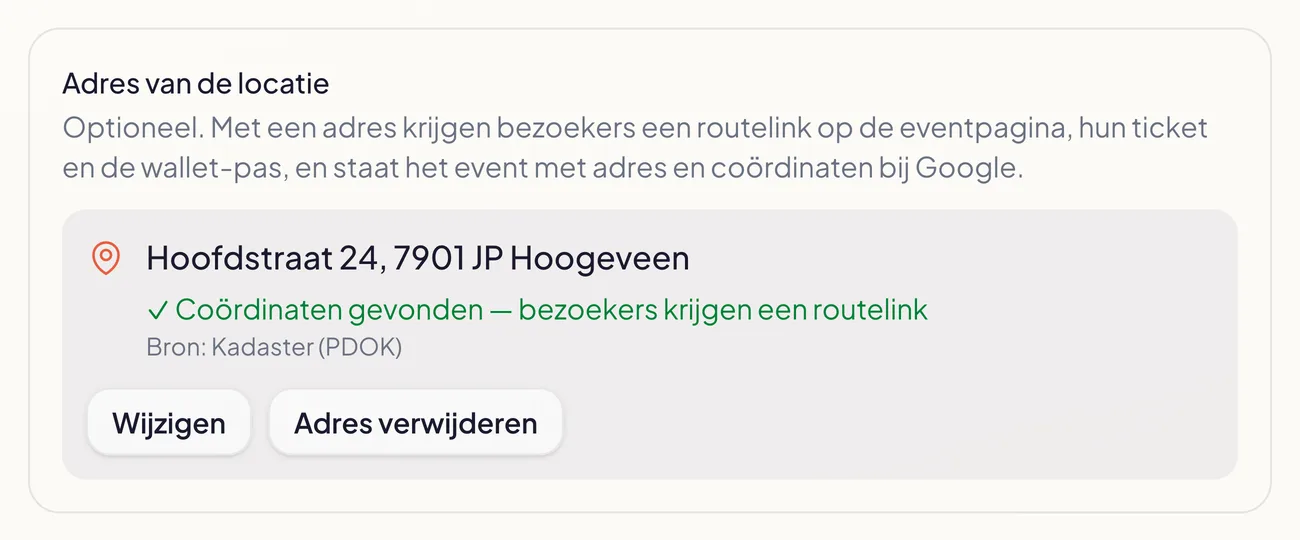
![The address block on the event form with a chosen address, the note that coordinates were found and the source](https://regify-mijnevent.s3.eu-central-1.amazonaws.com/blog/inline/adreszoeker-gekozen-adres.webp)*Once you pick, you see straight away whether coordinates came with it — and which source the address came from.*

Is your spot not there — a field, a marquee, an address that is just slightly off? Click **Enter manually** and type street and town yourself. No coordinates, but the directions link then works on the address.

# What your visitor notices

This is the whole point of the exercise: you enter it once, and after that it is everywhere.

- **On the event page** the address sits under the date, as a link. One tap and the visitor's map app plots the route.
- **In the confirmation email** there is a "Venue" line with the address and the same directions link.
- **On the ticket (PDF)** the address sits under the name of the place, with the link next to it.
- **In the calendar invite** the address is included both as the location and as coordinates, so the calendar app can navigate and warn in time that you should leave.
- **On the wallet pass** the directions sit on the back. And because the pass knows the coordinates, it surfaces by itself on the day when the visitor is near the venue. Google shows a small map with the pass. More about those passes in [tickets in Apple Wallet and Google Wallet](/en/blog/tickets-in-apple-wallet-and-google-wallet).
- **In the widget on your own website** the address with its directions link sits in the header.

# And at Google

Search engines read structured data from your event page: what the event is, when it is and where. That "where" used to be a piece of text; it is now a real postal address with street, postcode, town and coordinates.

That improves the odds of your event showing up properly with its location for searches that include a place name, and of mapping services and AI assistants picking the right spot instead of guessing.

# No map on your page — on purpose

You will not see an embedded map on the event page. That is a choice. A third-party map on your page means scripts, load time and somebody watching along with your visitors. A plain text link with the address does the same job: it opens the map app the visitor already uses, with the route ready to go.

For the same reason the finder degrades quietly when an address source is briefly unreachable: you simply see no suggestions and type the address manually, instead of your form grinding to a halt.

# In short

- **Location** stays the name of the place; **Address of the venue** is the real address underneath it.
- Dutch addresses come from the land registry (BAG), European ones from OpenStreetMap.
- With an address chosen, visitors get directions everywhere: page, email, ticket, calendar, wallet pass and widget.
- No official address? Enter it manually; the directions link then searches on the address.

Fill it in for your next event — it takes ten seconds and saves you a stream of messages on the day itself.


   Frequently asked questions

## Frequently asked questions

## Why is there a separate address field next to the location field?

  The location field is the name of the place, such as 'De Nieuwe Kolk theatre' or 'The field behind the church'. The address field is the machine-readable spot with street, postcode and coordinates. That split keeps the name readable for people while the coordinates stay usable for maps and wallet passes.

## Where do the addresses come from?

  Dutch addresses come from the PDOK location server, the official land registry addresses (BAG). For other European countries we use Photon, based on OpenStreetMap. Both run through our own server, so nothing goes straight from your visitors to an external mapping service.

## What if my venue has no official address, like a field or a marquee?

  Pick the nearest address, or use 'Enter manually' for street and town. Without coordinates the directions link still works; it then searches on the address instead of an exact point.

## Is there a map embedded on my event page?

  No. There is a text link with the address that opens the visitor's own map app. That keeps the page fast and puts no third-party mapping service on your page.

  [    Back to blog ](https://mijnevent.nl/en/blog) 

  MijnEvent

## Read more

 [ ![](https://regify-mijnevent.s3.eu-central-1.amazonaws.com/blog/covers/event-poster-on-your-event-page.webp) poster 

 Jasper Koers · 14 September 2026 · 4 min read

## Putting your poster on your event page

The poster you already had designed belongs online too. Upload it once and it appears on your event page, on the overview card, in the widget and in the preview on social media.

 ](https://mijnevent.nl/en/blog/event-poster-on-your-event-page) [ ![](https://regify-mijnevent.s3.eu-central-1.amazonaws.com/blog/covers/waiting-list-for-a-sold-out-event.webp) waiting list 

 Jasper Koers · 14 September 2026 · 6 min read

## Who is on the waiting list? Now you can see

The waiting list already worked on its own: sold out, someone signs up, and the moment a ticket frees up the email goes out. You just could not look inside it. Now you can — with names, positions and a button to email them yourself.

 ](https://mijnevent.nl/en/blog/waiting-list-for-a-sold-out-event) [ ![](https://regify-mijnevent.s3.eu-central-1.amazonaws.com/blog/covers/change-the-email-address-on-an-order.webp) orders 

 Jasper Koers · 14 September 2026 · 4 min read

## A visitor gave the wrong email address — now what?

A typo in an email address used to mean a manual detour. You can now change the address on the order yourself, and the tickets go out again straight away with you in cc.

 ](https://mijnevent.nl/en/blog/change-the-email-address-on-an-order) 

   MijnEvent

## Ready to get started?

Create a free account and sell your first tickets today.

 [Start free](https://mijnevent.nl/registreer) [Pricing](https://mijnevent.nl/en/pricing)
