# Reserved seats — how your visitor picks their own seat — MijnEvent

 Reserved seats

# Your visitor picks their own seat and knows exactly where they will sit

Someone buys a ticket on the train, on a phone, one-handed. Two taps later they know they are in row 7, on the aisle, to the left of the stage — and that their friend is sitting next to them rather than three rows back. That is the whole difference between a ticket and a seat.

 [How a visitor chooses](#how-title) [About the module](https://mijnevent.nl/en/modules/reserved-seating) 

- 1Open the hall

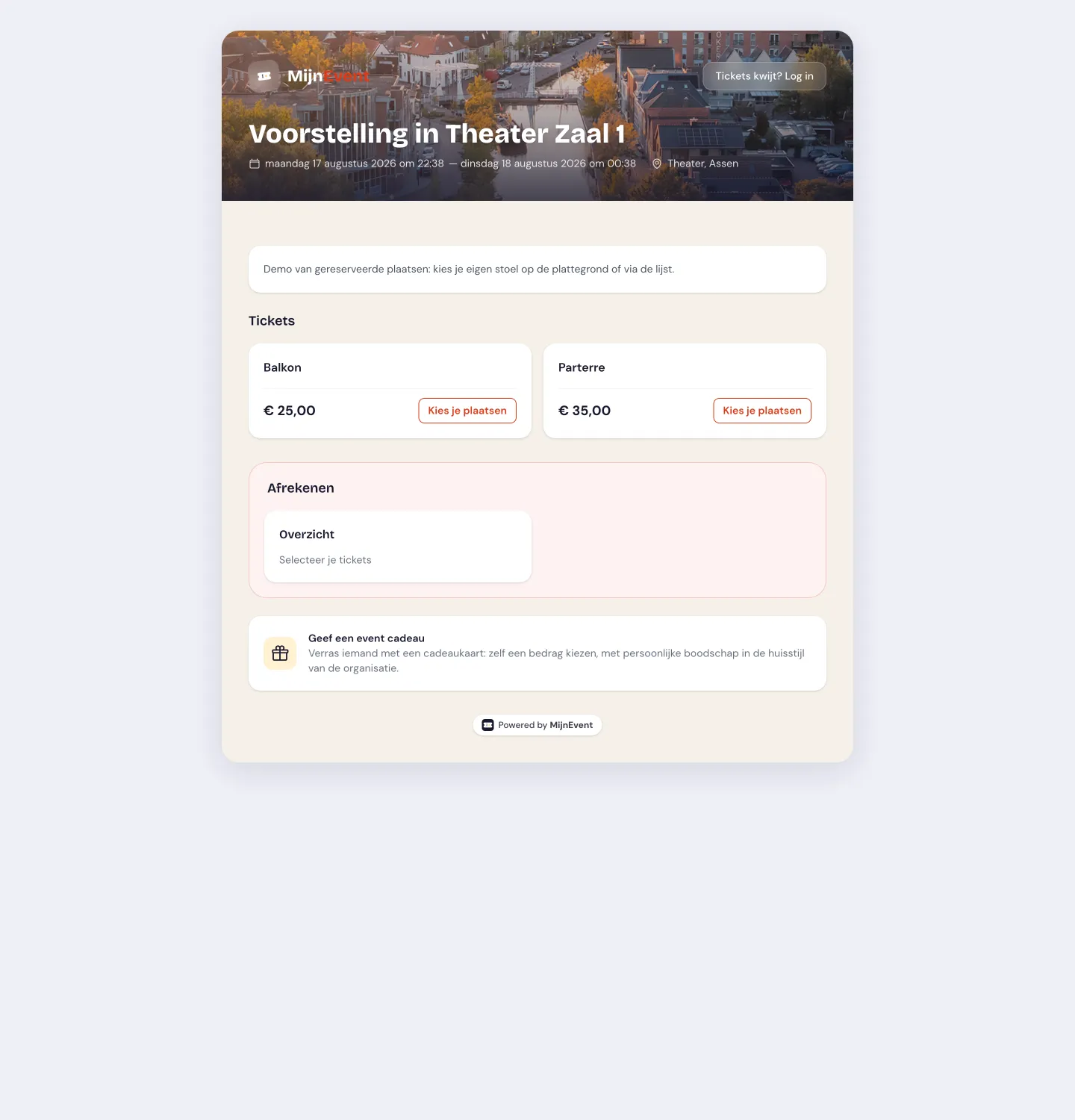
    On the event page the hall appears as it really is: the stage or the screen at the top, the entrances marked, free seats open and sold seats closed.
- 2Point at your spot

    Tap a seat, or let the system find the best seats together. Rather not squint at a map? One button switches you to the list.
- 3The seat travels with you

    Row and seat number appear on the ticket, in the confirmation email, in your wallet and on the steward’s screen at the door.

  How it works

## What happens between “I want to go” and “I am seated”

From the visitor’s side it is three actions. Everything underneath — holding, checking, booking through — never surfaces, and that is exactly the point.

  1

### The hall comes into view

No dropdown listing “Tier 1” and “Tier 2” that you have to guess your way through. You see the shape of the hall, where the stage or the screen is and which door you come in by. What is already sold shows straight away — so at a glance you know whether the front is still an option or the balcony is your best bet.
   2

### You point at a seat, and for a while it is yours

The moment you tap a seat it is held for you while you finish the rest of your order. If someone else taps that very same seat at that very same moment, they do not get it — they watch it turn grey and pick another. So there is never a moment where two people walk to the door with the same seat number.

   3

### At the door it simply adds up

Once you have paid, “Stalls — row B, seat 12” is on your ticket, in the email and in Apple or Google Wallet. On arrival the steward scans your QR code and sees that same seat on screen, so they can point you the right way instead of handing you off to an usher.

   What the visitor sees

## What choosing actually looks like

The same hall, three ways through it — on a large screen, on a phone, or with no floor plan at all.

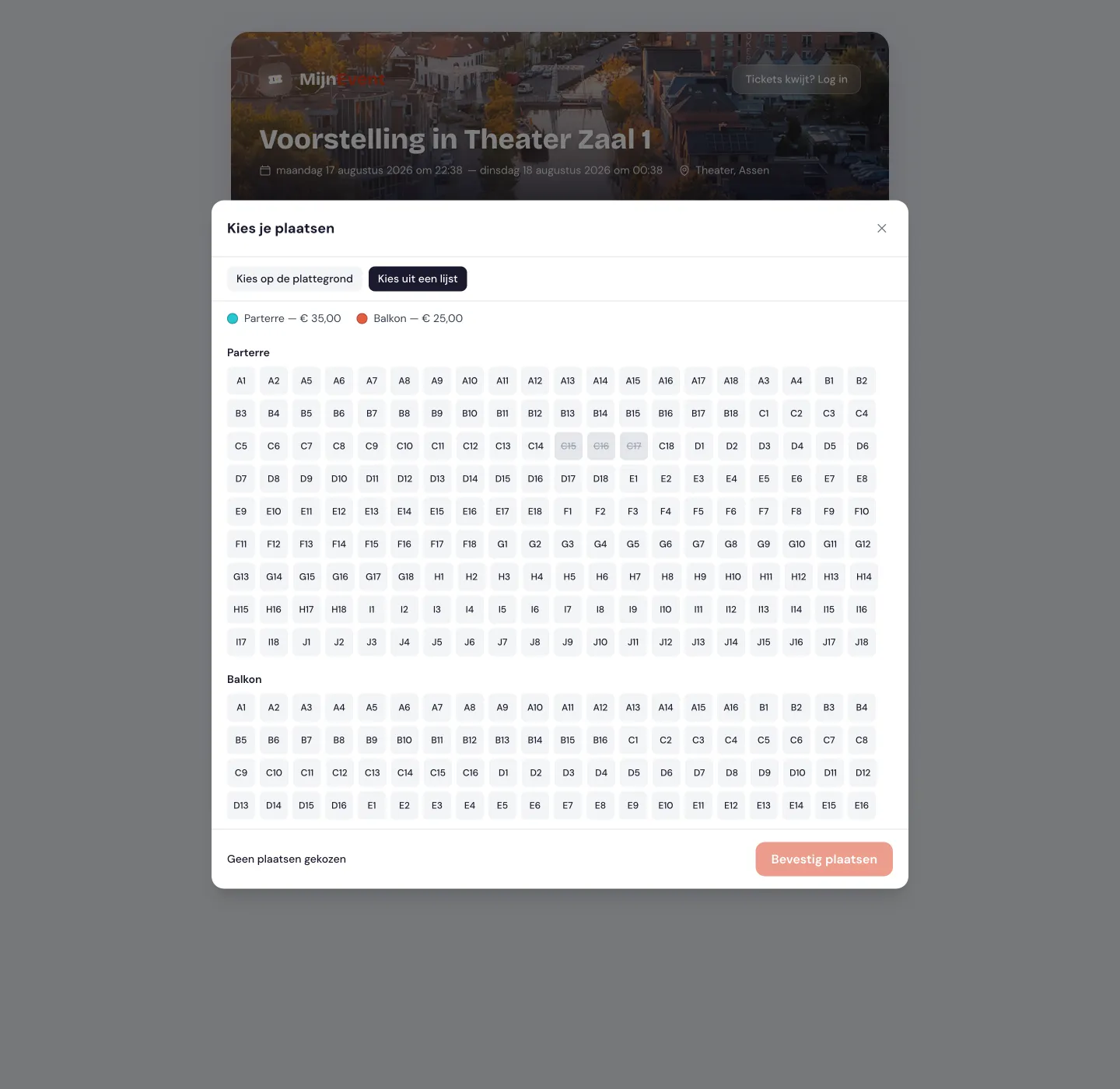
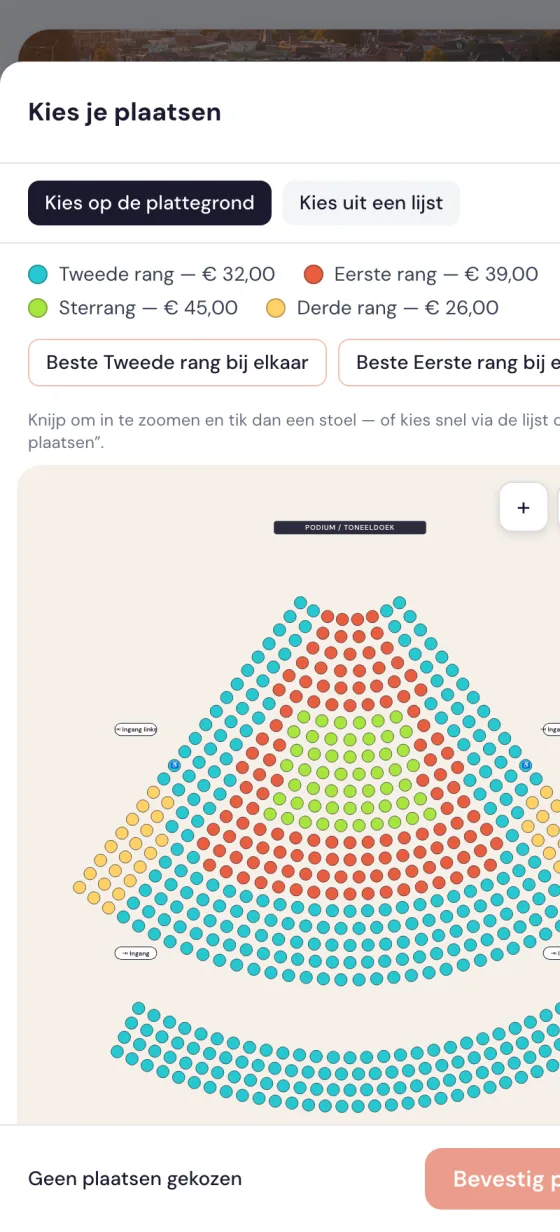
  ![Event page showing a venue floor plan: the stage at the top, coloured sections with free and sold seats, and an overview of the chosen seats beside the plan.](https://regify-mijnevent.s3.eu-central-1.amazonaws.com/blog/screenshots/seating-event.webp) On the event page you pick your spot and watch your selection build up — the rest of the checkout is unchanged.   ![Phone screen with the same floor plan, zoomed in on a few rows with clearly legible seat numbers and large tap targets.](https://regify-mijnevent.s3.eu-central-1.amazonaws.com/blog/screenshots/seating-mobiel.webp) On a phone you pinch in until the seat numbers are readable; the tap targets stay big enough for a thumb.   ![List view of the same hall: rows and seat numbers underneath each other with price and availability, usable without any floor plan.](https://regify-mijnevent.s3.eu-central-1.amazonaws.com/blog/screenshots/seating-lijst.webp) The same hall as a list: row by row, with price and availability, fully usable without ever seeing the plan.  

   Usable by everyone

## A floor plan is not the easiest route for everyone

A seating plan is a picture, and pictures shut people out. That is why it is never the only way to buy a seat here — the other route is not lesser, just different.

      ### The list is not a fallback

You can walk the whole hall as a list: row by row, seat by seat, with price and availability as plain text. A screen reader reads it out the way it reads any other list. It is exactly the same stock at exactly the same price — not a stripped-down version where the good seats are missing.

        ### A wheelchair space comes with a seat beside it

Wheelchair spaces are marked separately, with the companion seat right next to them. So you do not have to ring up first to ask whether anything is free and whether your partner can sit with you — you filter on accessible spaces and simply see it there.

       ### Pinch until you can read it

Poor eyesight, or sitting on a rattling train? Pinch the plan open until the seat numbers are big enough. The tap targets scale up with it, so you do not end up grabbing the wrong seat by a millimetre.

       ### Without a mouse you get just as far

Working with a keyboard or a switch, you tab through the sections and rows with a focus outline you can genuinely see. Every seat tells you what it is — row, number, tier and price — before you choose it, not after.

   Halls that really exist

## Your hall is not a rectangle, and it does not have to be

Visitors recognise their hall by its shape — whether that is a playhouse with two balconies or screen 3 at the local cinema. If the plan does not look like the place they will be sitting, they start to doubt, and doubt is the last thing you want just before checkout.

        ### Rows that curve along with the stage

The fan-shaped stalls of a playhouse do not run in straight lines. Seats sit on free positions, so the bend in row F looks on screen the way it looks in the hall — and a regular visitor recognises their spot instantly.

       ### Several balconies stacked above each other

First balcony, second balcony, side boxes: each visible in its own right instead of squashed into one block marked “upstairs”. Someone who knows the second balcony gives them vertigo can now avoid it themselves.

            ### Tiers with their own price, mid-hall too

A pricier tier does not have to be a whole section. A cluster of the best seats running across three rows can carry its own price, and the visitor sees from the colour and the amount why that seat costs more than the one beside it.

         ### Stage, screen and entrances are on the plan

Knowing where the stage or the screen is covers half the decision. Where the doors are covers the other half — for anyone who likes a quick exit, is unsteady on their feet, or needs to slip out during the show.

        ### A cinema screen is a hall too

Raked rows, the screen as the reference point instead of a stage, and that second half of row H where the love seats are. Someone who knows row 1 gives them a stiff neck scrolls to the middle and sees straight away what a recliner costs on top.

        ### Draw it once, reuse it every showing

Your hall does not change from night to night, so neither does your plan. You draw it once and attach it to every performance or screening: set up four cinema screens and you can sell your entire weekly programme by seat number from then on.

   Good to know

## The rough edges, told up front

We would rather be honest now than surprise you halfway through your ticket sales.

## You do not switch it on yourself

Reserved seating is available, but it does not appear in your admin on its own. You request the module and we set it up for you; you then accept that module's terms and can draw your first hall straight away. Requesting it mainly lets us check that your hall fits the way the seating plan works.

## Up to around 2,000 seats per hall

Plenty for virtually every theatre, playhouse, cinema screen and conference hall. A stadium with tens of thousands of places calls for a different kind of choosing — a block first, a seat second — and that is planned for a later phase.

## A held seat does not stay held forever

A seat is held for you while you order, but not indefinitely. Leave the order sitting for half an hour and the spot frees up for someone else. That is deliberate: otherwise a sold-out hall fills with seats nobody actually bought.

 After the other half of the story — how you draw a floor plan yourself, link tiers to your ticket types and what it costs? That all lives on the [reserved-seating module page](https://mijnevent.nl/en/modules/reserved-seating).

   Frequently asked questions

## Frequently asked questions

## Can the four of us sit together?

 Yes. You can point out the seats yourself, or press the “best seats” button and let the system find four free seats in a row. If your choice would strand a single seat that nobody can join, you get a nudge about it — awkward for the hall, and usually for you too.

## What happens if someone else taps the same seat at the same time?

 One of you gets it, and the other watches it turn grey with a note that it has just gone. Nothing is quietly sold twice and no email turns up afterwards telling you to sit somewhere else. Annoying in the moment, but honest.

## I have poor eyesight, or I do not use a mouse — can I still pick a good spot?

 Yes. Alongside the plan there is a full list view you can work through with a keyboard or a screen reader, holding the same seats at the same prices. On the plan itself you can zoom until the numbers are readable, and accessible spaces are one button away.

## Where will I find my seat number later on?

 On your ticket and in the confirmation email, in the PDF, and in Apple or Google Wallet. If you lose all of that, it is still there with your order in your account. At the entrance the steward sees your spot on screen the moment they scan.

## Can I change seats after buying?

 Not yourself — a bought seat is yours and stays put. If you do want to swap, the organiser arranges it from their dashboard as long as something is free. That way no evening turns into a game of musical chairs nobody can follow.

# Want to sell your hall by seat number?

Reserved seats are on the way. Create an account now, or tell us which hall you have in mind — and we will think along about how your floor plan should look.

 [Start free](https://mijnevent.nl/registreer) [All features](https://mijnevent.nl/en/features)