# Cashless payments with a digital wallet: no more tokens — MijnEvent

  [Home](https://mijnevent.nl/en) / [Blog for event organizers](https://mijnevent.nl/en/blog) / Cashless payments with a digital wallet: no more tokens   modules cashless 

# Cashless payments with a digital wallet: no more tokens

Visitors top up online with iDEAL | Wero and always carry their bar credit as a QR code. Every balance change is recorded in a tamper-proof ledger — the balance always adds up.

 [Jasper Koers](https://mijnevent.nl/en/author/jasper-koers) · 24 May 2026 · 4 min read 

       In short

- Every visitor gets their own digital bar wallet per event instead of physical tokens; the credit belongs to the visitor and is kept separate per event.
- Topping up happens online with iDEAL | Wero; right after the payment the visitor receives a personal QR code that acts as the wallet, without an app download or an account.
- Every balance change is recorded in an append-only ledger that can only be added to and never changed or deleted, so the balance always adds up.
- In your dashboard you see the total outstanding balance (the float) at any moment; topping up, the balance page and showing the balance while scanning are live now, with the bar app to follow.

  Anyone who has ever organised a festival or a village fair knows the ritual: ordering bags full of tokens, setting up a stall where visitors queue to buy them, and afterwards counting, recounting and still finding a gap in the till. With the [Consumptions &amp; cashless](/en/modules/cashless) module you replace the physical token with a **digital bar wallet** — and those problems disappear in one go.

# What is the digital wallet?

Every visitor gets their own digital bar credit per event. No plastic tokens, no punch cards, no booklets of paper vouchers — the credit lives online and belongs to the visitor themselves. Because the wallet works per event, you as an organiser keep your administration strictly separated per event: the credit from your summer edition never runs through the books of your winter party.

# Topping up with iDEAL | Wero

Visitors simply top up online, from the sofa or in the queue at the entrance. Pick an amount, pay with iDEAL | Wero, done. Right after the payment the visitor receives a **personal QR code**: that is the wallet. No app download, no account with a password — the QR code and a phone are enough.

# The balance always to hand

How much is left on it? Visitors answer that question themselves, at any moment. The wallet comes with a **balance page on the phone** that shows the current credit — no more guesswork with a handful of tokens in a trouser pocket.
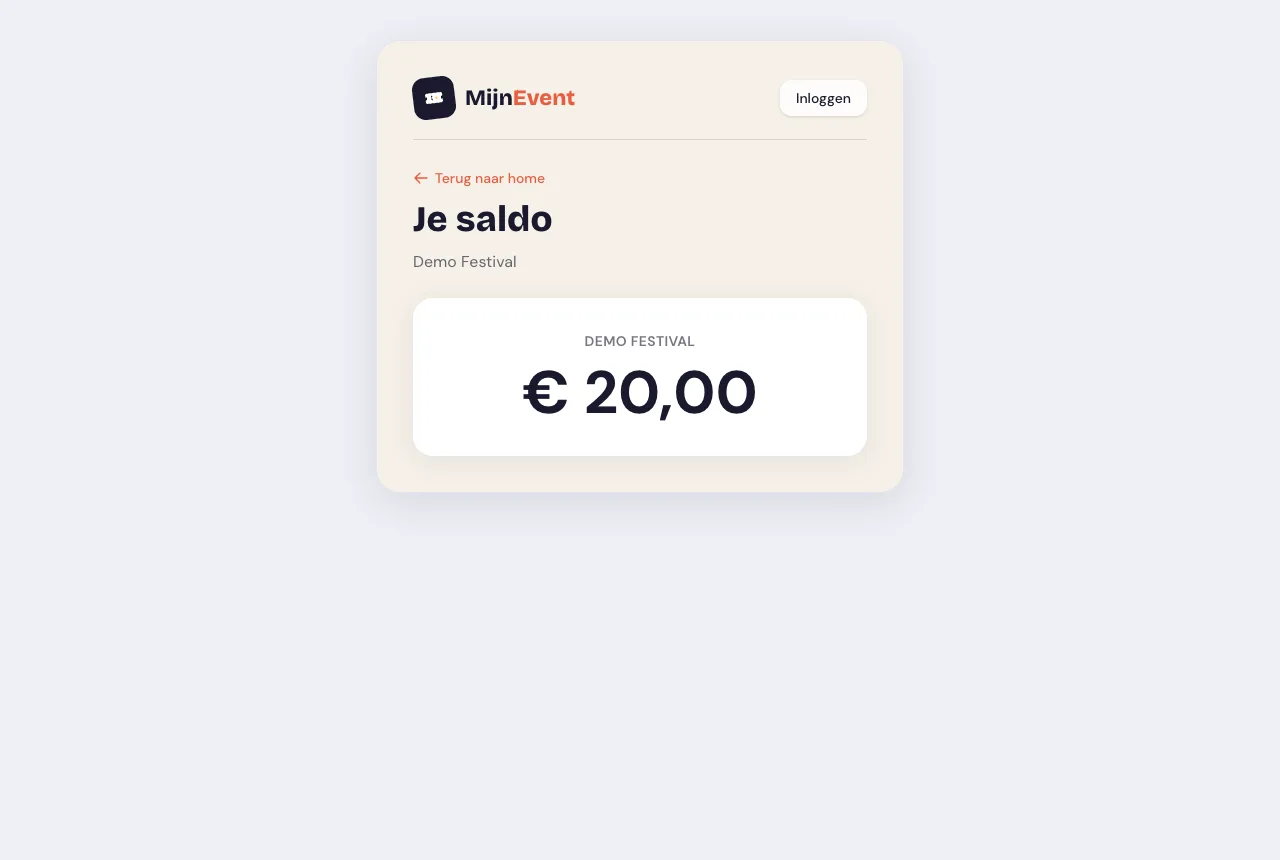
![A visitor's balance page](https://regify-mijnevent.s3.eu-central-1.amazonaws.com/blog/screenshots/cashless-saldo.webp)*The balance page: the current credit always within reach on the visitor's phone.*

# A ledger that always adds up

The foundation underneath the wallet is perhaps the most important part of all: **every balance change is recorded in a tamper-proof ledger**. That ledger is append-only — entries can only be added, never changed or deleted. Every top-up and every deduction is a separate, permanent line. The result: the balance always adds up, and for every euro you can trace afterwards exactly where it came from and where it went. Discussions about "I definitely still had two tokens" are a thing of the past.

# A grip on the float

For you as an organiser there is another big advantage: overview. In your dashboard you see the **total outstanding balance** at any moment — the so-called float. So you know exactly how much credit your visitors are collectively still carrying. With physical tokens that figure is an estimate by definition; here it is one click away.

# What already works — and what is coming

The module rolls out in phases. Available now: **topping up** via iDEAL | Wero, the **balance page** for visitors, and the scanner that shows the **balance** straight away when the wallet QR is scanned. The next phase brings the bar app: with it, your bar staff deduct drinks straight from the balance at the tap, so the whole chain — from the first top-up to the last round — closes digitally.

# Cashless versus tokens

Why make the switch? Three reasons every organiser will recognise:

- **No queues at the token stall.** Visitors top up from their own phone, wherever and whenever they like. The stall with a till and a float of change can go.
- **No stray tokens.** No tokens that get lost, go home in a coat pocket or suddenly turn up again next year. The credit sits safely in the wallet.
- **Exact revenue data.** You see precisely how much has been topped up and spent — in real time, without a counting session. That makes settling up with your bar crew and your bookkeeping a great deal simpler.

# Getting started

The Consumptions &amp; cashless module can be **activated on request through MijnEvent**. Have a look at the possibilities on the [module page](/en/modules/cashless) or get in touch — then we will look together at whether cashless suits your event. No MijnEvent account yet? [Register your organisation](/registreer) and discover how smoothly an event runs without tokens.

   Frequently asked questions

## Frequently asked questions

## How does a visitor top up their bar credit?

 Online with iDEAL | Wero, from the sofa or while queueing at the entrance. Right after the payment the visitor receives a personal QR code that acts as the wallet — no app download and no password needed.

## How can I be sure the balance is correct?

 Every top-up and every deduction is recorded as a separate, permanent line in an append-only ledger that cannot be changed or deleted. That makes it possible to trace, for every euro, where it came from and where it went.

## What already works and what is still to come?

 Available now are top-ups via iDEAL | Wero, the balance page for visitors and showing the balance when the wallet QR is scanned. The next phase brings the bar app, with which bar staff deduct drinks straight from the balance.

  [    Back to blog ](https://mijnevent.nl/en/blog) 

  MijnEvent

## Read more

 [ ![](https://regify-mijnevent.s3.eu-central-1.amazonaws.com/blog/covers/automatic-membership-renewal-dutch-law.webp) memberships 

 Jasper Koers · 27 July 2026 · 6 min read

## Automatic membership renewal: collecting fees within Dutch renewal law

Automatic renewal saves your club a pile of chasing work, but the law has rules about cancelling. Here is how renewal works in MijnEvent, and how to keep it clean.

 ](https://mijnevent.nl/en/blog/automatic-membership-renewal-dutch-law) [ ![](https://regify-mijnevent.s3.eu-central-1.amazonaws.com/blog/covers/ontruimingsverslag-evenement-bewijsstuk.webp) safety 

 MijnEvent · 27 July 2026 · 5 min read

## The evacuation record: why the day after your event matters for the next permit

An evacuation — real or drilled — is only finished once it is on paper. What belongs in an evacuation record, why the municipality asks for it, and how to make the record write itself instead of reconstructing it afterwards?

 ](https://mijnevent.nl/en/blog/evacuation-record-event-evidence) [ ![](https://regify-mijnevent.s3.eu-central-1.amazonaws.com/blog/covers/knmi-weeralerts-veiligheidsplan.webp) safety 

 MijnEvent · 27 July 2026 · 3 min read

## Weather monitoring in your safety plan: how KNMI warnings land in your alerts and logbook automatically

Almost every safety-plan format has a 'weather monitoring' section — and almost nobody fills it in concretely. The Safety &amp; Permit module pulls the KNMI warning code for your event location every hour and turns it into a demonstrable process.

 ](https://mijnevent.nl/en/blog/knmi-weather-alerts-event-safety-plan) 

   MijnEvent

## Ready to get started?

Create a free account and sell your first tickets today.

 [Start free](https://mijnevent.nl/registreer) [Pricing](https://mijnevent.nl/en/pricing)

