
A workshop host in Amsterdam wrote to us: "I host workshops where there are multiple possible dates for the same two-hour workshop. Is there a way to let customers see, select and book any of those dates using the widget? I tried the courses module, but the widget shows all courses and not a single one."
She was right. And it was a fair complaint, because she had set up her offering exactly the way it is meant to be set up.
The problem
For an event you could always embed a single widget: data-mijnevent-event="summer-party" and you
were done. For modules you could not. The courses widget showed your entire catalogue, the shop
widget your entire range. On a homepage that is precisely what you want. On a page about one
particular workshop it is unusable: your visitor reads about the soap-making workshop and gets a
list of everything you offer.
The fix: one more attribute
<div data-mijnevent-module="courses" data-slug="handmade-soap-workshop"></div>
<script src="https://your-subdomain.mijnevent.nl/embed.js" async></script>
That data-slug is the whole story. Leave it out and you get the storefront as always. Fill it in
and exactly that one item appears on your page — all its dates, prices and the sign-up form
included.
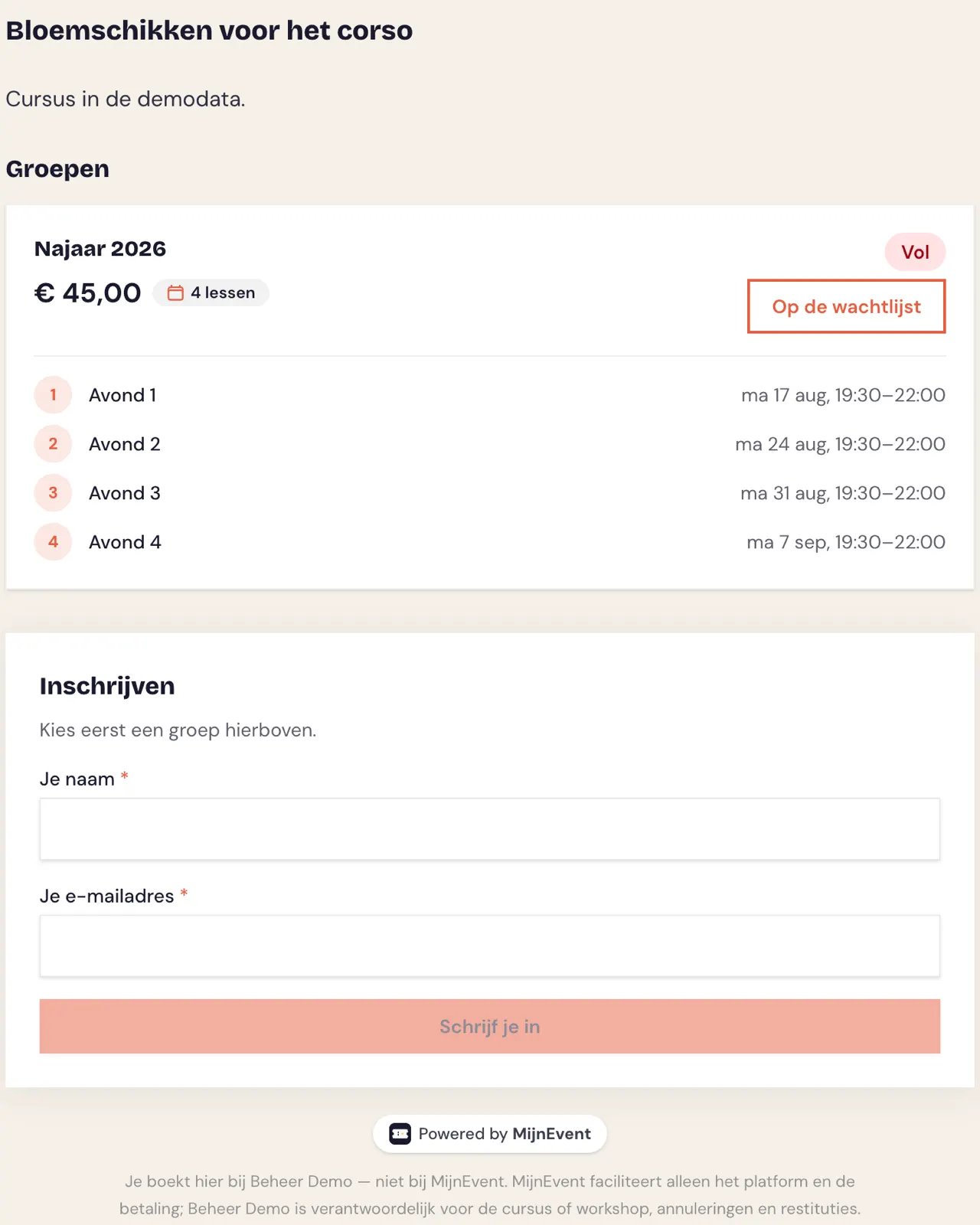
You will find the slug in that item's URL on your own storefront. If your workshop lives at
your-subdomain.mijnevent.nl/cursussen/handmade-soap-workshop, the slug is the part at the end.
You don't have to work it out yourself
Under Settings → Integrations the code is already waiting. Under "What do you want to show?" there is a new group: A single course, product or item. Pick what you need, copy, paste.
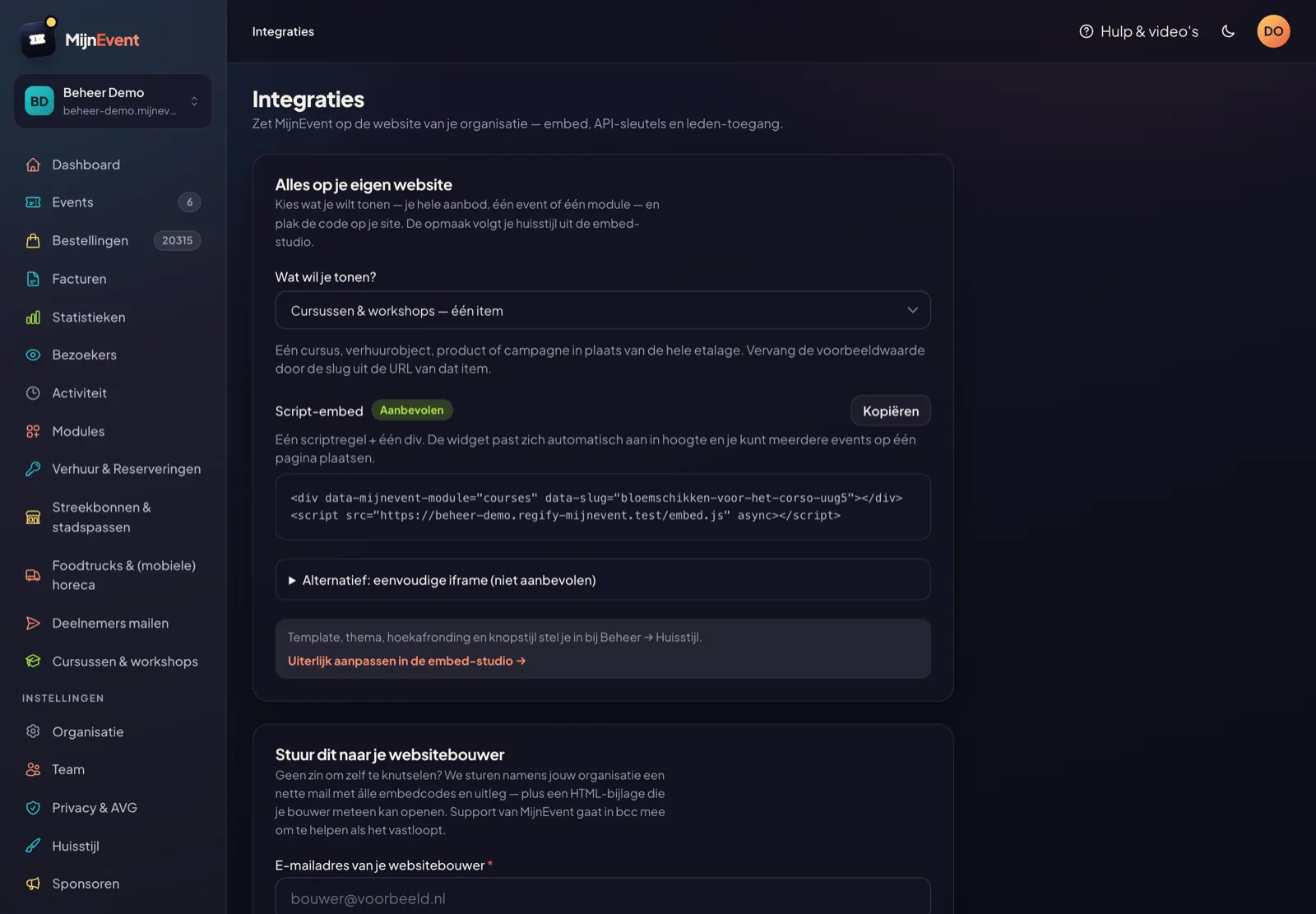
One detail we thought about: that example contains a real slug from your own organisation, not
example-slug. A placeholder you still have to replace is exactly where this kind of integration
falls over — you paste it, it doesn't work, and you have no idea whether that's your fault or ours.
Which modules does it work for?
Everything with a detail page of its own:
| Module | What you embed |
|---|---|
| Courses & workshops | One course with all its groups and dates |
| Rentals & reservations | One item with its availability calendar |
| Parking | One site or spot |
| Shop | One product with its variants |
| Donations | One campaign with its counter |
| Food trucks | One stall with its menu |
Memberships are the exception. That module has no detail page — there is a single sign-up page listing all your membership types side by side, and you embed that as a storefront.
One small thing we picked up along the way
On the course page, a group without separate lessons literally showed "0 lessons". For a one-afternoon workshop that reads like a malfunction, and for this workshop host it was the very reason she assumed the courses module wasn't meant for her. That counter is gone when there are no individual lessons.
Which is the useful thing about emails like hers: they point out not just the problem they are about, but the misunderstanding surrounding it.