You have been invited
An organiser uses partner tickets and you are one of the partners: an exhibitor at the fair, a sponsor of the festival or a team at the club. You may invite guests yourself. This article is for you, the contact person who will do that.
Signing in with a PIN
You receive an invitation by e-mail. Its link opens a page where you choose a PIN. After that you sign in with your e-mail address and that PIN. There is no password or account.
If you work together with a colleague, the organiser can invite them as a second contact person. You then both see the same tickets.
Sending a ticket
At the top of your page is your logo, with a counter: how many tickets you have sent and how many are still free.
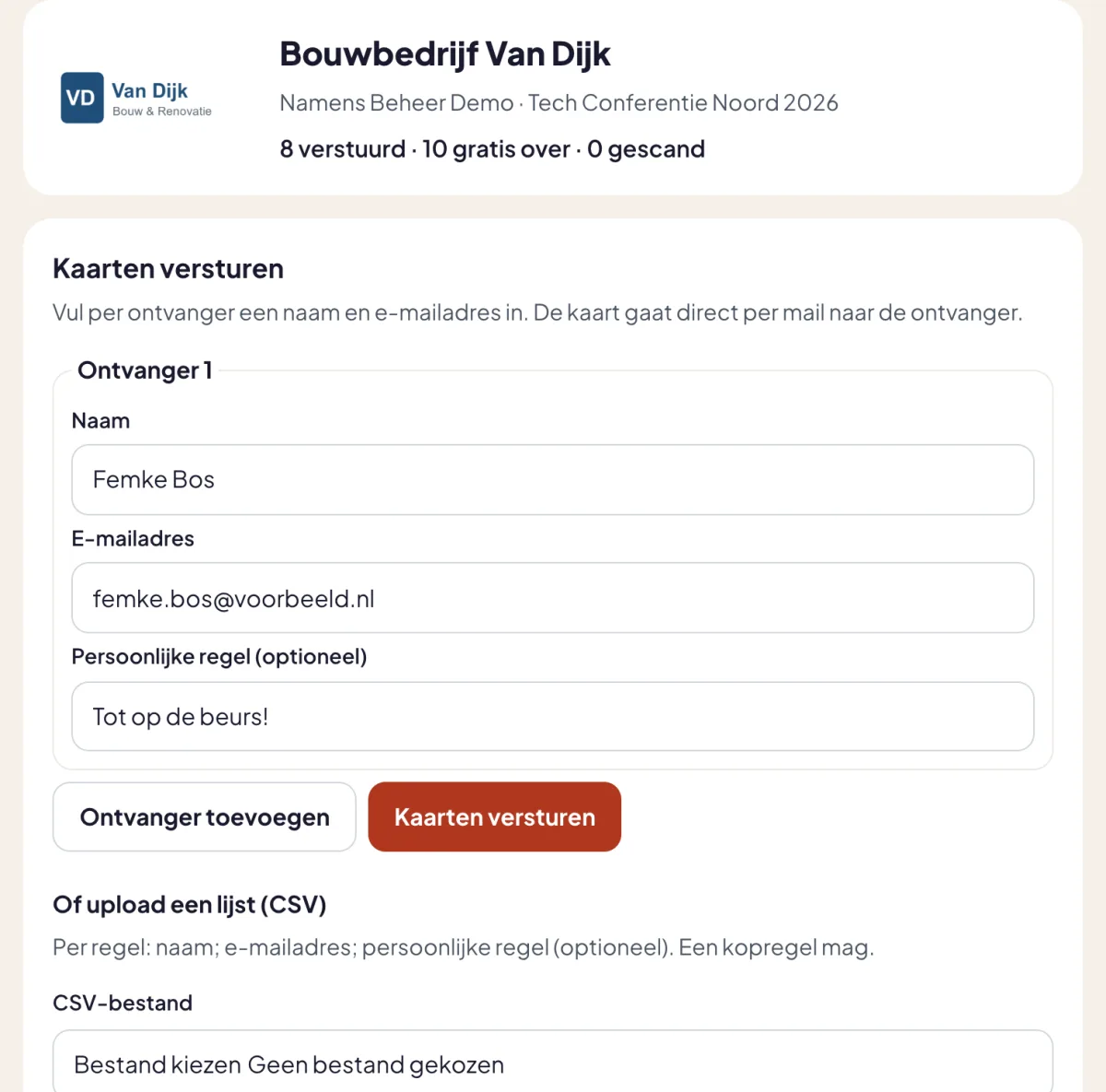
Per guest you enter a name and e-mail address. To add something personal, such as "Great to see you at our stand again", type it in the field for the personal line. If the organiser allows it, you can also change the letter that comes with every ticket.
A whole list at once
If you have fifty customers to invite, put them in a CSV file. One row per guest with a name, an e-mail address and optionally a personal line:
Marieke Smit;marieke@example.com;See you at stand 14!
Ruben de Vries;ruben@example.com;
A semicolon or a comma both work as a separator, and a header row is skipped. A file may have 500 rows. If a row is wrong, you see which one and why, and the correct rows are sent as usual.
What your guest receives
Your guest receives the ticket by e-mail, with your logo at the top and the line "Offered by". Below that are your personal line, the letter and the QR code. If your guest replies to the e-mail, the reply reaches you, not the organiser.
Who has arrived?
Your list shows per ticket whether it has been scanned. So after the first day of the fair you know which customers came and who you might give a call.
A ticket that has not been used yet can be revoked. It is invalid straight away and no longer counts. If an e-mail did not arrive, you send it again. You never see the tickets of other partners, and they never see yours.