
Three events, one pass
Your festival weekend consists of three events: an opening concert on Friday evening, a festival day on Saturday and a family day on Sunday. Each has its own page, its own programme, its own start times and its own day ticket. Visitors who want all three, you want to sell one weekend pass.
Until now you had to choose. Either you turned the weekend into one event with three days and lost the separate pages and the programme per day. Or you sold three separate tickets, and the visitor carried three QR codes.
With Also valid at you no longer have to. A ticket type still belongs to one event, but you tick which other events it is also valid at.
Days or separate events?
First decide which setup fits your event, because MijnEvent now offers two.
One event with days fits when it is a single event that lasts a few days: the same page, the same programme, the same venue. You sell day tickets and a pass that is valid on every day. That is explained in multi-day events: day tickets and a pass.
Separate events with Also valid at fits when each part has its own identity. Think of a different start time, its own line-up, its own capacity or its own inspectors at the gate, or its own page you want to share separately. You then sell a combination ticket that gets in once at each of those events.
How to set it up
- Open the event the pass belongs to, for example the Friday evening.
- Create or edit a ticket type, for example "Weekend pass".
- Under Also valid at, tick the other events, here Saturday and Sunday.
- Save.
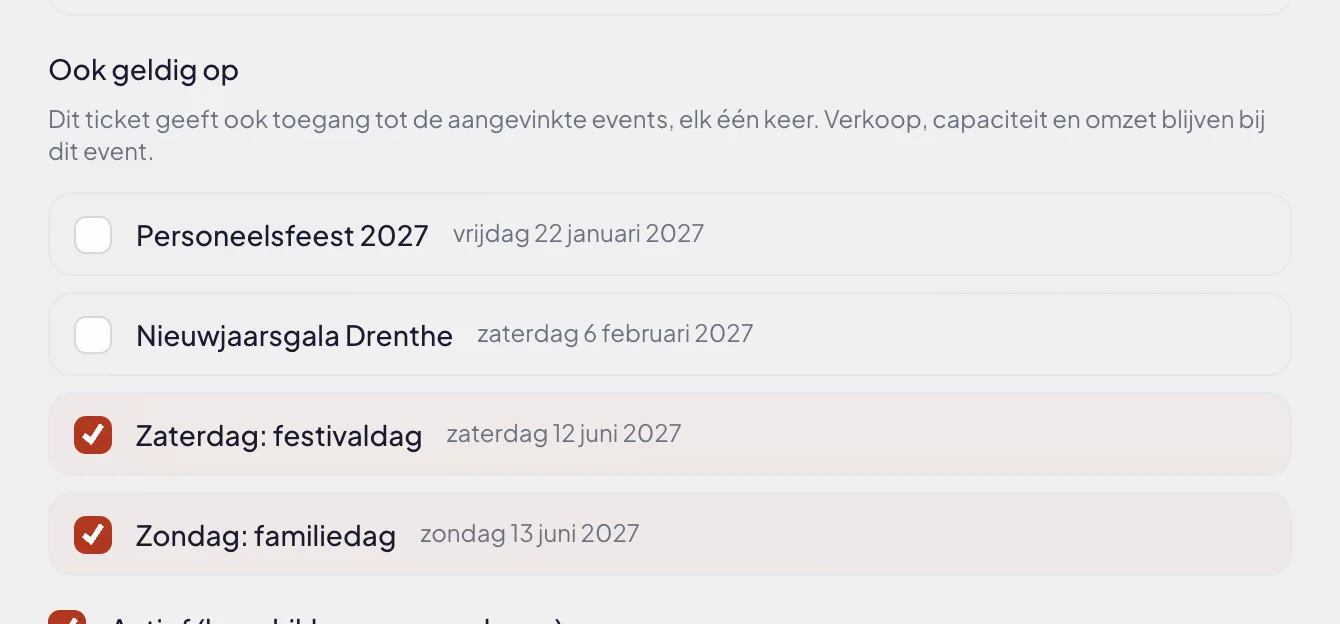
The list shows the upcoming events of your organisation. An event that has already passed only appears if it was already linked, so you can untick it.
At the gate: once per event
The scan app looks at the event you are scanning for:
- On Friday evening the weekend pass is a regular ticket of that event.
- On Saturday and Sunday it is valid as well. The scanner shows which event it comes from: "Valid via: Friday evening: opening concert".
- A second scan at the same event shows "already used", with the time of the first scan. At the next event the pass is valid again.
This also works with an order QR holding several tickets: the weekend passes in that order are checked in together on Saturday. A ticket type that is not linked is still refused at the other event with "wrong event".
On the ticket
Visitors see it too. The PDF and the wallet pass show the line Also valid at below the ticket type, with the name and start time of each event:
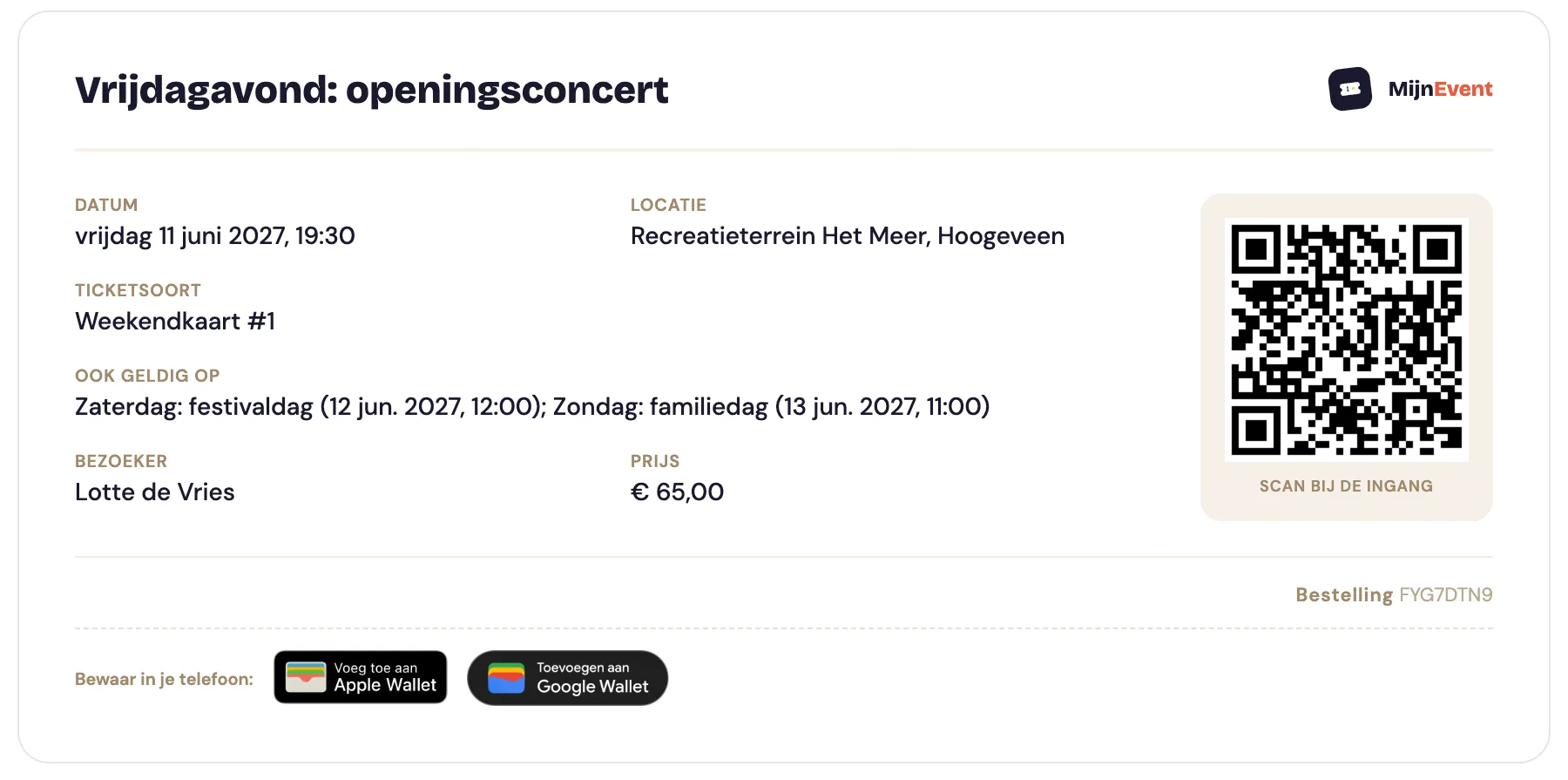
So nobody has to ask at the box office whether their pass is valid today.
What counts where
One ticket at several events raises the question of where you see it. The answer:
- Sales and revenue sit with the event the ticket type belongs to. A weekend pass is one ticket sold, not three.
- Capacity also only counts there. If you sell 1,500 single tickets for Saturday and have 400 weekend passes, up to 1,900 people may be on site on Saturday. Set the capacity of the single tickets on the other days accordingly.
- Check-ins and crowd figures count at the event where the ticket was scanned. Your gate statistics for Saturday include the weekend pass holders who came in on Saturday.
Examples
- Festival weekend: three separate days, each with its own programme, plus a weekend pass on the first day.
- Afternoon and evening show: two performances with their own start times and seating, and a day ticket that gets in once at each.
- Sports tournament: the group stage and the finals day as separate events, with a tournament pass for those who want to see both.
- Conference with an evening programme: the conference and the dinner or networking party as two events, with a combination ticket for participants attending both.
- Packages through a tour operator: a separate event with an access code for group bookings, whose tickets are valid at the gate of the event itself. The group sales then stay separate in your overview.
Good to know
- You only link events of your own organisation, and never the event the ticket type itself belongs to.
- The link applies to the whole ticket type, including tickets already sold.
- If you untick an event, the pass is no longer valid there from that moment. So don't do that just before the doors open without telling your visitors.
- Also valid at costs nothing extra. You pay the fixed fee per paid ticket once, even if that ticket is valid at three events.