The list by e-mail
Every fair organiser knows it. Two weeks before the fair the e-mails come in: "Could we have twenty more tickets?", "Here is our list of names", "Our account manager forgot one". Then come the printing, the counting at the entrance and, afterwards, the question of which exhibitor brought how many guests.
At a festival it works the same way with the sponsors, and at a sports club with the teams inviting their own sponsors. Every time you organise the event, and someone else invites the guests.
With Partner tickets you turn that around. Every partner gets their own page and sends the tickets themselves. You set the rules and afterwards see what happened.
Setting up a round
A round belongs to one event or fair. You set it up in your dashboard, on the Partner tickets tab of the event.
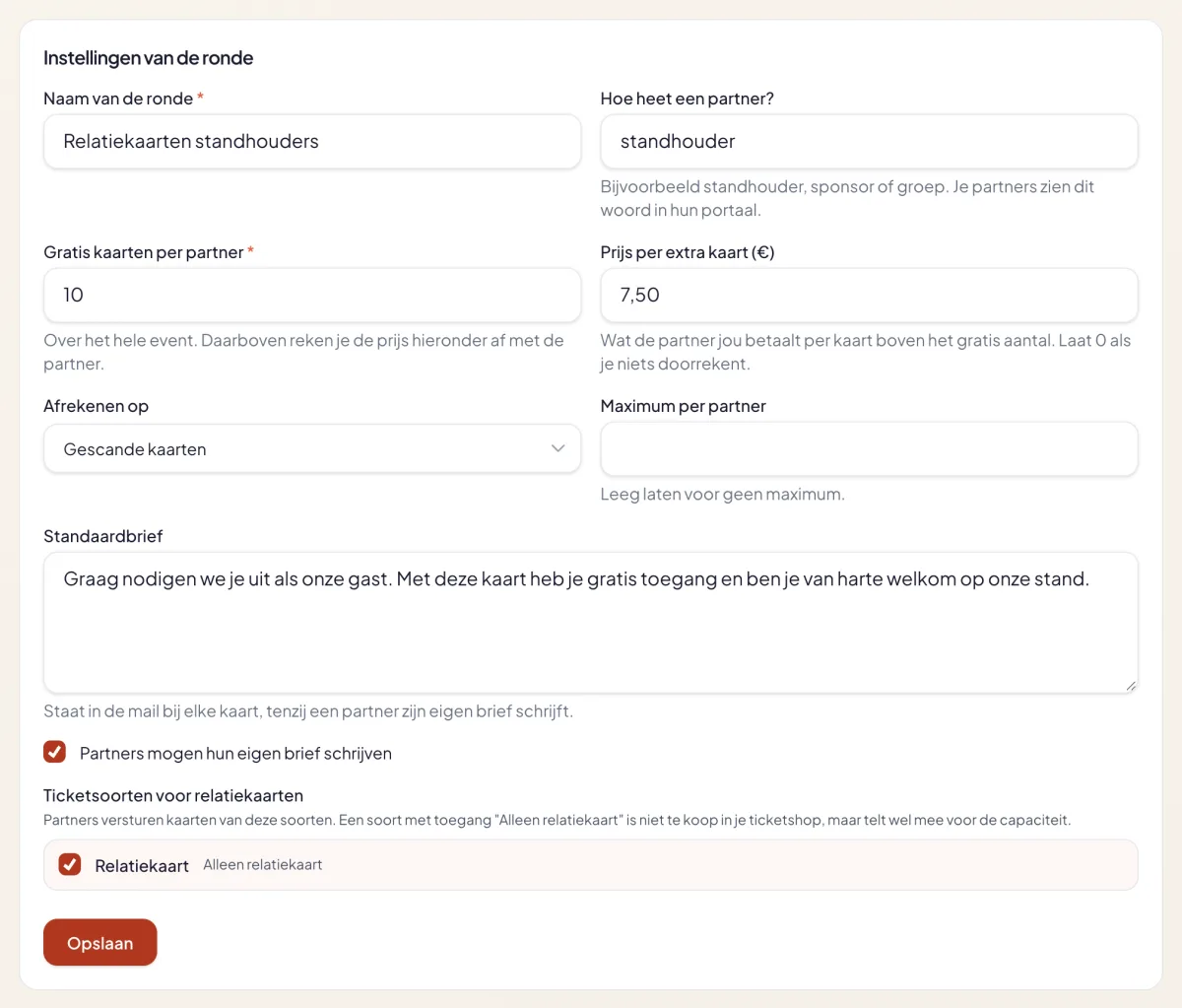
You decide:
- The free quota per partner. For example ten tickets per exhibitor, for the whole fair.
- The price per extra ticket. What a partner pays you for every ticket above that quota. Leave it at zero and you simply keep the overview.
- Settling on scanned or sent tickets. Do you only count guests who actually came, or every ticket that went out?
- The default letter. The text in the e-mail with every ticket. Partners may write their own, unless you switch that off.
- The ticket type. Create a ticket type with access "Partner ticket only". It is not shown in your ticket shop, but it does count towards your capacity.
Otherwise it is a regular event: sales of your regular tickets carry on alongside.
Inviting partners
Next you add your partners: the exhibitors, sponsors or teams. Per partner a name, a logo and one or more contact persons.
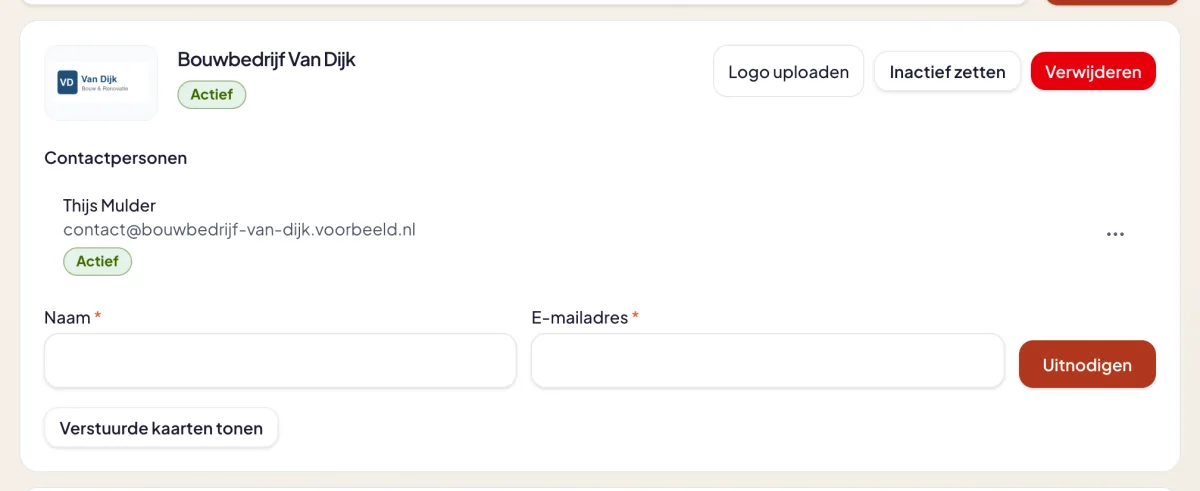
A contact person receives an invitation by e-mail. They choose a PIN and then sign in with their e-mail address and that PIN. No account needs to be created. If someone no longer works for the partner, you pause or delete them and their access stops straight away.
What the partner sees
On their own page the partner sees their logo at the top and a counter: how many tickets they sent and how many are still free. Below it they enter a name and e-mail address per guest, optionally with a personal line. With a long list they upload a CSV.
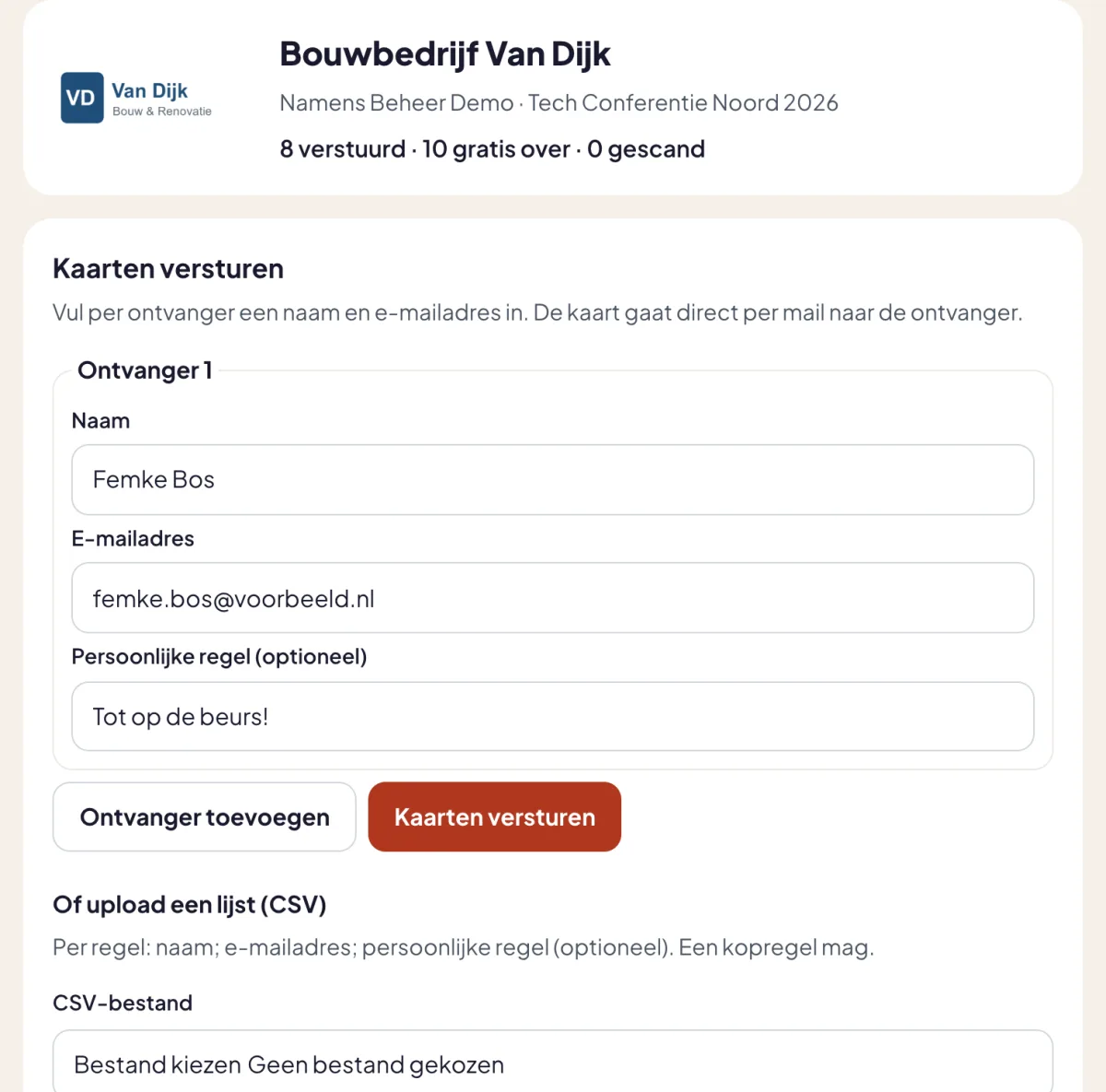
The same list shows which tickets have been scanned. A ticket that has not been used yet can be revoked or sent again. A partner never sees the tickets of other partners.
What the guest receives
The guest receives the ticket by e-mail, but not as an anonymous free ticket. At the top is the partner's logo, with the line "Offered by". Below that are the personal line and the letter. If the guest replies, the reply goes to the partner's contact person.
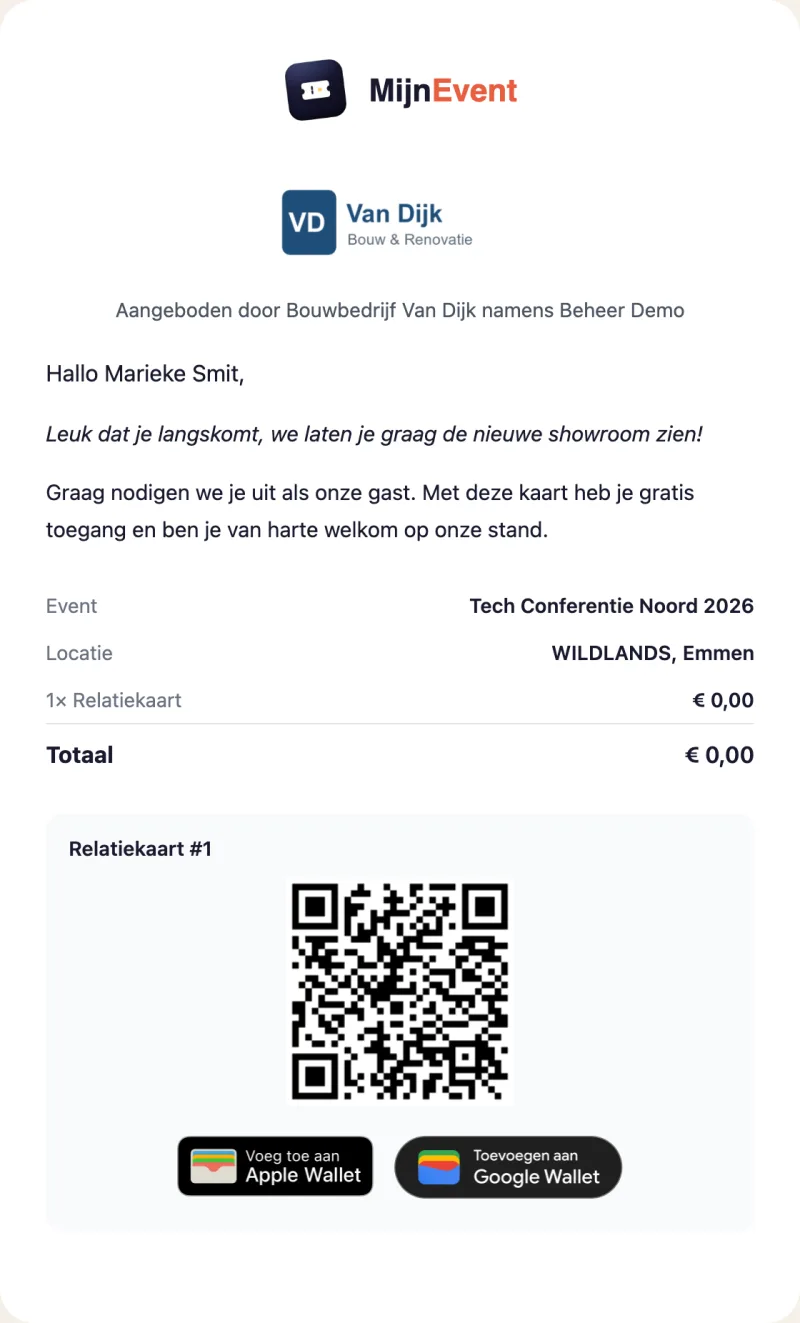
The PDF and the wallet pass also show who the ticket comes from. At the door you scan it like any other ticket.
The settlement
Afterwards your dashboard shows per partner how many tickets were sent and scanned, what the free quota was and what there is to settle.
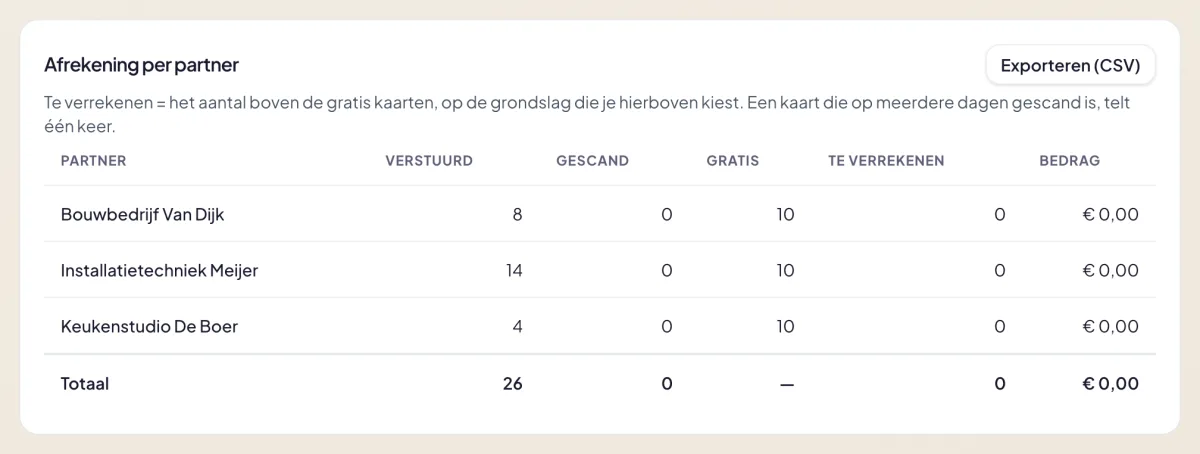
The sum is simple: everything above the free quota, times the price per ticket. A ticket scanned on several days counts once, and a revoked ticket does not count. You export the overview as CSV and send your partners the invoice yourself.
Who it is for
- Trade fairs and expos, where exhibitors invite their own customers.
- Festivals and sports events with sponsors, who want to hand out a fixed number of free tickets themselves.
- Clubs and associations with teams or departments, each giving tickets to their own contacts.
- Networking events, where every participating company may bring a few guests.
What it costs
A single flat amount per event or fair, with unlimited partners and unlimited tickets. You pay it when you activate the round. MijnEvent charges no fee on the partner tickets themselves: they are free tickets. The current rate is on the Partner tickets module page. How it works in practice is on the page Send partner tickets.