
A cooking workshop on Tuesday evening. A yoga class on Saturday morning. A guided tour on the first Sunday of every month. Until now, anyone organising something like this ran into the same thing: creating a new date every week, or a separate event each time. That is a hassle, and it makes your overview hard to read.
From today you set up a series like that in one go. And there is something else that is often asked for at the same time: a minimum number of tickets per order.
A repeating series: set it up once, back every week
Open your event in the dashboard and go to the time slots tab (with performances it is called Performances). Every ticket type has a Repeat button. There you fill in:
- How often: every day, every week, every other week or every month.
- On which days: one or more weekdays, for example Tuesday and Thursday.
- The first date, the start and end time, and the number of places per date.
- When the series stops: after a number of times, or on a last date.
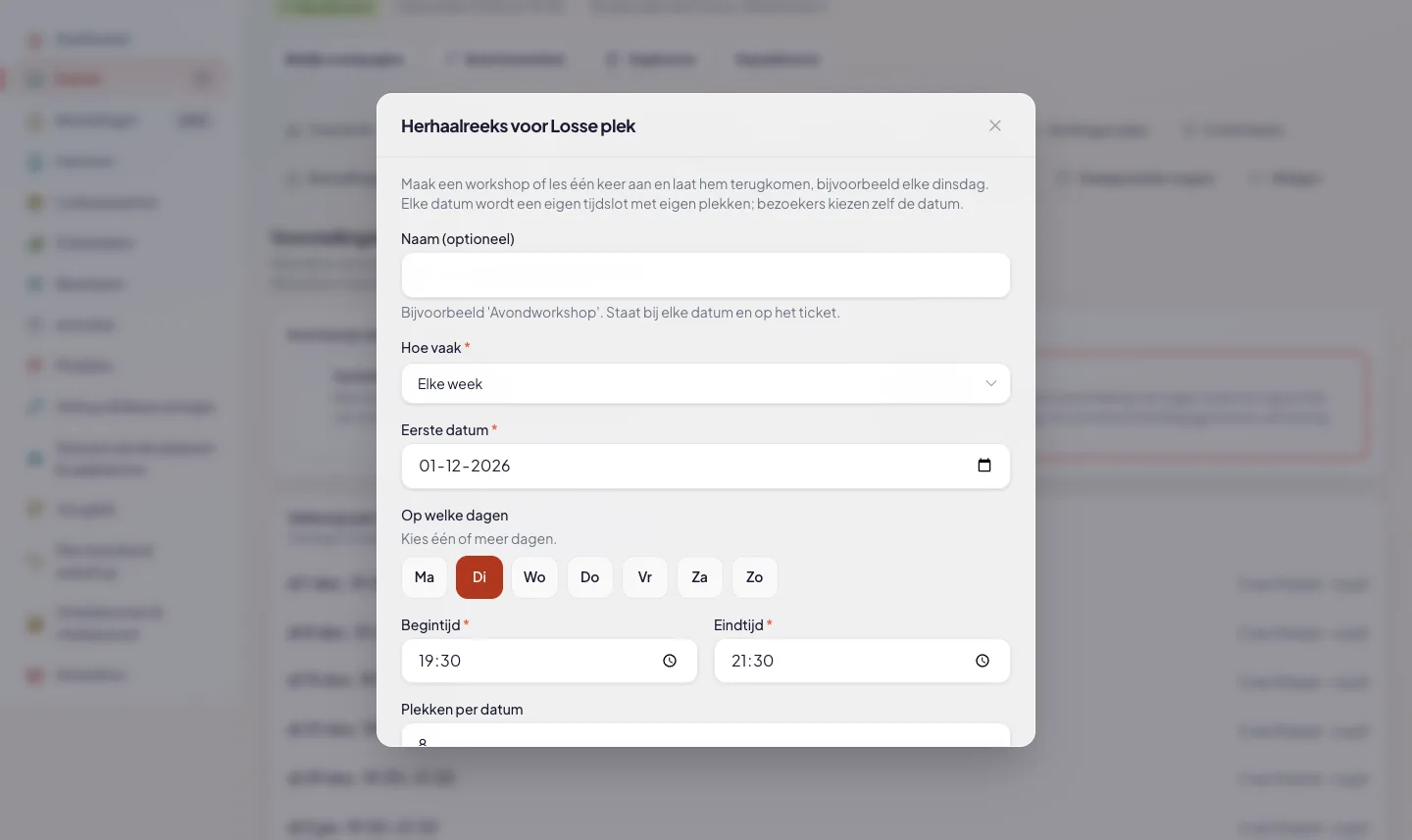
Each date becomes its own time slot, with its own counter. A full Tuesday does not get in the way of the Tuesday after. On the event page your visitor first picks the date and then the number of tickets, just like any other event with time slots.
A series works with the time on the wall clock. A workshop at 19:30 still starts at 19:30 after the clocks go back, not suddenly at 18:30.
Extend, change or stop
At the top of the list of dates you see the series itself: how many dates are still to come, how many of those already have bookings, and when the next one is. The menu next to the series lets you do three things:
- Extend: more dates are added in the same rhythm. Every other week stays every other week.
- Change upcoming dates: a different name, a different number of places or different times for everything still to come.
- Delete upcoming dates: the series stops.
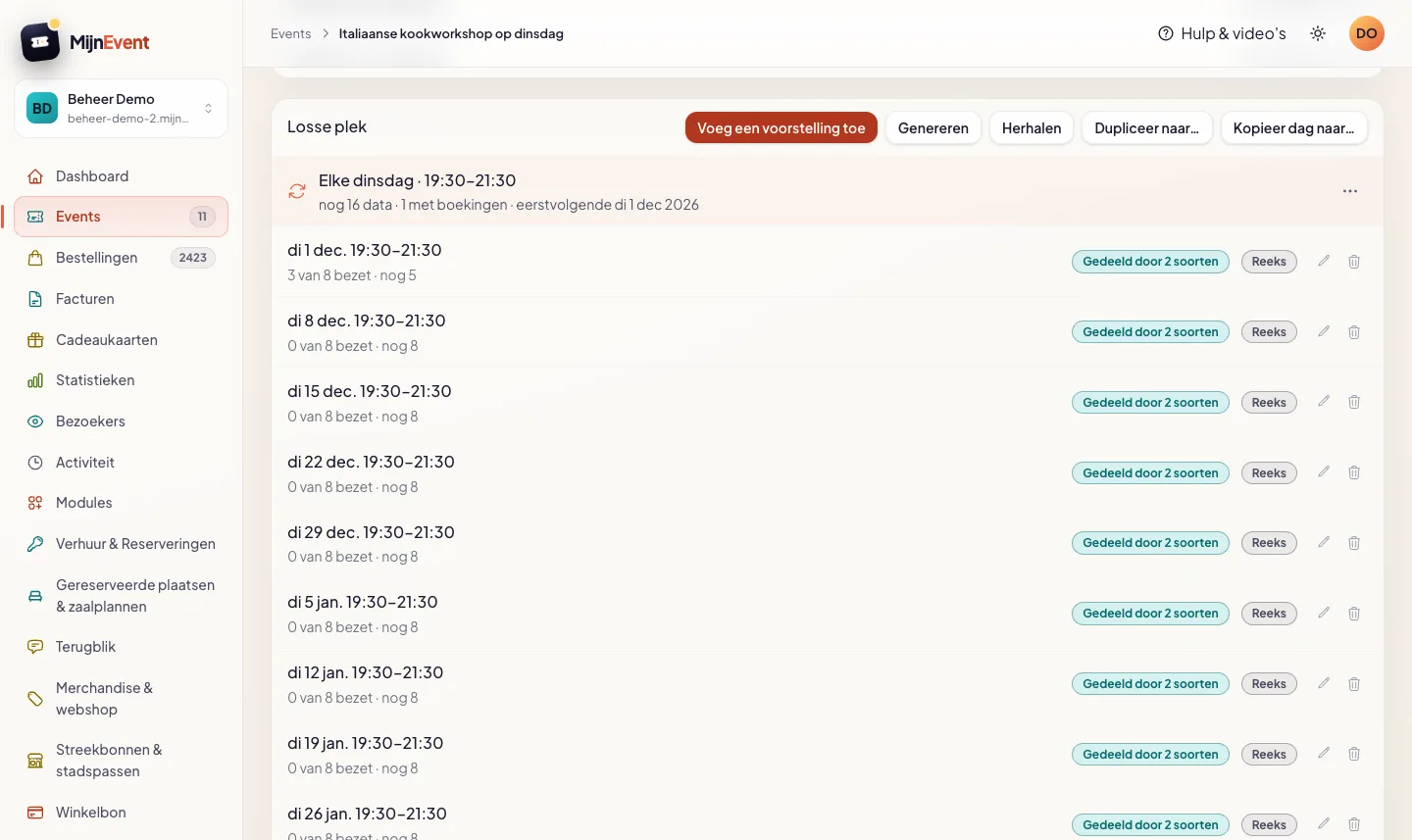
When you change or delete, dates with bookings stay. Anyone who already has a ticket is not suddenly moved to another time and does not lose their place. The number of places never drops below what has been sold. Dates that are already past stay too, so your check-ins and figures add up. You can still move or remove a single date from the date itself.
If you later copy the event for a new season, the copy gets its own series. What you change in one season does not touch the other.
Minimum per order: the price stays per person
Some activities are not something you book alone. A workshop for two, a canoe for two, a table for four. You want visitors to order at least two, but show the price per person, not a bundle price.
You set this on the ticket type itself, with the Minimum per order field. Leave it empty and there is no minimum.
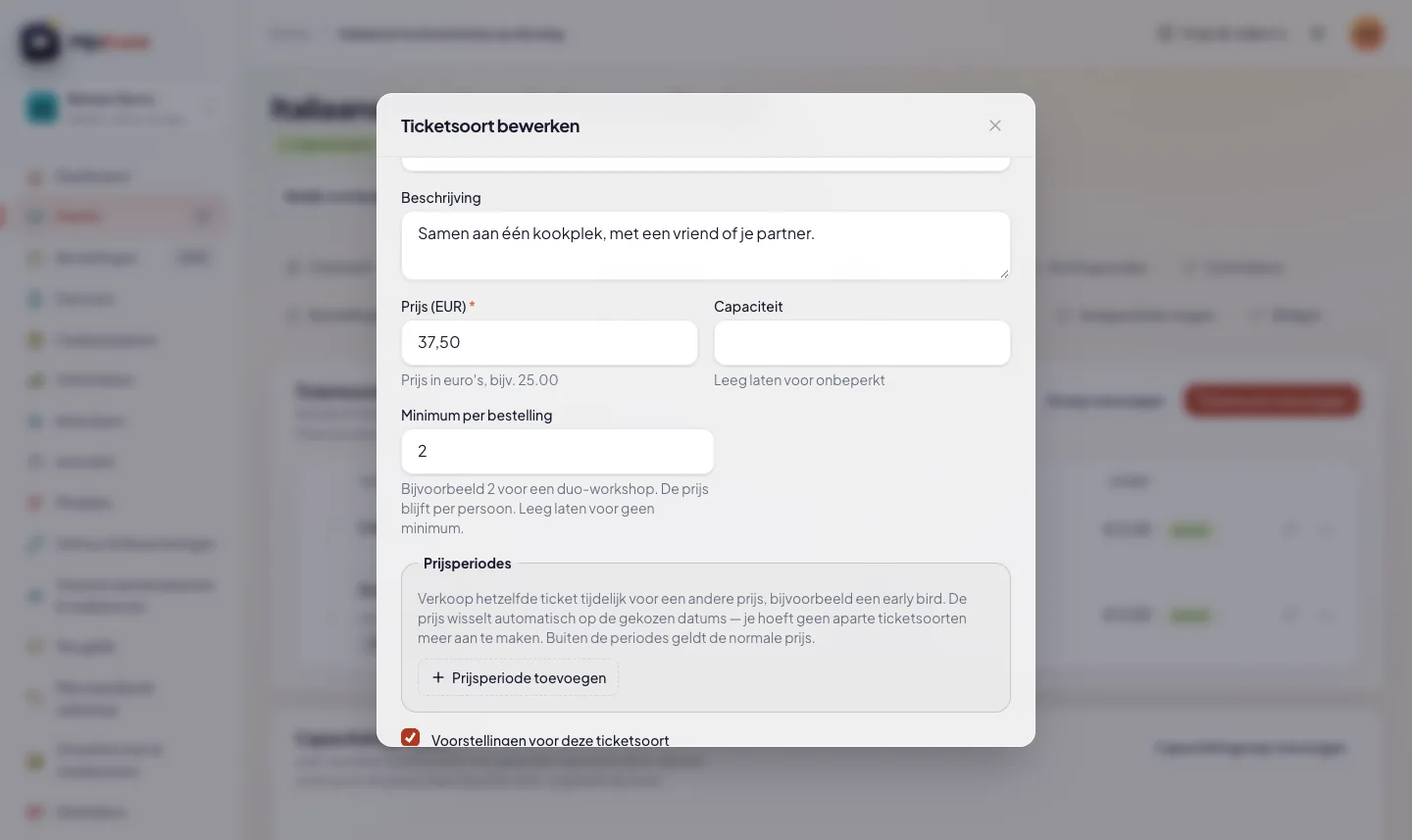
On the event page, below the price, it says "Minimum of 2 per order · price per person". When a visitor clicks plus, the counter jumps straight from 0 to 2. Clicking minus after that takes it back to 0, because 1 is not possible. The summary simply counts per person: 2 × € 37.50.
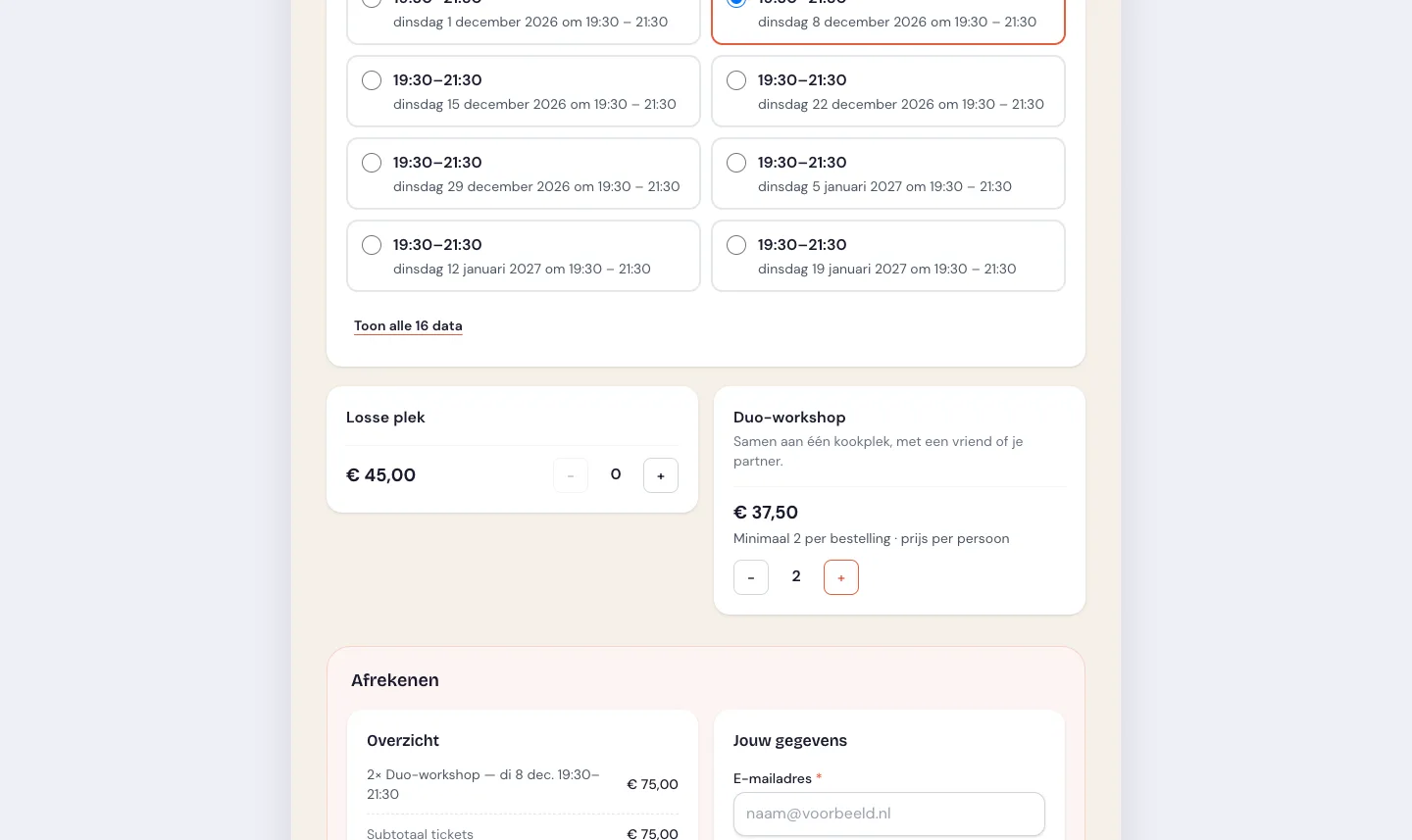
The minimum applies per date. Two places on the same Tuesday is fine, one place in week 1 and one in week 2 is not. Even if someone bypasses the page, checkout checks the minimum again. The same goes for the widget on your own website.
After ordering, each ticket is a regular ticket. A visitor who cannot make it may resell or transfer their ticket on its own. At the door and on the guest list you decide yourself how many tickets you hand out. The minimum does not apply there.
How to start
- Open your event and turn on time slots, or choose Performances if visitors should pick a date first.
- Click Repeat on your ticket type and fill in the rhythm.
- If a ticket type has a minimum, open that ticket type and fill in Minimum per order.
- Look at your event page: your visitors see the dates and the minimum straight away.