
Giving a ticket as a present is tricky: you don't know which day the recipient is free, which ticket type fits or who they want to bring. A gift card solves that. The giver picks an amount; the recipient picks everything else — event, day, time slot and ticket type. From now on you can sell them straight from your own MijnEvent ticket shop.
What is it?
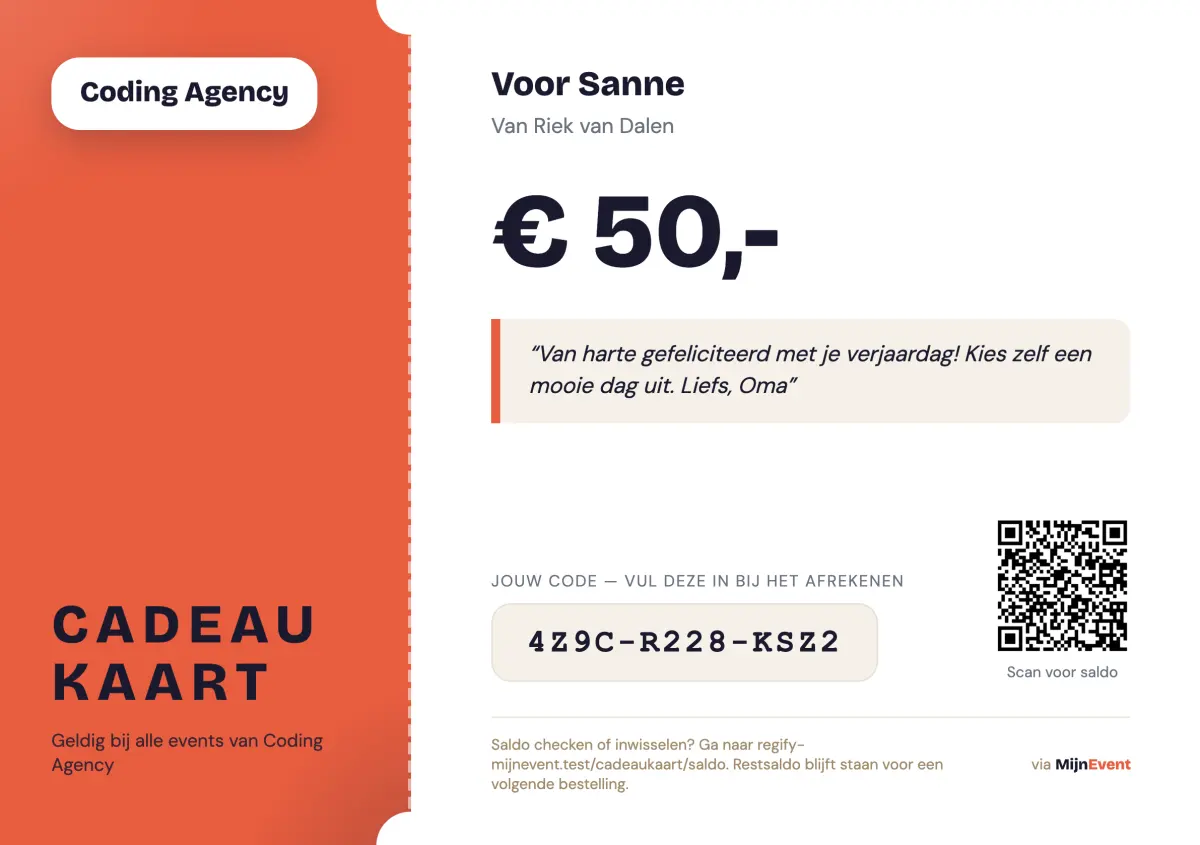
A gift card is credit for your ticket shop. The giver sets the value (from €5 to €500, with handy presets like €10, €25, €50 and €100) and can tie the card to one specific event — or leave it spendable across all your events. The card carries a personal message from the giver, printed prominently on the card itself.
The result is a gift card PDF in your brand style: your logo, your colours, the amount front and centre, the giver's message as a quote, and a unique code with a QR to check the balance. Print it or forward it — both work.
How to enable it
Go to Settings in the dashboard and flip the Sell gift cards switch. A new "Gift cards" menu item appears immediately and your ticket shop gets a purchase page at /cadeaukaart. Don't want gift cards for a specific event? Turn it off per event in the event settings — the rest of your shop keeps selling them.
How a giver buys a card
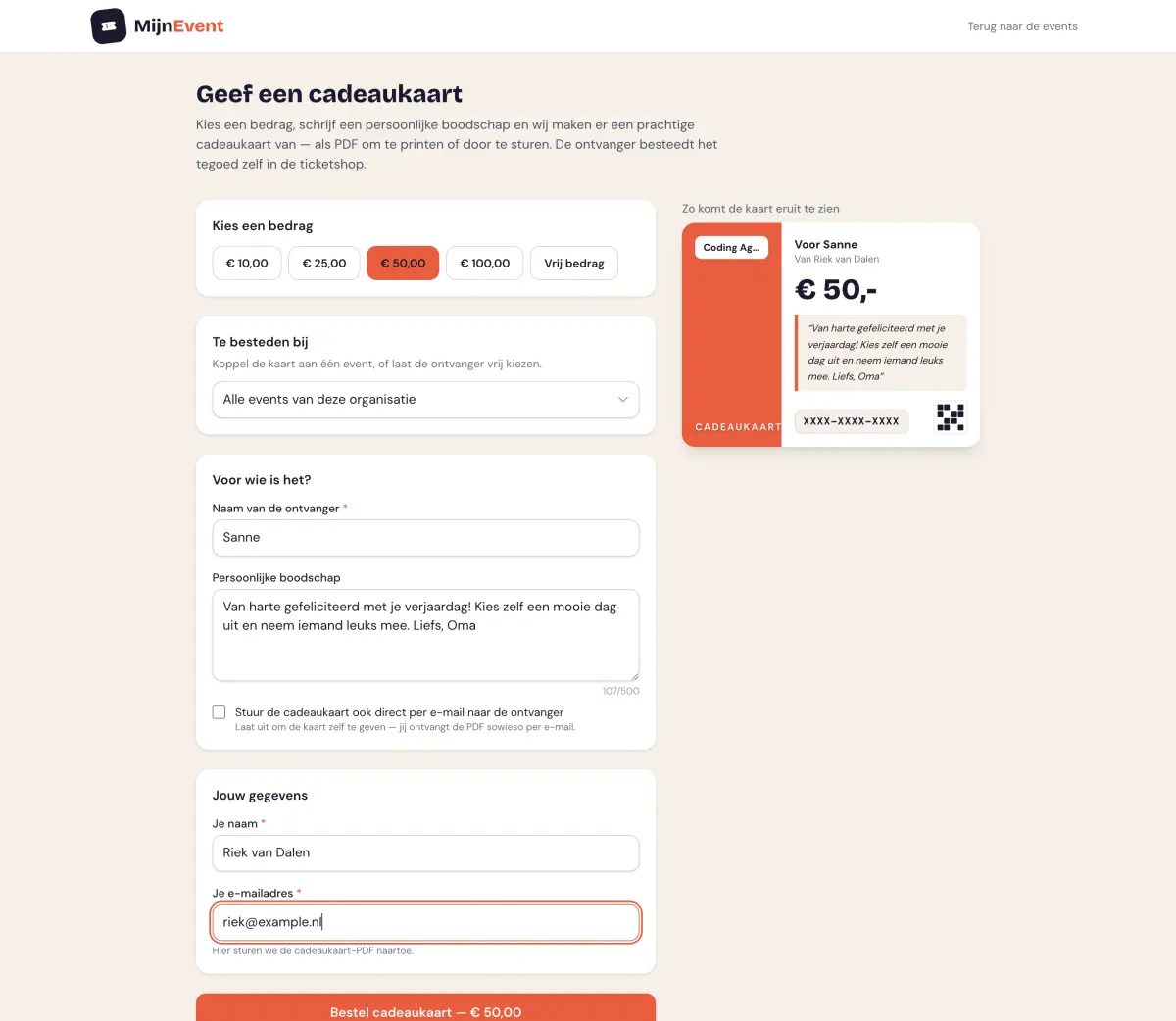
On the purchase page the giver picks an amount, writes a personal message (mirrored live in the card preview) and fills in who the present is for. The giver always receives the PDF by e-mail; optionally we also send it straight to the recipient. Payment runs through iDEAL | Wero or any of your other Mollie payment methods.
Good to know: discount codes do not apply to gift card purchases — the card is always full value — and a gift card cannot be paid for with another gift card.
How the recipient redeems
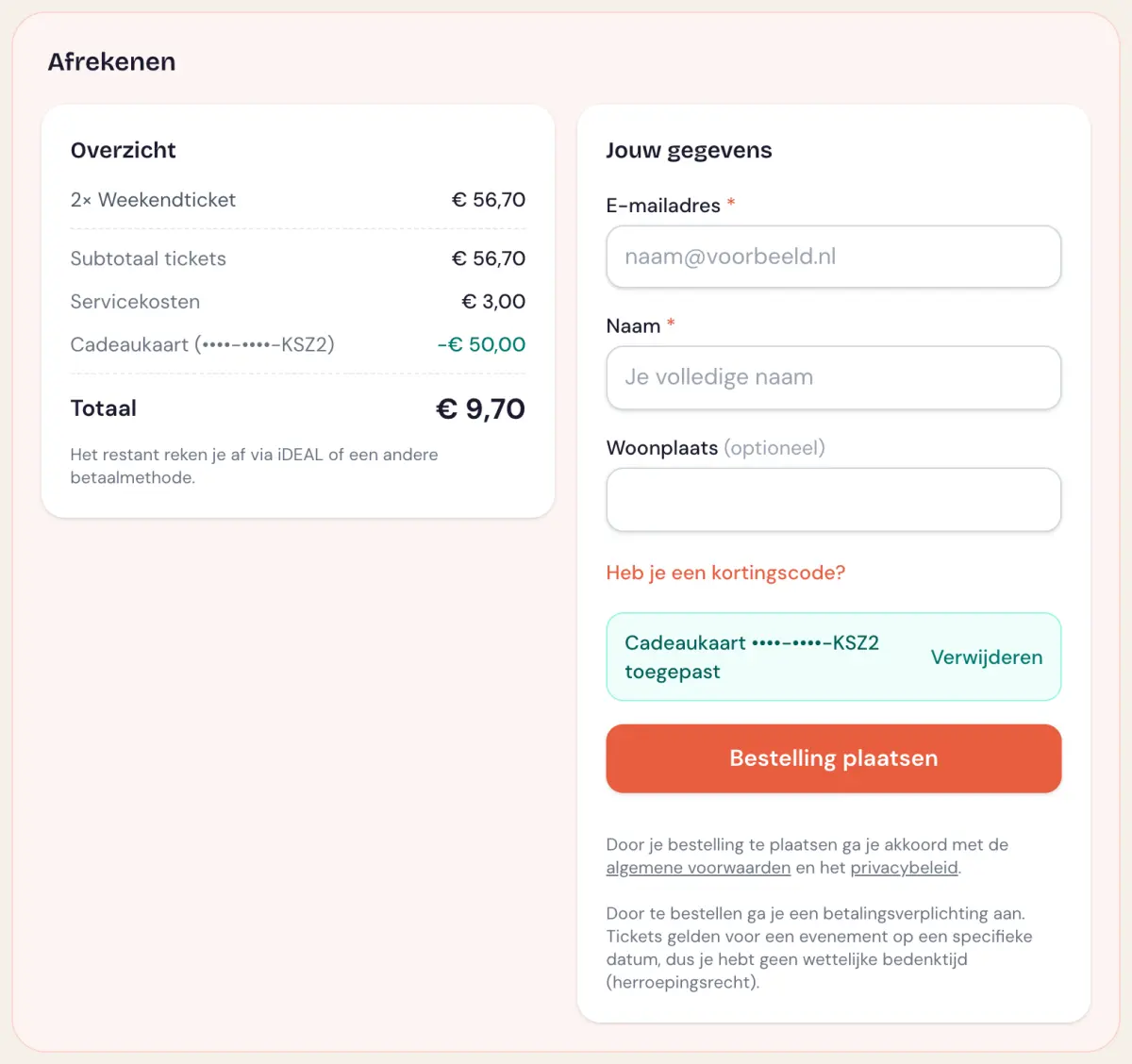
There is no separate process for the recipient: the code goes straight into the checkout, right next to the discount code field. That is also where the recipient simply picks the day, time slot and ticket type. The credit is deducted from the total; if the order costs more, the difference is paid through iDEAL | Wero. Costs less? The remaining balance simply stays available for next time.
Through the QR code on the card (or at /cadeaukaart/saldo) the recipient can check the current balance at any moment.
Give cards away yourself
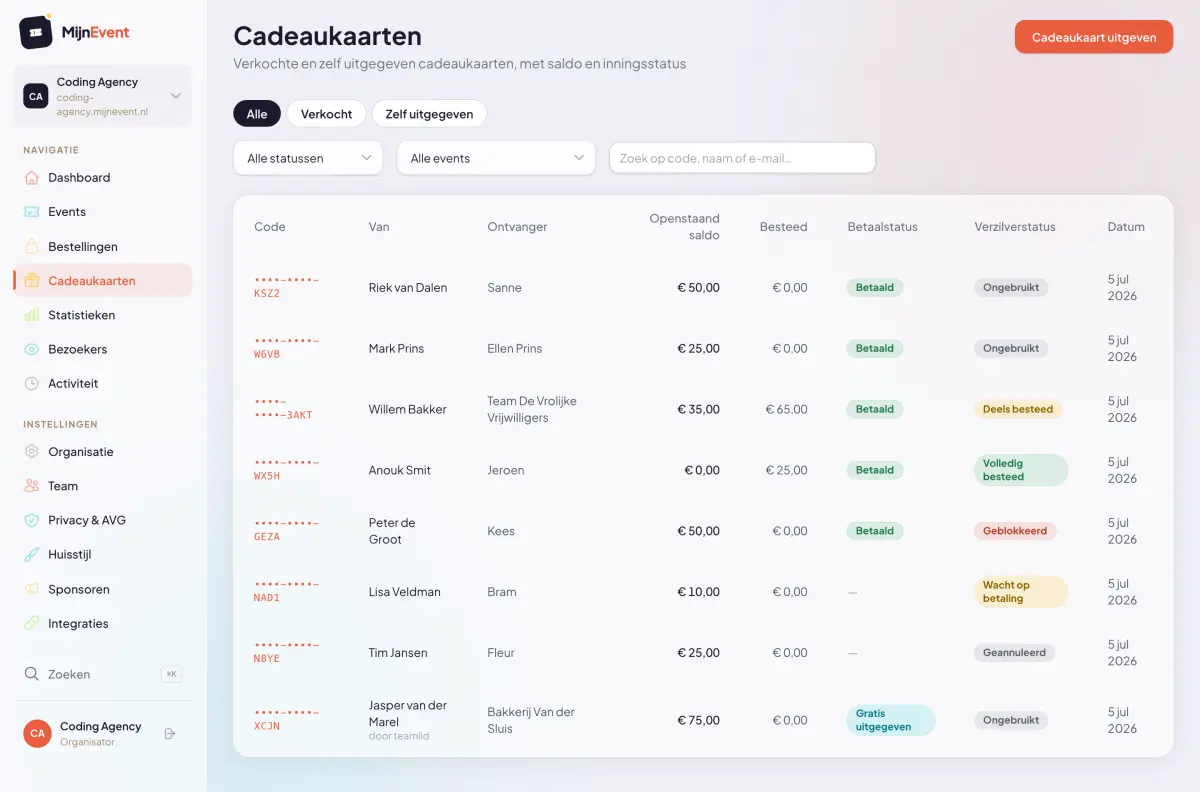
Besides selling, you can also issue free gift cards as an organiser — for sponsors, volunteers, giveaways or as service recovery after a hiccup. Pick an amount, fill in the recipient and the card goes out right away with the same beautiful PDF. In the overview these cards are clearly marked as "issued for free".
Management and costs
The gift card overview in the dashboard shows, per card, who bought it, who it is for, the outstanding balance, what has been spent and whether the payment came in. Each card has a full transaction ledger (purchase, redemptions with a link to the order, refunds) and actions to block it, resend it or download the PDF.
And the costs? There are none on top: buying a gift card is completely free of platform fees. Only when the recipient redeems the credit for tickets does the regular flat per-ticket fee of your plan apply — exactly like a normal sale. No percentage, no surprises.
Get started
Gift cards are ready for every organiser. Enable them in Settings, share the link to /cadeaukaart in your newsletter or on social media, and revenue arrives before the tickets are even chosen. No MijnEvent account yet? Register your organisation and sell your first gift card today.