
A dog training school in Arnhem sent us a question so recognisable that we started building straight away: someone signs up for the puppy course, but their dog turns out to be too old for it. What do you do? Until today the answer was awkward — cancel and re-enrol, including a second payment for a mistake the participant never made.
That changes now. And while we were in there, we handled three more things that belong to the same question.
Placing a participant yourself
Not everyone signs up online. Someone calls, someone stands at your desk, or a registration arrives by email. Under Courses → Participants there is now an Add participant button.
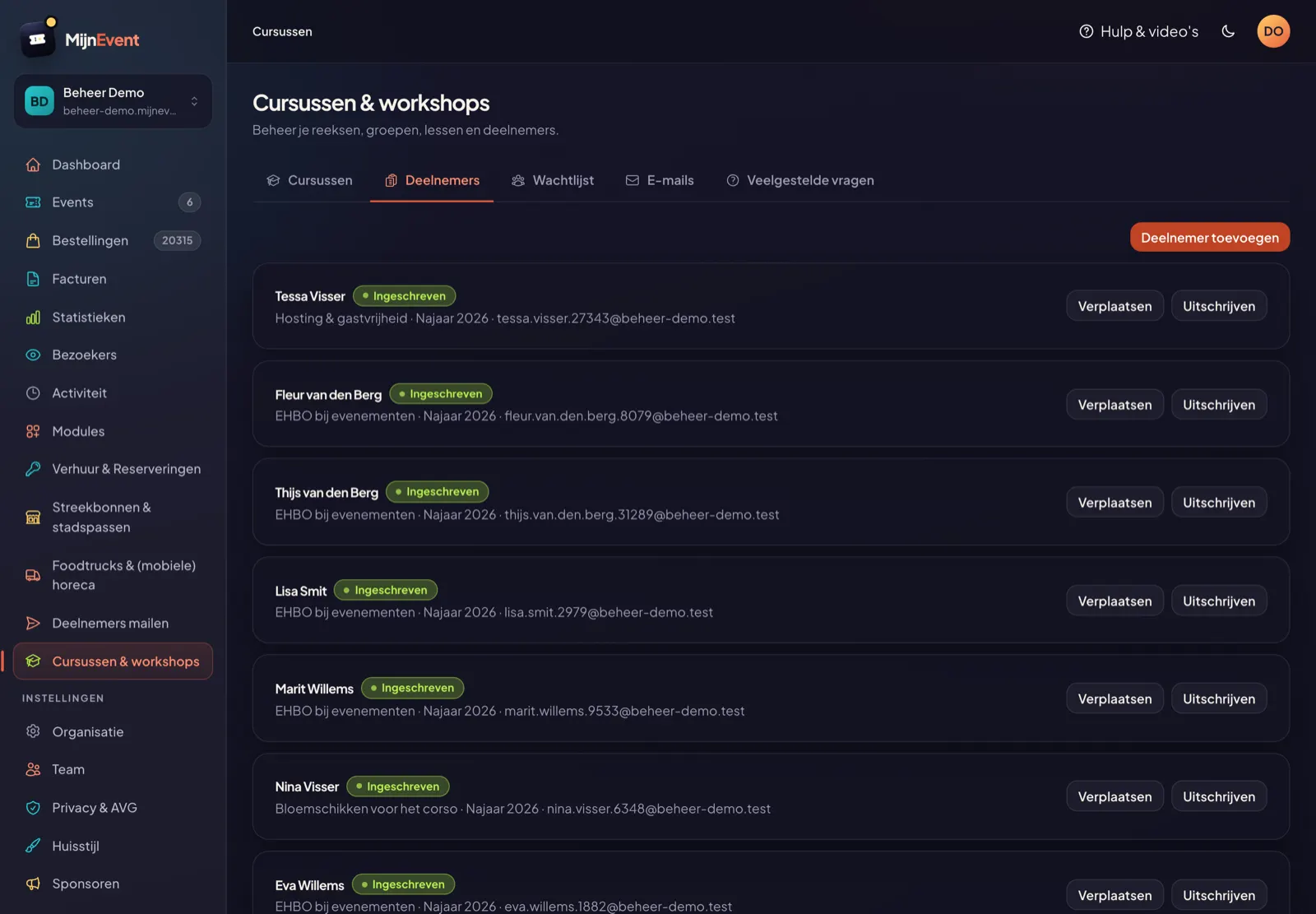
The only thing we insist on is a decision about the money. That is deliberate: if the system makes that decision for you, your revenue stops adding up and you find out months later.
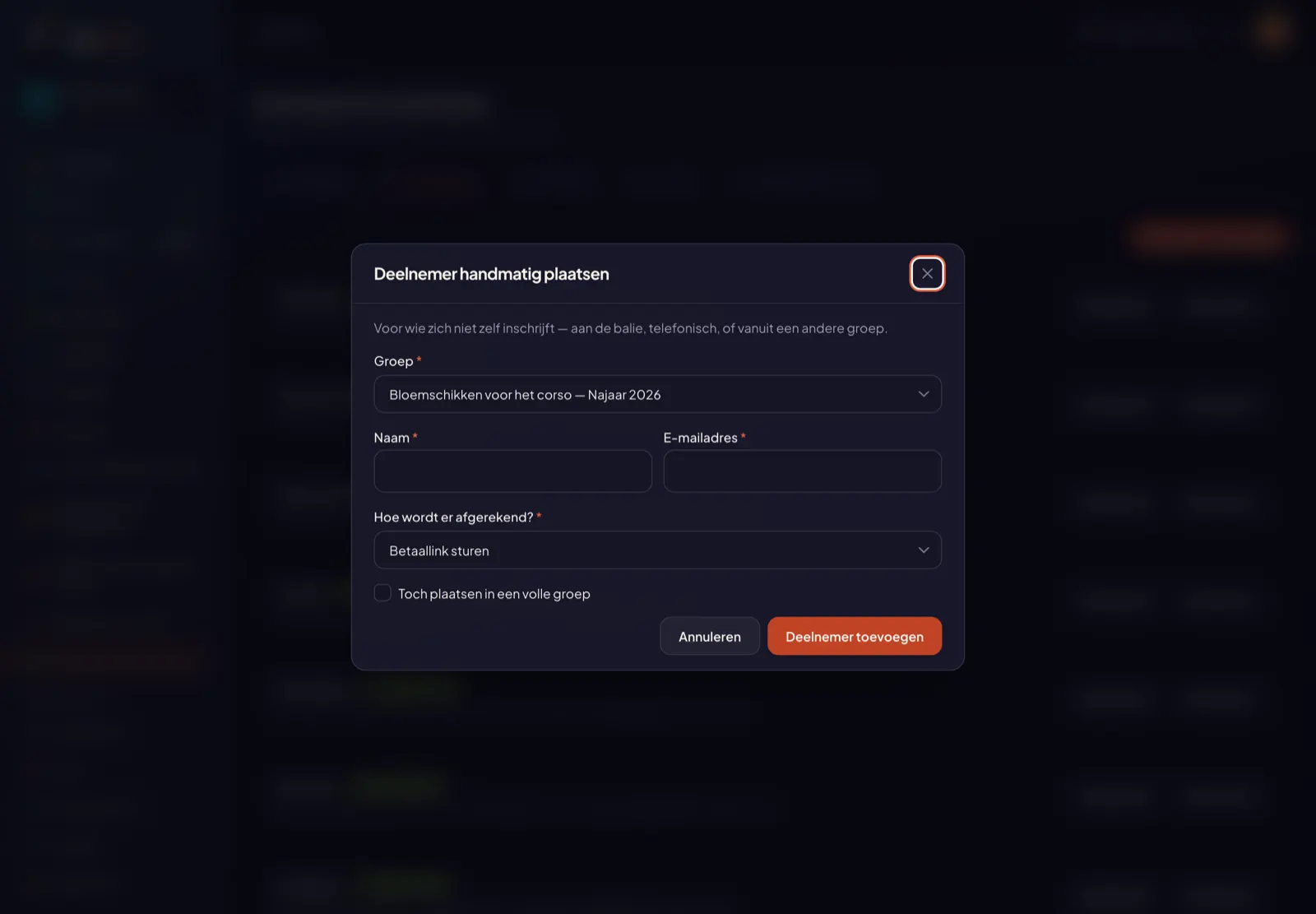
You pick one of two:
- Send a payment link — you get a payment URL back to forward yourself, by email or messaging app. The enrolment stays pending until it is paid, and from there it behaves exactly like an online sign-up.
- Place for free — for a trial lesson, a volunteer or a goodwill gesture. Amount € 0.00, and free stays fee-free.
What you deliberately cannot choose is "paid outside the platform". It would save you a click, but it would mean a paid enrolment running entirely outside MijnEvent — no payment record, no automatic refund on cancellation, and revenue you have to keep in two places. Someone paying cash at the desk? Forward the payment link or place them for free and note the amount in your own books. Then that choice is visible instead of hidden in a field.
If the group is full, the system refuses. Tick Place anyway in a full group to overbook — so it is possible, but never by accident.
Moving someone to another group
This was the actual question. Every ongoing enrolment now has a Move button: pick the new group and you're done. The enrolment itself relocates, so the order, the series pass and the attendance go with it.
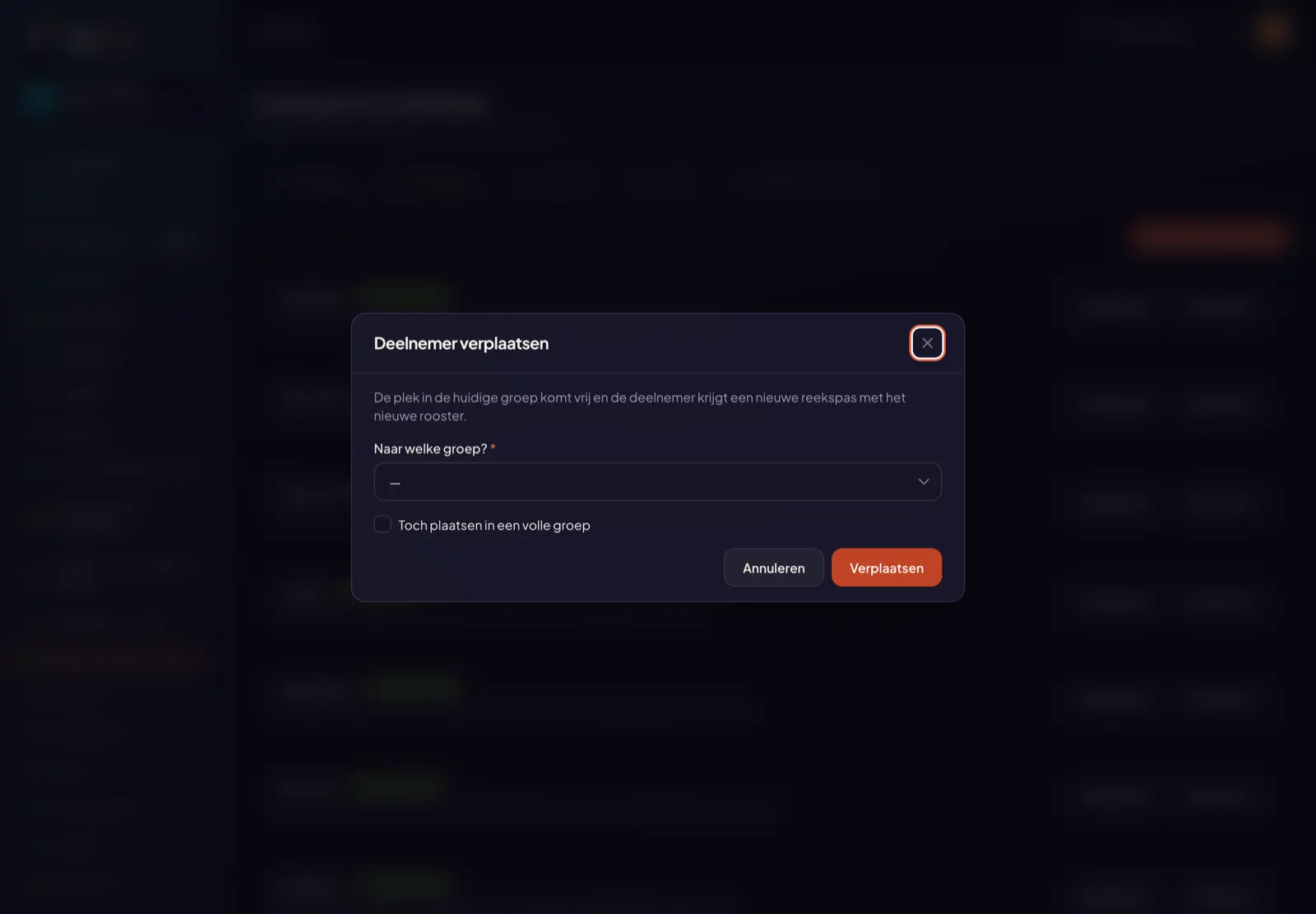
What happens meanwhile:
- The seat in the old group frees up, and its waiting list advances immediately.
- If that group was full, it reopens. If the new group fills up, it flips to full.
- The participant receives a new series pass with the new schedule, headed by the line "You have been moved from … to …" — otherwise nobody understands why a second pass arrives.
- Attendance already recorded stays with the old lesson. That person was there; moving them doesn't change that.
And the money: we show what was paid, what the new group costs and what the difference is. Nothing more. Collecting or refunding it is a conversation with your participant, not a side effect of a button.
A member rate per group
Organisations that run both memberships and courses expect members to pay less. That already worked for tickets, not for courses. Now it does: alongside the regular price you enter a member rate for the group. If someone signs up with valid proof of membership — the QR on their membership card or a member token from your own website — that rate applies automatically. No discount codes to email around, and without valid proof simply the regular price.
Collecting extra details for a course
The attendee details module only worked for events with tickets. Logical from the technical side, illogical in practice: with a course you often need more than a name and an email address. At a dog school the participant is literally not the person paying — the breed, date of birth and chip number of the dog decide which group they belong in.
You now link a form to a course and to the groups you want to ask.
Two details that make it usable:
- The deadline counts back from the first lesson, not from the moment of sign-up. You want a puppy's age to be current when the course starts, not four months earlier.
- The link sits in the series pass email, the same place as with tickets. A second email straight after the first one doesn't get read.
A form belongs to an event or to a course, never both — that would put two different deadlines on one form. Billing is per course, not per group: eight groups of the same course is one setup and therefore one charge.
In short
What you can do today and couldn't yesterday: place someone in a group yourself with an honest choice about the money, move a participant without charging them again, give members their own course price, and ask at sign-up for what you actually need.
Working with fixed groups and running into something that still isn't possible? Email us. These four things exist because one administrator took the trouble to write it down.