A city voucher is a bearer instrument: whoever holds the code holds the balance. That is exactly what makes it so easy — no account, no app, no fuss. But until now it also meant: lose the card and there was little you could do beyond calling the issuer and hoping. That has changed. Every city voucher and city card can now be linked to an email address, and when something is off you lock it with one button — while your balance stays safely put.
Link your card to your email address — and add it to your wallet
On your card's balance page — scan the QR, type the voucher code or scan the physical card — there is a block called "Add your card to your wallet". The issuer's programme page already points it out, right next to the field where you enter your code. It works in two steps:
- Enter your email address. We send you a six-digit code. Nothing changes on the card yet.
- Type the code on the balance page. That proves the address is yours.
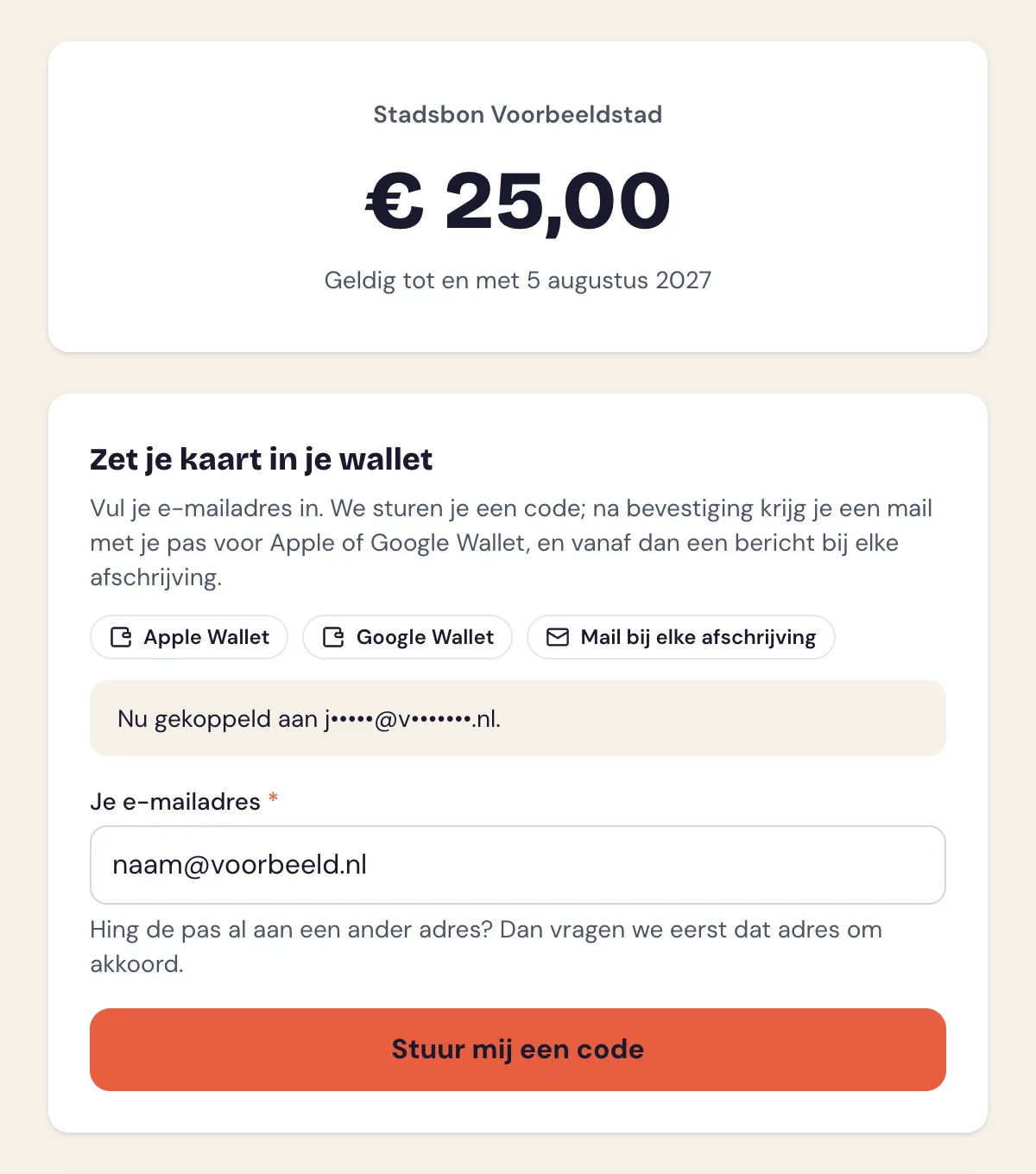 Linking happens on the balance page itself — no account needed, just your email address and the code we email you.
The card is then registered to you: you get an email with the buttons to add it to Apple Wallet or Google Wallet, it appears in your MijnEvent account, and after every purchase you get a message with the amount, the shop and your remaining balance. The balance in your wallet updates by itself.
This also works with a physical card: scan the pass ID and go through the same two steps. The voucher code never appears on the balance page itself; you only receive it by email, at the address you just confirmed.
Handy for a card you received as a gift, a physical card handed over the counter without an email address, or a card you pass on to someone else.
Card already linked to another address? Then that address decides
This is where the real security sits. If the card is already linked to a different email address, nothing changes after your code. The current holder gets an email: "someone wants to link your card to another email address" — with the new address and the voucher code both masked.
That email has two buttons. With "Yes, link the card to the new address" the card moves and the new address receives the email with the wallet buttons. The approval link works once and is valid for seven days. If the holder doesn't recognise the request, they do nothing and the card stays theirs. And if they suspect someone else has their card, they freeze it straight away with the second button.
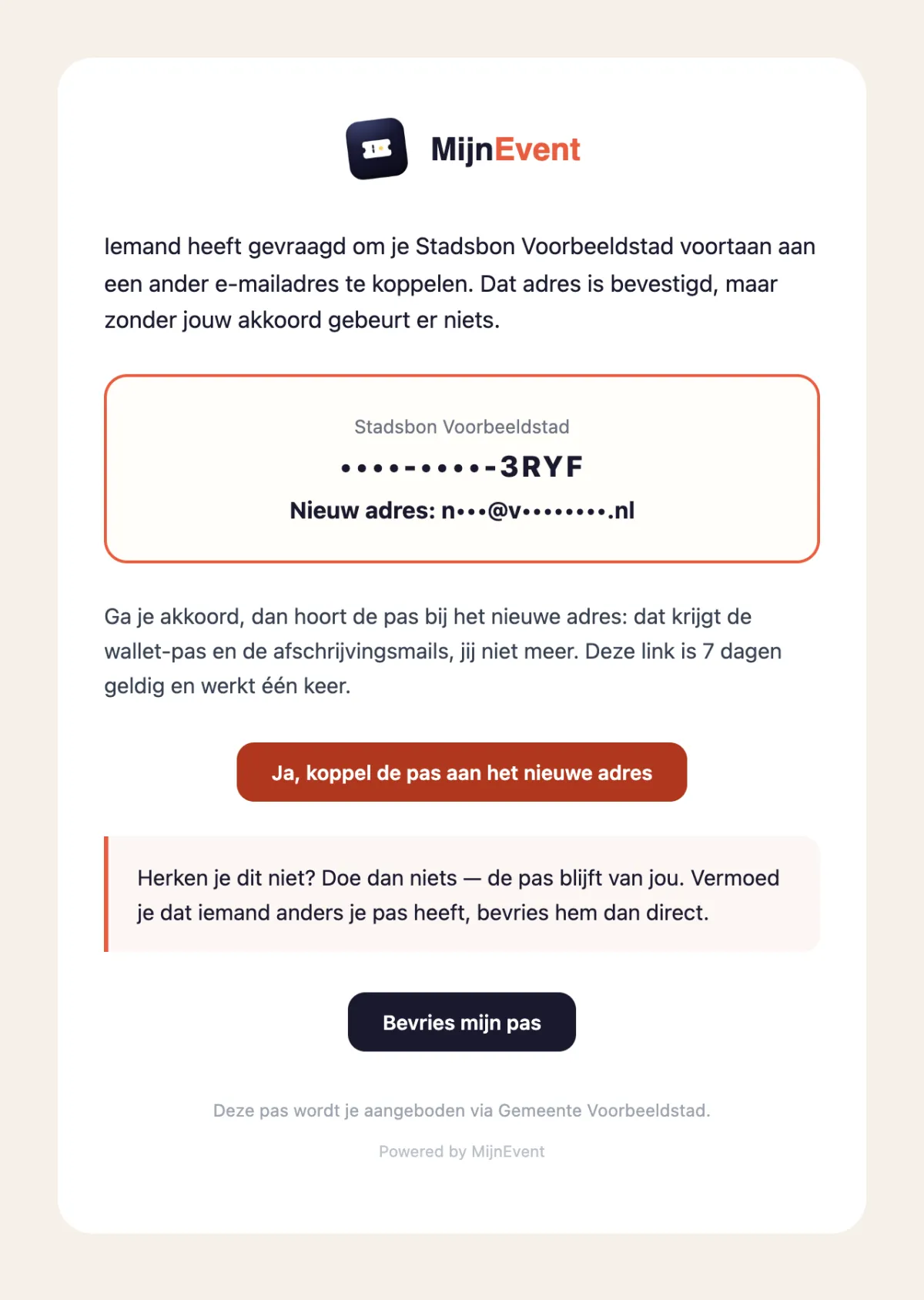 Recognise the request? One button to approve. Don't recognise it? Do nothing, or freeze the card straight away.
Freezing: everything closed, balance stays put
The freeze button opens a confirmation page; the card only locks after you confirm. From that moment:
- spending is no longer possible — every participating shop's till refuses the card;
- topping up is no longer possible;
- the wallet pass is voided on your phone;
- but the balance stays exactly where it was.
The issuing organisation is notified automatically and sees the card in its admin panel under Frozen cards. That notification carries the last deduction with it — amount, date, time and shop — because that is usually the purchase the whole thing was about.
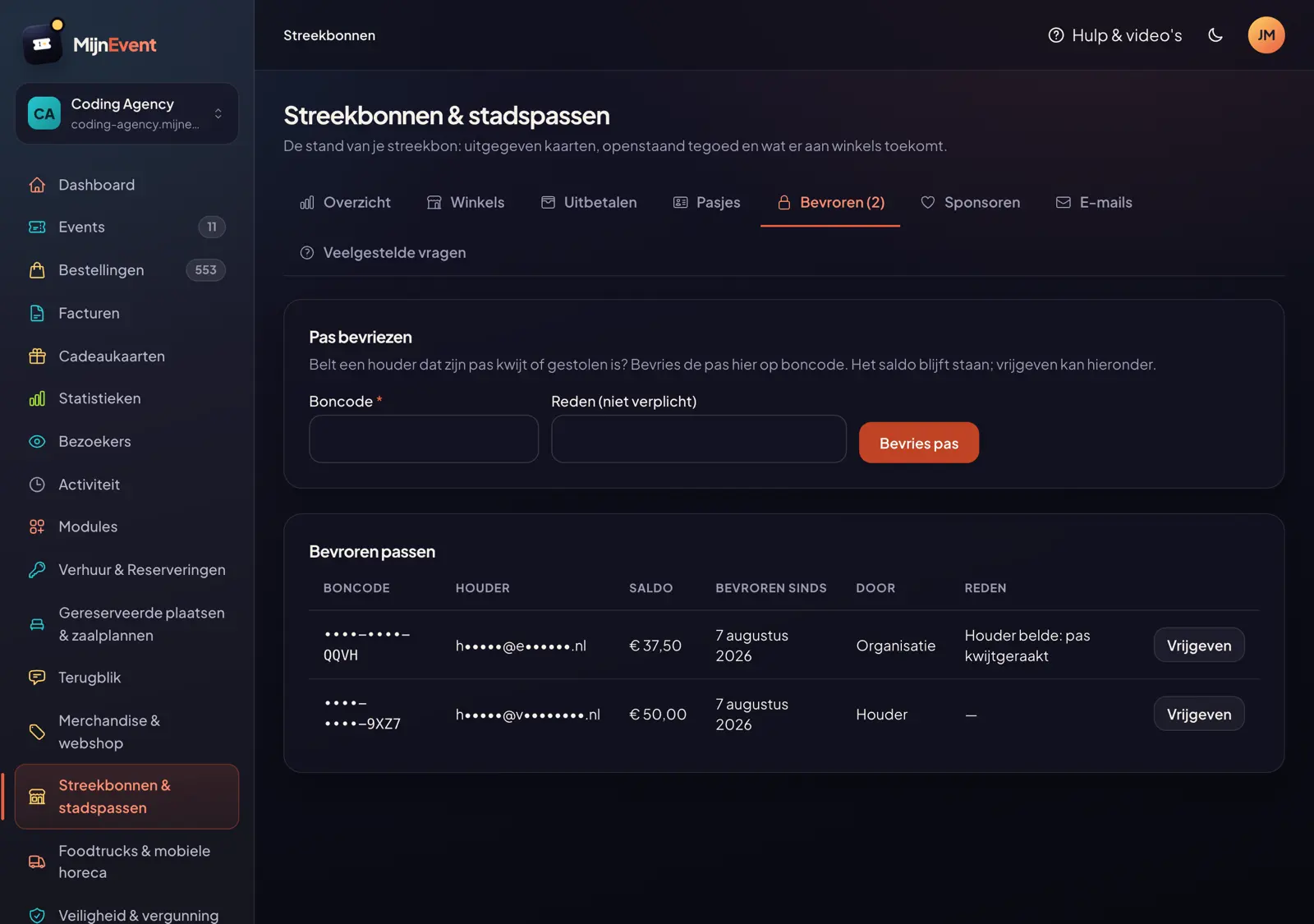 The issuer sees frozen cards — with masked code and masked address — and releases them after checking.
If a payment was made at a shop shortly before the freeze, that shop is notified too. Not because anything is expected of it — its redemption stands and will be paid out as normal — but because "pay, then the card closes" is exactly the pattern of a misused card, and it should hear about that at the time rather than weeks later over a payout query.
Released again: your card comes back by email
After checking — a quick call with you, for instance — the issuer releases the card. You are notified, and that email is your card: the full voucher code, the QR code and the buttons to add it back to Apple or Google Wallet are all in it. If the wallet pass is still on your phone it revives by itself and you need do nothing; if you removed it earlier, one tap in that same email puts it back.
Two exceptions, both deliberate. If you handed the card in and the issuer unlinked it from your address while releasing it, you only get a confirmation with a masked code — a card that is no longer yours should not land in your inbox as a scannable QR. And if there is no credit left, the wallet pass stays void; a button would promise something that doesn't work. Top the card up and everything is back at once.
Also for a stolen physical card
The freeze button doesn't only sit in the approval request. From now on it is in every receipt email: the message you get after each purchase with the amount, the shop and your remaining balance. If you spot a purchase you don't recognise there — because your physical card was stolen, or your wallet pass sits on a lost phone — you freeze the card straight from that email. No phone number to look up, no queue.
And if a holder prefers to call anyway? That is covered too: the issuer can freeze a card by its code from the admin panel, for instance for someone without email access.
Why the freeze button never appears on the balance page
One design choice deserves an explanation. The balance page is public: anyone who knows the voucher code — or finds it on a lost card — can see the balance. If a freeze button lived there, anyone with the code could shut down someone else's card. That is why the freeze link arrives exclusively by email, with the holder. And such a link is deliberately valid for 30 days: an email archive from years ago should not be a permanent remote control for your card. Expired? The page behind the link lets you request a fresh one with a single button — sent to the address currently linked to the card.
Try it yourself?
Linking and freezing works on every city voucher and city card, digital and physical alike, without the issuer having to set anything up. It is part of the Local vouchers & city cards module. Want to know more about the card itself? Read how to buy and spend a city voucher or how topping up works.