# Your membership card in your wallet: member number and QR always on you — MijnEvent

  [Home](https://mijnevent.nl/en) / [Blog for event organizers](https://mijnevent.nl/en/blog) / Your membership card in your wallet: member number and QR always on you   modules memberships 

# Your membership card in your wallet: member number and QR always on you

The digital membership card now also lives in Apple Wallet and Google Wallet: member number, name, plan and validity on the pass, with the same QR code that gets scanned at the door for entry or the member rate.

 [Jasper Koers](https://mijnevent.nl/en/author/jasper-koers) · 27 April 2026 · 4 min read 

  ![](https://regify-mijnevent.s3.eu-central-1.amazonaws.com/blog/covers/membership-card-in-your-wallet.webp)  Photo: [Lars Bo Nielsen](https://unsplash.com/@lbnielsen?utm_source=MijnEvent&utm_medium=referral) / [Unsplash](https://unsplash.com/?utm_source=MijnEvent&utm_medium=referral)    In short

- The digital membership card now also lives in Apple Wallet and Google Wallet, next to the bank card on the phone.
- The pass shows the plan (tier name), the member number, the member's name and the membership validity.
- The QR code on the wallet pass is exactly the same code as on the email and PDF, so scanning for entry and the automatic member rate keep working unchanged.
- For clubs using the Memberships &amp; season passes module the wallet buttons appear automatically in every membership card email, with no setting, no extra step and no extra cost.

  The tray of plastic cards in the kitchen drawer, the laminated membership card that is always in the *other* jacket — every club knows the drill. Organisations that sell memberships or season passes through MijnEvent already give members a digital membership card with a QR code by email. That card now gets a logical extra home: **Apple Wallet and Google Wallet**. One tap in the membership card email and the card sits on the phone, next to the bank card — exactly where a membership card belongs.

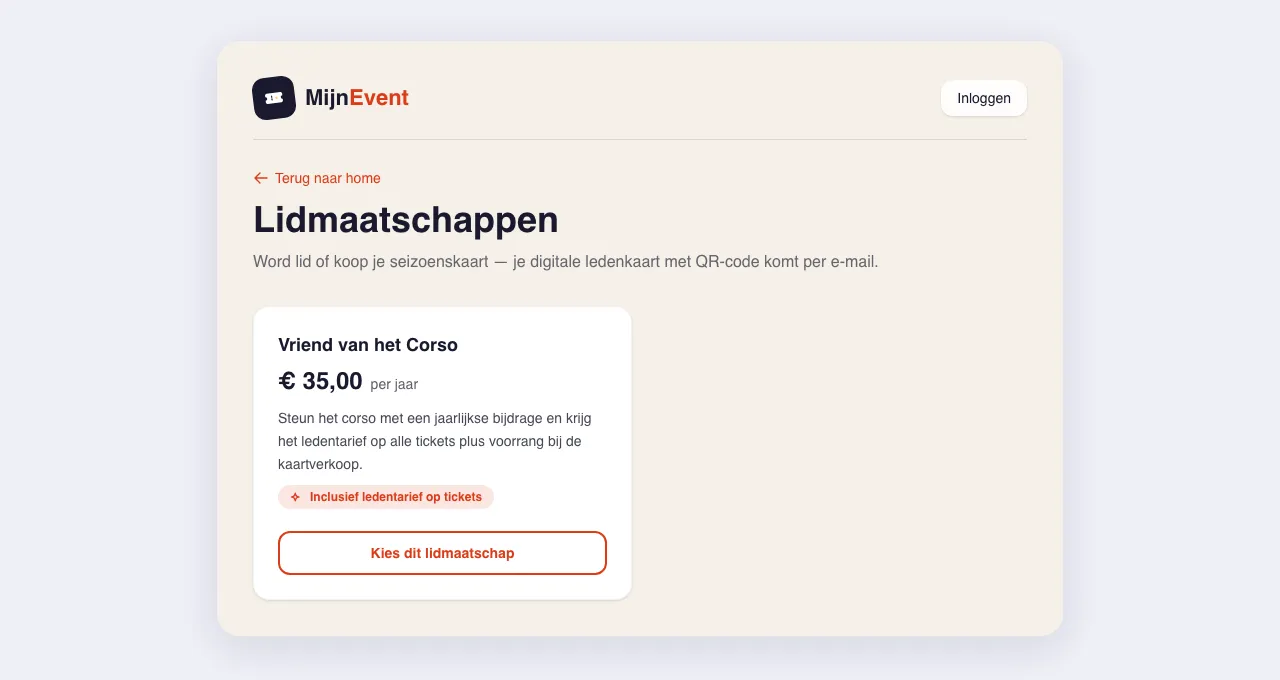
*Note: the screenshot below shows the Dutch interface — the flow is identical in every language.*

# What is on the card

The membership card is a StoreCard (Apple) / Loyalty pass (Google) — the card type, not a ticket. The front carries everything a membership card should:

- the **plan**: the tier name, prominently at the top — "Season pass 2026" says more at the door than a barcode;
- the **member number**;
- the **member's name**;
- the **validity** of the membership.

The pass comes in the familiar dark MijnEvent style, carrying your own organisation's logo if you have set one. Members recognise the card of *their* club, not a generic pass.

![Managing membership tiers in the admin](https://regify-mijnevent.s3.eu-central-1.amazonaws.com/blog/inline/lidmaatschap-plannen-v2.webp)*The tiers in the admin: the tier name is exactly what appears large on the wallet pass.*

# The same QR as in the email and on the PDF

An important detail: the QR code on the wallet pass is **exactly the same code** as on the membership card in the email and on the PDF. For the inspector at the door it makes no difference how a member presents the card — email, PDF or wallet, the scanner reads the same card everywhere and the same checks apply.

That means everything the membership card could already do keeps working: **scanning for entry** at members' nights, and the **member rate** that applies automatically when a member buys tickets. There is no second card number and no separate system; the wallet pass is simply a third form of the very same card.

# One button in the membership card email

The add buttons sit in the **membership card email** every member receives: "Add to Apple Wallet" and "Add to Google Wallet", directly below the card. One tap, confirm, done. No app to install, no account to create — the wallet is already on every phone.

That same email also recently gained [the membership card as a PDF attachment](/en/blog/pdf-proof-with-every-order) — to print or forward, for the member who prefers paper in a drawer. Email, PDF and wallet all carry the same card; the member simply picks the form that fits.

For the member this mostly means: **no more searching**. The card lives offline in the wallet, so even in a clubhouse with thick concrete and thin reception it opens instantly. And the jacket holding the physical pass can stay on the coat rack.

# For the club: nothing to configure

If you use the [Memberships &amp; season passes](/en/modules/memberships) module, the wallet buttons appear automatically in every membership card email. There is no setting, no extra step in the admin and no extra cost — it simply works.

Two tips to get the most out of it:

- **Pick your tier names deliberately.** That name appears large on the pass on your members' phones — "Season pass 2026" or "Friend of the club" looks a lot better there than "Tier 1".
- **Point new members at the button.** One line in your welcome message — "add your membership card to your wallet, and it is ready at the door" — and a member who has used the button once never digs for an email again.

The membership card is part of a bigger wallet week at MijnEvent: [the city card — with a live balance on the pass](/en/blog/city-card-in-apple-and-google-wallet) — and the [parking pass with license plate](/en/blog/parking-pass-in-your-wallet-with-license-plate) moved into Apple Wallet and Google Wallet as well. That tray of plastic cards in the kitchen drawer is slowly but surely becoming obsolete.


   Frequently asked questions

## Frequently asked questions

## Is the wallet membership card a different card from the one in the email?

 No. The wallet pass is simply a third form of the very same card; the QR code on it is exactly the same code as in the email and on the PDF, so there is no second card number and no separate system.

## Do members need to install an app to add the card to their wallet?

 No. The Add to Apple Wallet and Add to Google Wallet buttons sit in the membership card email — one tap, confirm, done. There is no app to install and no account to create, because the wallet is already on every phone.

## Does the club have to configure anything to enable this?

 No. If you use the Memberships &amp; season passes module, the wallet buttons appear automatically in every membership card email. There is no setting, no extra step in the admin and no extra cost.

  [    Back to blog ](https://mijnevent.nl/en/blog) 

  MijnEvent

## Read more

 [ ![](https://regify-mijnevent.s3.eu-central-1.amazonaws.com/blog/covers/automatic-membership-renewal-dutch-law.webp) memberships 

 Jasper Koers · 27 July 2026 · 6 min read

## Automatic membership renewal: collecting fees within Dutch renewal law

Automatic renewal saves your club a pile of chasing work, but the law has rules about cancelling. Here is how renewal works in MijnEvent, and how to keep it clean.

 ](https://mijnevent.nl/en/blog/automatic-membership-renewal-dutch-law) [ ![](https://regify-mijnevent.s3.eu-central-1.amazonaws.com/blog/covers/ontruimingsverslag-evenement-bewijsstuk.webp) safety 

 MijnEvent · 27 July 2026 · 5 min read

## The evacuation record: why the day after your event matters for the next permit

An evacuation — real or drilled — is only finished once it is on paper. What belongs in an evacuation record, why the municipality asks for it, and how to make the record write itself instead of reconstructing it afterwards?

 ](https://mijnevent.nl/en/blog/evacuation-record-event-evidence) [ ![](https://regify-mijnevent.s3.eu-central-1.amazonaws.com/blog/covers/knmi-weeralerts-veiligheidsplan.webp) safety 

 MijnEvent · 27 July 2026 · 3 min read

## Weather monitoring in your safety plan: how KNMI warnings land in your alerts and logbook automatically

Almost every safety-plan format has a 'weather monitoring' section — and almost nobody fills it in concretely. The Safety &amp; Permit module pulls the KNMI warning code for your event location every hour and turns it into a demonstrable process.

 ](https://mijnevent.nl/en/blog/knmi-weather-alerts-event-safety-plan) 

   MijnEvent

## Ready to get started?

Create a free account and sell your first tickets today.

 [Start free](https://mijnevent.nl/registreer) [Pricing](https://mijnevent.nl/en/pricing)